
How to Add Bilingual Captions to Instagram Reels in 2026
A practical workflow for bilingual Reels captions that stay readable, fit safe zones, and work across English, Arabic, French, and other short-form language pairs.
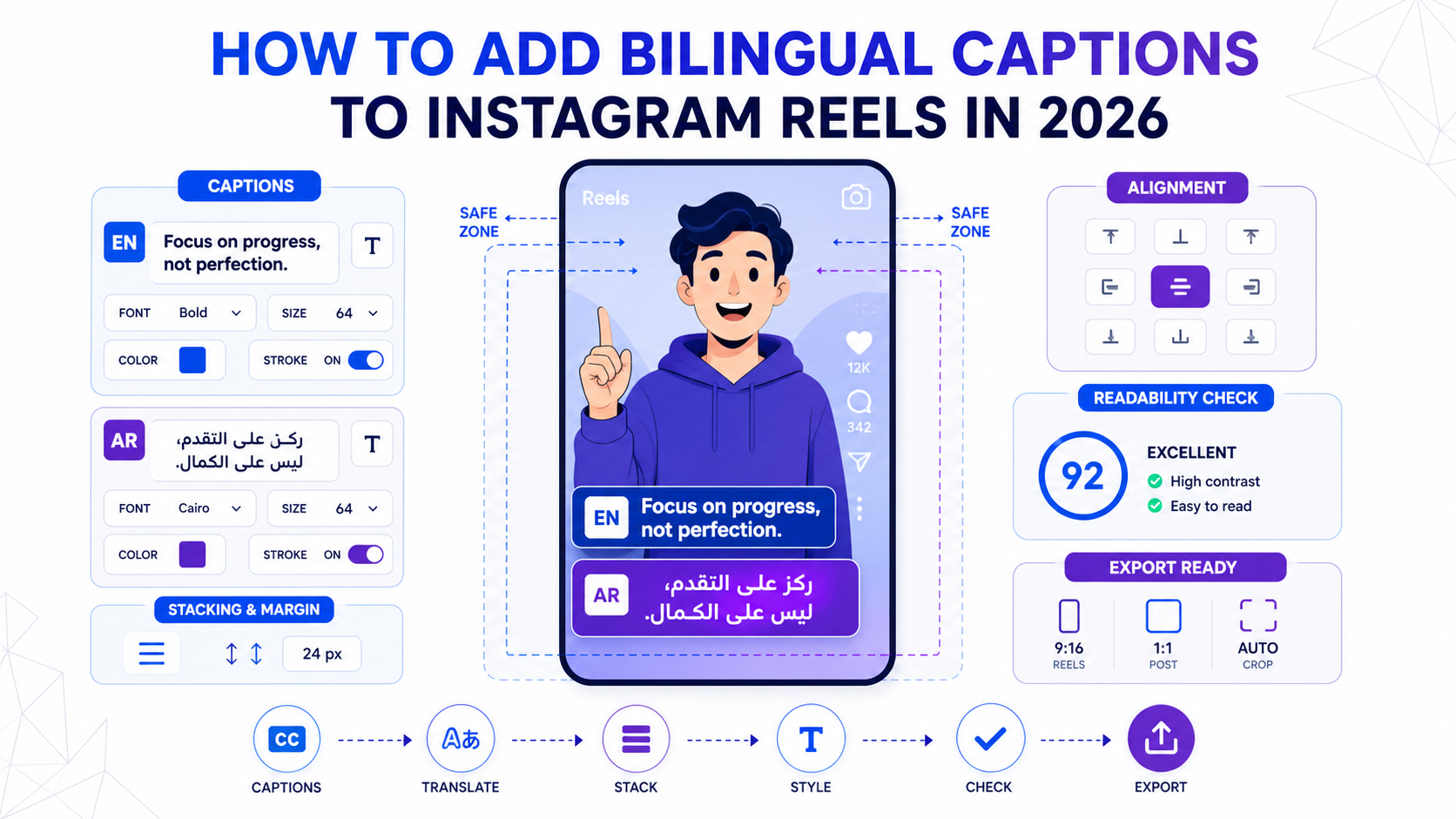
Bilingual captions used to feel niche. In 2026, they are moving toward the mainstream.
Meta said on April 22, 2026 that bilingual captions are part of the next wave of Edits improvements. That is a strong signal. It means major platforms now recognize that one-language subtitles are often not enough for modern creator workflows.
The reason is simple. A lot of short-form audiences are mixed:
- diaspora viewers who understand speech but read another script faster
- bilingual markets where audiences switch languages naturally
- brands testing a second market before investing in full dubbing
- creators who want one Reel to travel farther without recording twice
If you add bilingual captions badly, the result is clutter. If you add them well, the Reel feels more local, more understandable, and more shareable.
When bilingual captions make sense
Bilingual captions are most useful when you want one clip to serve two overlapping audiences at the same time.
Common examples:
- English speech with Arabic captions for MENA reach
- Arabic speech with English support text for diaspora audiences
- French speech with English subtitles for broader B2B distribution
- English speech with one translated line for testing demand before dubbing
They are usually a better choice than dubbing when the creator's original voice matters, the clip is short, or the audience already understands some of the source language.
If you want full translated audio instead, start with how to dub video with AI and keep voice energy.
The core rule: one language leads, one language supports
The biggest mistake is treating both languages as equally loud on screen.
Do not do that.
Your Reel still needs one clear reading path. One language should be primary. The second should support it.
In practice:
- make the primary line larger
- reduce weight or color intensity on the secondary line
- keep both lines synchronized to the same spoken moment
- limit the amount of text shown at once
That hierarchy is what keeps the frame readable.
Step 1: Choose the right language pair
Before styling anything, decide what job the second language is doing.
| Goal | Better format |
|---|---|
| Reach viewers in another market | Source language + translated subtitles |
| Help diaspora viewers follow quickly | Arabic script + English or Latin transliteration |
| Protect the creator's original delivery | Original audio + bilingual subtitles |
| Test demand before full localization | One bilingual Reel before dubbing |
If your audience reads Arabic slowly but understands it when spoken, a Latin transliteration can outperform formal Arabic script in some youth-oriented niches. If your audience is professional or region-specific, proper Arabic script is often the better choice.
This is why the layout should follow the audience, not a generic template.
Step 2: Keep the caption stack inside the safe zone
Instagram UI eats more vertical space than many creators expect. Likes, comments, profile elements, and bottom metadata can quickly collide with lower-third subtitles.
For bilingual captions, that risk doubles because you are stacking more text.
Use these rules:
- keep the full caption block above the bottom-heavy UI area
- leave extra breathing room on the right side for interface overlap
- avoid placing a two-line bilingual stack directly at the lowest edge
- review the first frame, middle section, and final seconds before export
If you also cross-post to TikTok or Shorts, use the stricter layout, not the most permissive one. This is covered in more detail in TikTok safe zones and caption layout.
Step 3: Shorten the translation instead of shrinking the font
Most bad bilingual captions fail for one reason: the creator tries to fit too many words on screen.
Do not solve long text by making the font tiny.
Solve it by rewriting the subtitle.
Good short-form captions are not transcripts. They are on-screen reading units. When you add a second language, you often need to compress the translated line even more than the original.
For example:
- Spoken line: "What changed our workflow was reviewing clips before we spent anything on export."
- Better bilingual caption pair:
- Primary: "Review before export."
- Secondary: "Check it before you pay."
That keeps the message clear and the frame readable.
Step 4: Separate the two languages visually
Use style to tell the viewer what to read first.
A simple structure works best:
- primary language in bold or higher-contrast color
- secondary language in lighter weight or lower-contrast color
- tight spacing between paired lines
- consistent position from start to finish
For English and Arabic together, many teams place English on top and Arabic below when the source audience starts in English. If the audience is Arabic-first, flip that hierarchy.
The point is not a universal rule. The point is consistency.
Step 5: Handle Arabic and RTL correctly
Arabic bilingual captions are where many Reels workflows break.
The hard parts are not just translation quality. They are layout details:
- RTL alignment
- punctuation placement
- mixed Arabic and Latin characters in one frame
- line wrapping that does not split awkwardly
This is why generic subtitle tools often look acceptable in English and messy in Arabic. If Arabic is part of the workflow, use a system that treats RTL as a first-class layout problem rather than an afterthought.
For a deeper Arabic-specific workflow, read how to add Arabic subtitles the right way.
Step 6: Use motion carefully
Word-level karaoke styles can work well in bilingual setups, but only when one layer is clearly dominant.
If both languages animate aggressively, the viewer has no stable reading path.
A better rule:
- animate the primary language more strongly
- keep the secondary line calmer
- avoid using two equally loud highlight systems at once
This is especially important in talking-head Reels, where the face, gesture, and caption layer already compete for attention.
Step 7: Decide whether one Reel is enough
Bilingual captions are useful, but they are not always the final answer.
Sometimes the better strategy is:
- publish one bilingual Reel to test response
- identify the strongest retention market
- create a dedicated translated or dubbed version only for that audience
That is often a better use of time than forcing one version to serve everyone forever.
If your content repeatedly works across markets, move from bilingual captions into a fuller multilingual video localization playbook.
A practical styling template
Use this as a starting point, then adjust to your audience.
| Element | Primary line | Secondary line |
|---|---|---|
| Font size | Larger | Slightly smaller |
| Weight | Bold or semi-bold | Regular or medium |
| Contrast | High | Moderate |
| Animation | More active | More restrained |
| Line length | Short | Even shorter |
| Role | Lead meaning | Support understanding |
This structure matters more than the exact font.
A simple CapzAi workflow for bilingual Reels
Here is the practical version:
- Upload the source clip.
- Generate the primary captions first.
- Add the second language only after the main timing feels right.
- Reposition the full caption block for safe zones.
- Shorten translated lines that feel too long.
- Export a draft and review it on an actual phone screen.
- Only then export the final Reel.
That order matters. If you try to solve translation, style, and positioning all at once, you will waste time.
Common mistakes to avoid
- Using full transcript sentences in both languages.
- Making both languages the same size and weight.
- Letting the bilingual stack sit too low in the frame.
- Mixing RTL text without checking punctuation and wrapping.
- Assuming one bilingual layout will work equally well for Reels, TikTok, and Shorts.
Each of these problems looks small in the editor and obvious in the feed.
Bottom line
Bilingual captions are no longer an edge-case format. Meta's April 22, 2026 Edits roadmap makes that clear.
But the existence of bilingual captions as a feature does not guarantee a good result. The difference between a readable bilingual Reel and a messy one comes down to hierarchy, safe zones, line compression, and language-aware layout.
If you keep one language leading, shorten the translation, and review the result on a real vertical frame, bilingual captions can turn one Reel into a much more flexible growth asset.
If you want to do that consistently across English, Arabic, French, and short-form exports, build the caption layer like part of the edit, not like an afterthought. That is where CapzAi fits best.
Related articles
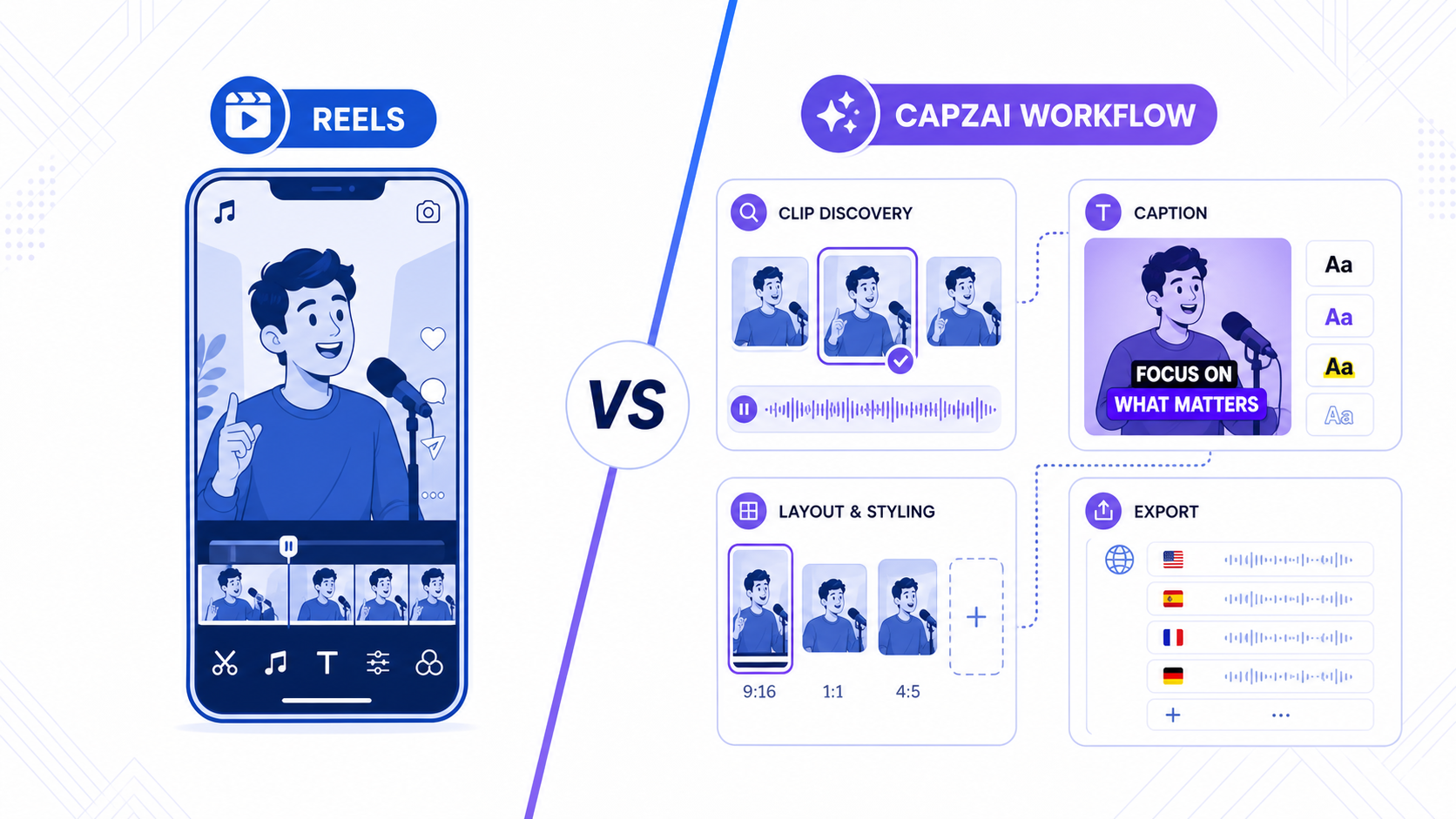
Instagram Edits vs CapzAi: Which Reels Workflow Makes More Sense in 2026?
Instagram Edits is becoming a serious native creation app, but many Reels teams still need stronger captions, clipping, and multilingual finishing.
Read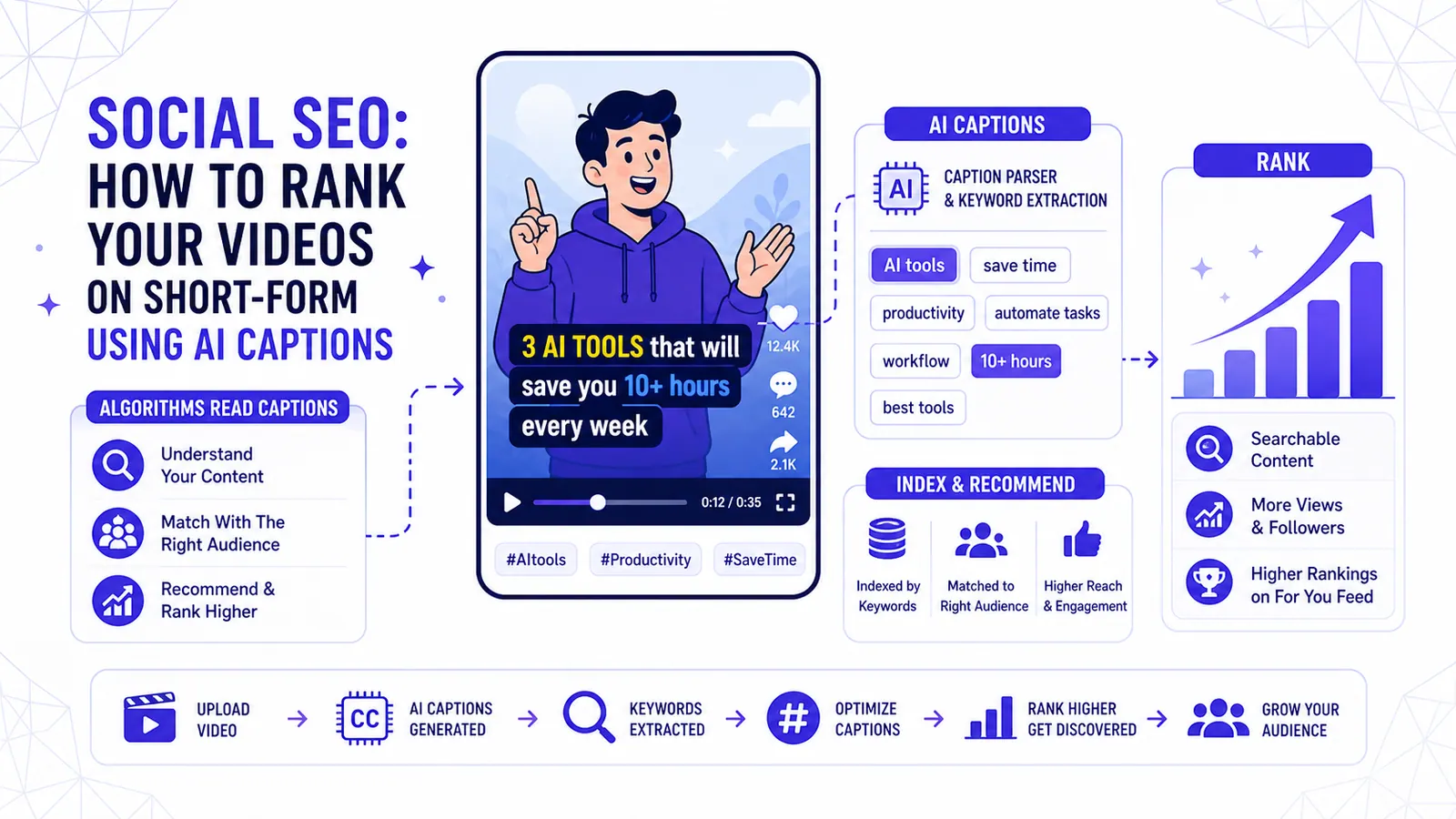
Social SEO: How to Rank Your Videos on TikTok & Reels using AI Captions
Algorithms are no longer just looking at hashtags. Learn how the 2026 TikTok and Instagram Reels algorithms use your captions to index and push your content to the right audience.
Read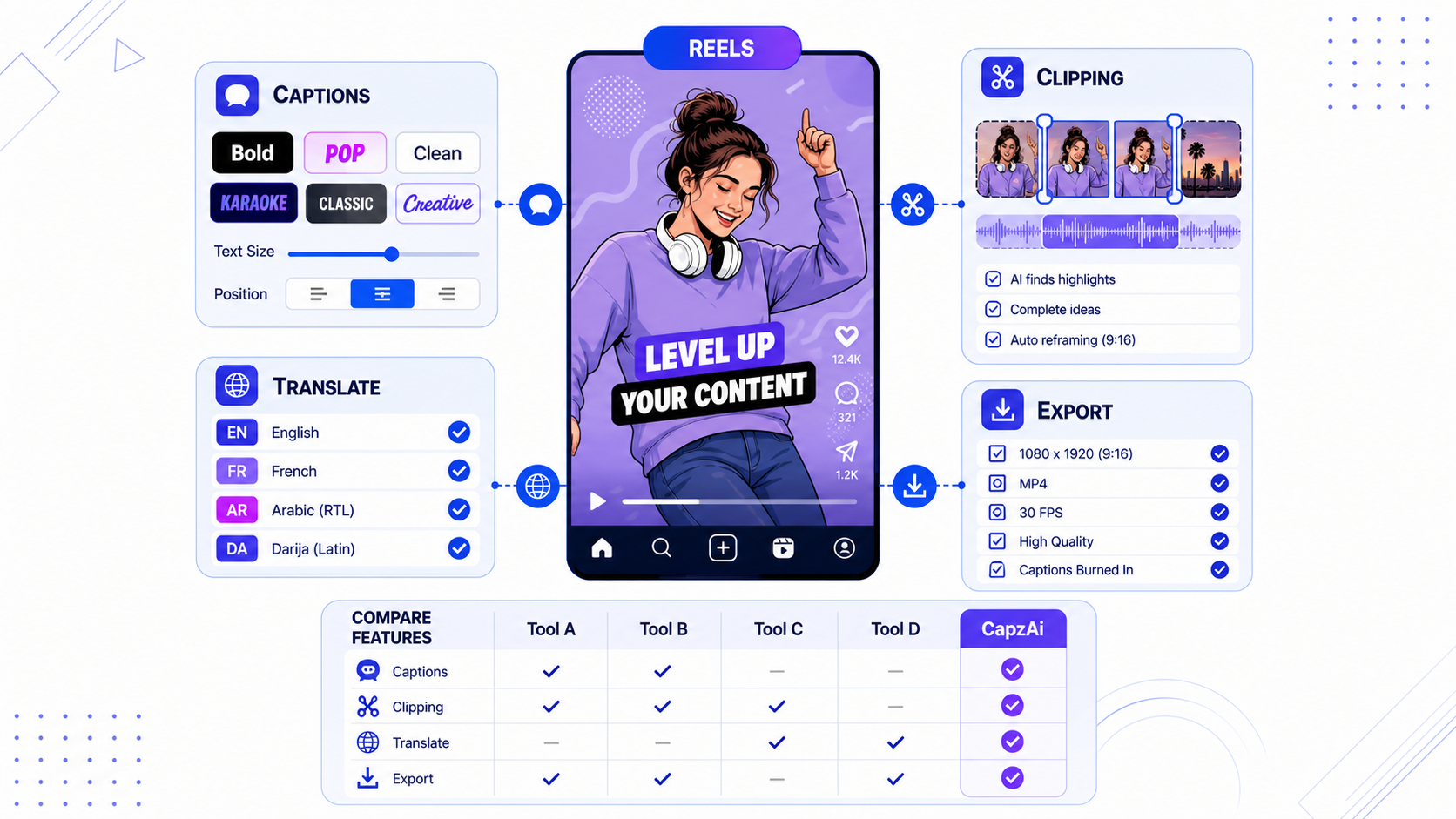
Best Instagram Edits Alternatives for Reels Creators
Instagram Edits is improving fast, but Reels creators still need stronger caption styling, translation, clipping, and export workflows.
Read