
Arabic Subtitles: How to Add RTL Text to Video, Done Right
Stop fighting disconnected letters and misplaced punctuation with a workflow built for native Arabic text rendering.
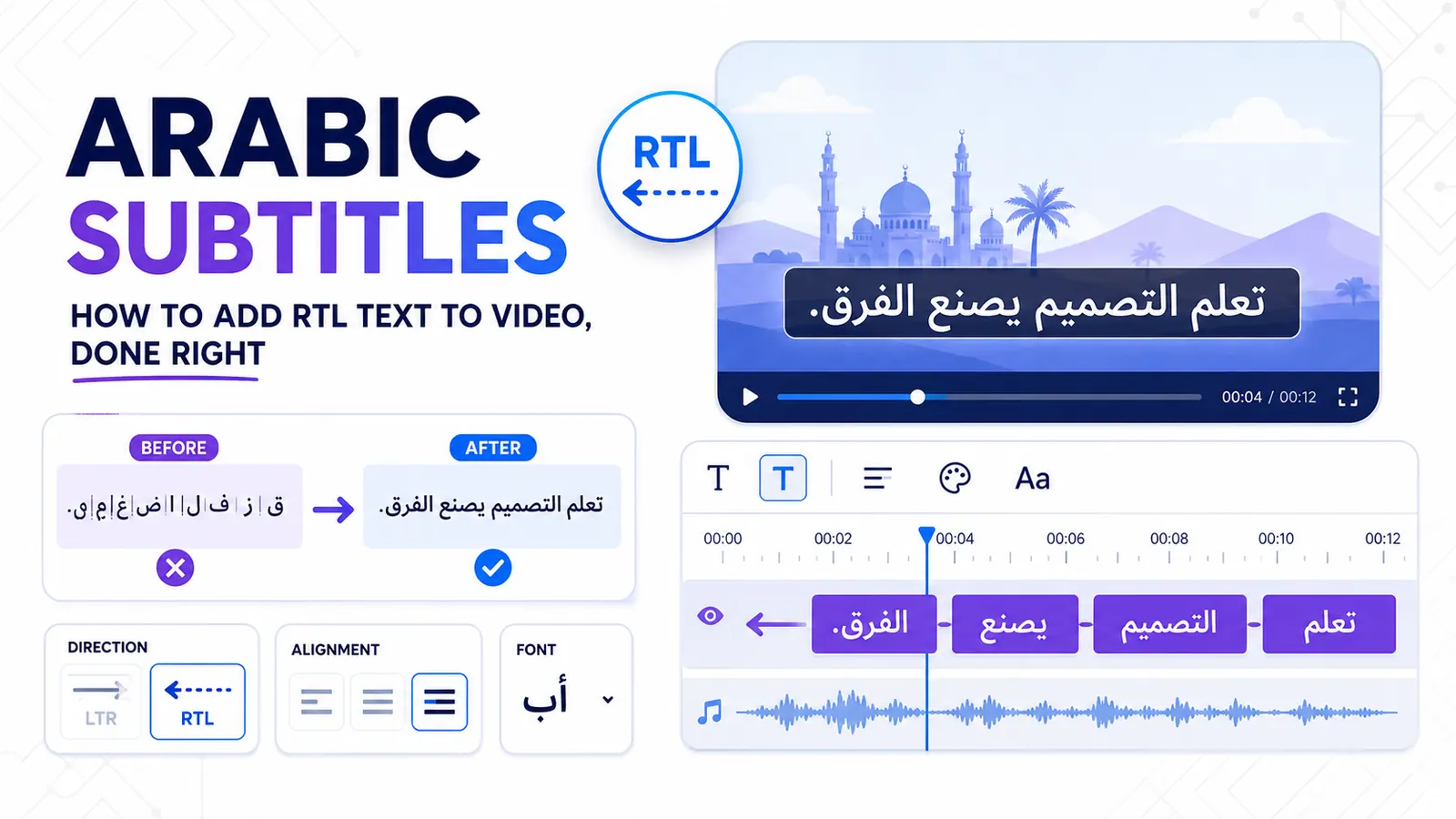
Generating accurate Arabic subtitles is a frustrating experience for many creators because most video editing software treats Arabic text as an afterthought. Note that this guide is entirely about generating your own Arabic subtitles directly from video audio or translation, not downloading pre-existing files from the internet. When you paste your translated script into a generic caption tool, the letters immediately disconnect.
The punctuation jumps to the wrong side of the sentence, and the entire phrase reads backwards. You waste hours manually reversing characters or relying on sketchy online text reshapers just to get a basic subtitle on the screen.
Western tools like Premiere Pro or popular AI caption apps repeatedly fail at Right-to-Left languages. They assume every language follows Latin rendering rules. We built CapzAi because creators targeting the MENA region deserve a tool that understands Arabic natively.
You need accurate word-level captions. You need proper bidirectional layout. You also need transcription models that actually understand local dialects.
The Technical Reality of Rendering Arabic Subtitles in RTL
Linear vs. Bidirectional Rendering
Let us look at exactly why video editors mangle Arabic text. The core issue lies entirely within the text rendering engine.
English and French use a simple linear rendering path. The computer reads the first character in the string and places it on the left. It reads the second character and places it to the right of the first. The logic requires zero contextual awareness.
Arabic requires a completely different approach. It relies on the Unicode Bidirectional Algorithm. A text engine must determine the base direction of the paragraph, then resolve the direction of individual characters.
If you mix English numbers or Latin brand names into an Arabic sentence, the engine must render the Arabic text right-to-left, embed the English text left-to-right, then continue the Arabic text right-to-left. Most video captioning tools fail at this bidirectional switching. They read the string and plot the characters left-to-right regardless of the script. This creates a reverse-order string of isolated Arabic characters.
Cursive Shaping and Punctuation Mirroring
Arabic is a cursive script. Letters change shape depending on their position within a word. A letter has an isolated, initial, medial, and final form.
The rendering engine must apply complex shaping rules to connect the characters correctly. When an editor lacks these shaping rules, you get disjointed letters. Native speakers spot this error immediately. It looks highly unprofessional.
Punctuation mirroring is another constant point of failure. In an RTL layout, an opening parenthesis should appear on the right side of the text block. A closing parenthesis appears on the left. Question marks must face the correct direction.
Submagic and similar tools often leave punctuation stuck on the left side of the screen. This breaks the grammatical structure of the sentence. CapzAi uses a custom RTL layout engine built specifically for video rendering. We process the bidirectional algorithm correctly before the text ever hits the video canvas, so your punctuation stays exactly where it belongs.
Dialects vs. Modern Standard Arabic
The Limits of Standard Transcription
Transcription models face an even bigger hurdle than rendering engines. Standard AI transcription relies entirely on Modern Standard Arabic (MSA). MSA is the formal language of news broadcasts, official documents, and classical literature.
Nobody speaks MSA on TikTok.
Content creators speak in regional dialects. A creator in Cairo uses Egyptian Arabic. A creator in Riyadh uses Khaleeji. A creator in Casablanca uses Moroccan Darija.
These dialects possess entirely different vocabularies and grammatical structures compared to MSA. The pronunciations differ wildly as well. If you feed an Egyptian comedy sketch into a generic AI captioning tool, the output will be a broken attempt to map spoken slang onto formal MSA vocabulary.
Transcribing Maghrebi Dialects
Moroccan Darija represents the ultimate test for transcription tools. Darija heavily mixes Arabic with French and Spanish. It also incorporates Amazigh loanwords. It features complex consonant clusters that confuse standard speech recognition models.
CapzAi natively supports Darija. We implemented specialized models that actually comprehend Maghrebi dialects. You do not have to settle for inaccurate transcripts.
You also have to make a stylistic choice with Darija. Do you caption it using Arabic script or Latin transliteration? Many Gen Z users in the Maghreb prefer reading Darija written in Latin characters. They use numbers to represent specific phonetic sounds. They type '3' for the letter Ayn, and '7' for Ha.
We allow you to output your captions in either native Arabic script or Latin transliteration. You match the reading preference of your specific demographic. Read more about adapting text for regional preferences in our guide on understanding video translation workflows.
Typography Dictates Engagement
Ditching System Fallback Fonts
Typography dictates how users engage with your video. Many creators simply leave their editor set to 'Inter' or 'Arial'. When the editor attempts to render Arabic through a Latin-first font, it falls back to a generic system font.
This results in thin unreadable text that vanishes against busy video backgrounds. Video captions require thick, legible strokes. You have milliseconds to capture a viewer's attention.
Thin Naskh-style fonts designed for printed books fail completely on mobile screens. The delicate ascenders disappear when compressed for social media feeds.
Curated Typefaces for Video
We highly recommend using specific heavy-weight Arabic fonts designed for digital displays. Cairo is a fantastic geometric sans-serif font. It balances modern aesthetics with excellent readability.
Tajawal provides a slightly softer appearance that works perfectly for lifestyle content. IBM Plex Sans Arabic offers exceptional clarity for technical or educational videos. Noto Naskh Arabic provides a highly reliable look if you want a classic documentary feel.
CapzAi includes a curated selection of proper Arabic fonts. We pre-calculated the line height and character spacing for these specific typefaces.
Arabic requires more vertical space than Latin scripts due to the ascenders and descenders in letters like Lam and Ya. If you crush the line height, the diacritics will overlap with the text above or below. Our RTL layout engine automatically adjusts the vertical metrics to ensure your text remains perfectly visible.
Navigating Cultural Pitfalls in MENA UGC
Adapting Humor and Tone
Translating a viral English video into Arabic requires more than direct word replacement. Direct translation often creates confusing or offensive content.
Humor rarely translates literally. An English pun relies on phonetic similarities that do not exist in Arabic. If your video relies on a heavy pun, you need to rewrite the caption to use an equivalent Arabic idiom. A literal translation of a joke usually results in total silence from the audience.
You must also consider regional sensitivities. The MENA region encompasses diverse cultures with varying levels of conservatism. Slang that is perfectly acceptable in Beirut might offend viewers in Doha.
You have to adapt the tone to your target market. A phrase that sounds casual in one country can sound deeply disrespectful in another.
Retaining Creative Control
Religious phrases carry significant weight in daily conversation. Phrases like "Inshallah" or "Mashallah" appear frequently in spoken dialects. Western AI models often ignore these phrases or translate them too literally. A native speaker expects to see these phrases accurately represented in the captions.
Literal AI translation fails here. You cannot blindly trust an automated output. This is why CapzAi includes an AI Agent designed for chat-to-edit workflows.
If the initial translation misses the cultural mark, you simply talk to the agent. You type, "Make this sound more natural for a Saudi audience," or "Rewrite this joke to make sense in Egyptian slang." The agent adjusts the vocabulary and syntax instantly. You retain creative control without spending hours manually rewriting subtitles.
Translating Global Content with AI Voice Dubbing
Multiplying Reach with Native Audio
Captions solve one part of the localization problem. Many creators want to fully localize their content using audio. If you have a high-performing English tutorial, you can multiply your reach by dubbing it into Arabic.
CapzAi handles this entire workflow natively. Our multilingual translation engine processes your English audio. It translates the script into natural Arabic. We then generate an AI voice dub using regional accents.
You can select an Egyptian voice for a casual vlog. You can pick an MSA voice for a professional presentation. We support full English, French, Arabic, and Darija translation paths.
Auto-Syncing Subtitles to Dubs
The timeline editor automatically syncs the new Arabic audio with your original video. We then generate word-level captions based on the new Arabic audio track.
You get a fully localized video with native audio and perfect RTL subtitles in minutes. We explain the technical details of this process in our technical guide on how AI voice dubbing works.
This workflow eliminates the need to hire expensive translation agencies and voice actors. You can test your content in the MENA market with minimal upfront investment. If a dubbed video gains traction, you can double down on that specific region.
Step-by-Step: Adding Arabic Subtitles with CapzAi
Let us walk through the exact process of captioning an Arabic video using CapzAi. We designed this workflow to eliminate every technical friction point associated with RTL languages.
Upload and AI Detection
Step 1: Uploading and Language Detection Start by dragging your video file into the CapzAi dashboard. The system processes the audio and automatically detects the spoken language.
If your video features mixed languages, such as an interview switching between French and Moroccan Darija, the engine identifies the language boundaries. You explicitly tell the system you are working with an Arabic dialect to ensure maximum accuracy.
Step 2: Generating Word-Level Captions The transcription engine generates accurate word-level timestamps. This precision is critical for modern video formats.
Viewers expect the active word to highlight exactly as it is spoken. Our engine maps the audio to the text with millisecond accuracy. This works flawlessly even for fast-paced speakers talking over background noise.
Correcting Text in True RTL
Step 3: Reviewing and Refining the Text Open the caption editor. This is where most tools break. CapzAi displays your text in a proper RTL interface.
The text aligns to the right. The cursor moves correctly. You can edit individual words without the entire sentence scrambling into chaos.
If you spot an error, you can fix it manually or use the AI Assistant. Highlight the section and tell the AI Agent to correct the phrase to proper Moroccan Darija if the speaker used heavy local slang. The agent updates the text and preserves the timestamps perfectly. Read more about leveraging agents in our AI chat-to-edit workflows guide.
Formatting and Exporting
Step 4: Applying Presets and Formatting CapzAi includes 5 viral caption presets: karaoke, viral pop, classic, docu, and creative. The viral pop preset applies a high-impact single-word highlight style that dominates short-form feeds. For an in-depth look at these styles, check out our breakdown of viral caption presets. The docu preset provides a clean cinematic look for longer narratives.
When you select a preset, the RTL layout engine recalculates the text rendering. If you choose a karaoke style that highlights individual words with a yellow background, the highlight correctly moves from right to left as the speaker talks. We automatically handle the line breaks so that phrases group together logically. Karaoke captions consistently overperform static text on TikTok.
You select a high-visibility font like Tajawal. You adjust the text size. The preview window shows exactly how the final render will look. There are no surprises after you hit export.
Step 5: Auto-Clipping Long Content If you uploaded a long podcast interview, you probably want to create promotional shorts. Our auto-clipping feature analyzes the transcript for high-engagement moments.
It isolates strong opinions and sharp jokes to generate multiple short clips from your source material. Each clip comes pre-formatted with your selected Arabic subtitle preset.
Step 6: Exporting the Final Video Review your edits and hit export. CapzAi uses a pay-on-export pricing model. We charge a flat rate of 20 credits per minute of exported video.
You do not pay for the time you spend editing or chatting with the AI agent. You only pay for the final rendered product. The system renders the video on our high-speed servers and delivers an MP4 file with burned-in, perfectly formatted Arabic subtitles.
The Problem with Generic Localization Tools
The Reality of True Localization
The software industry suffers from severe Western bias. Developers build tools in San Francisco or London. They test them with English text. They launch the product and claim it supports global languages.
Adding an Arabic font file to a server does not mean a tool supports Arabic. True localization requires architectural commitment.
It means rewriting the canvas rendering logic. It means sourcing transcription models trained on diverse regional data, not just formal news broadcasts. It means understanding that a user in Casablanca interacts with text differently than a user in Chicago.
Our Commitment to MENA Creators
We built CapzAi with these architectural commitments from day one. We specifically target the pain points that MENA creators experience daily.
We know how frustrating it is to spend two hours manually fixing punctuation marks in Premiere Pro. We know that generic AI translation often produces embarrassing results.
We provide the infrastructure you need to produce high-quality localized video at scale. We handle the complex typography rules. We manage the bidirectional text parsing. We supply the dialect-aware transcription models. You focus entirely on creating compelling content for your audience.
Stop wasting production hours fighting broken text engines. If you have a backlog of English videos waiting to be dubbed for the MENA market, it is time to upgrade your workflow. Try CapzAi today to automatically generate word-level Arabic subtitles, translate content seamlessly, and export perfectly formatted videos without the RTL headache.
Related articles
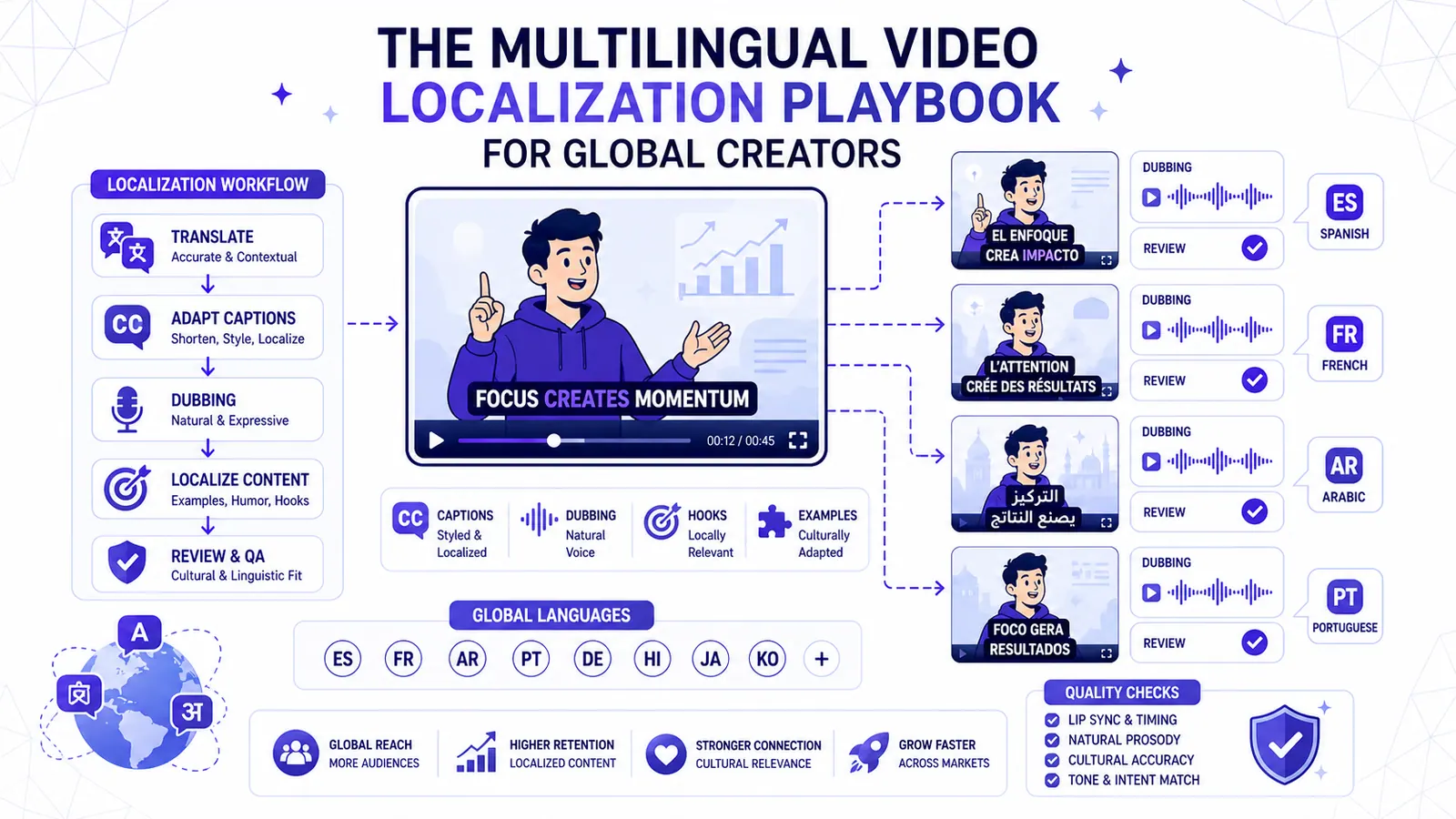
The Multilingual Video Localization Playbook for Global Creators
Translation alone is not localization. This playbook shows how to adapt captions, dubbing, hooks, examples, and review for international short-form content.
Read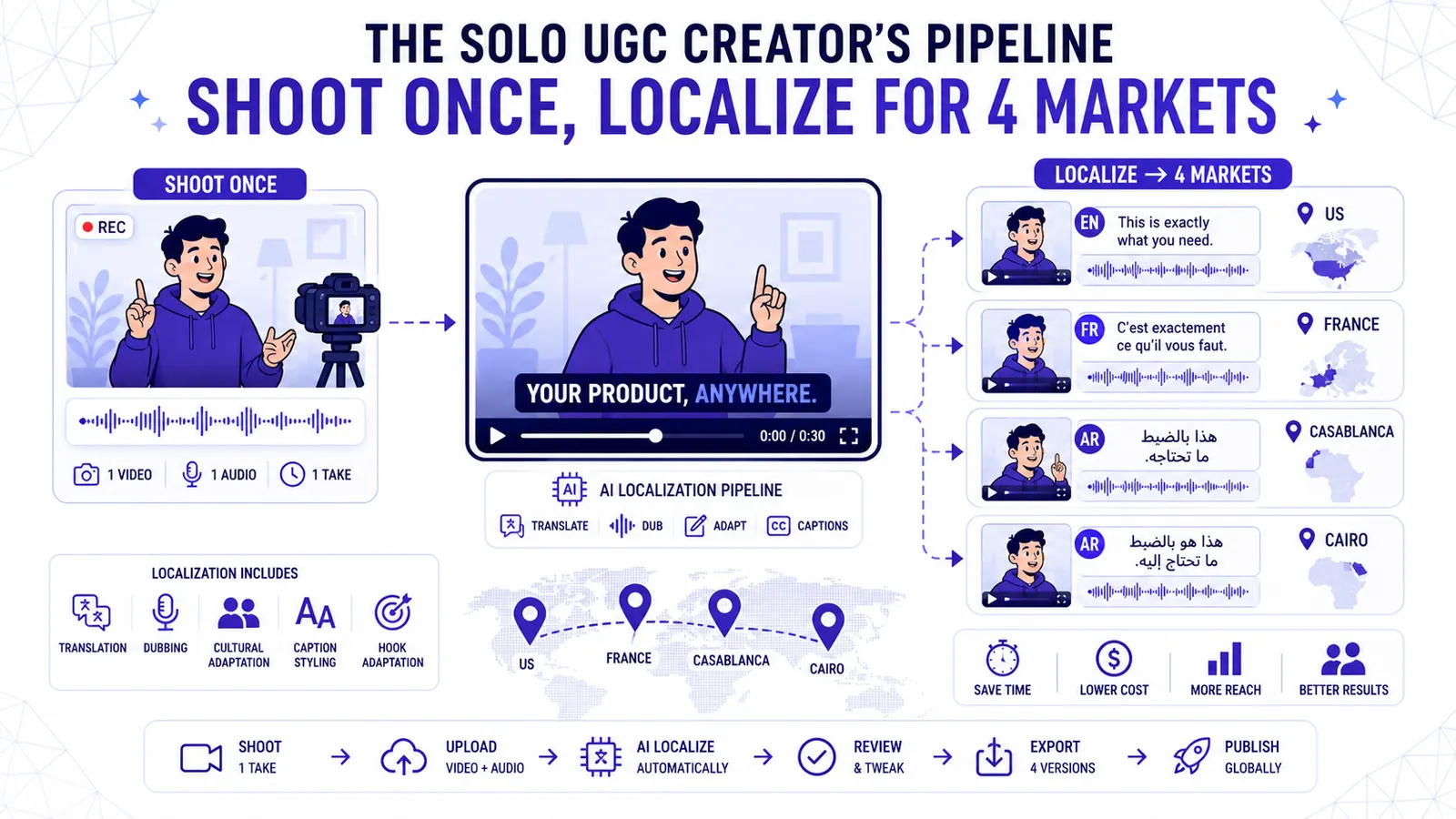
The Solo UGC Creator's Pipeline Shoot Once Localize for 4 Markets
Learn how to shoot a single talking-head ad and localize it for the US, France, Casablanca, and Cairo without reshooting.
Read
How to Translate Video Subtitles into 5 Languages in One Click
Expand your video reach to international markets by accurately translating subtitles into French, Spanish, Arabic, and Darija using CapzAi.
Read