
Inside CapzAi's AI Agent — Chat Your Way to a Finished Video
How to use natural language to edit videos, apply caption styles, and translate content without touching a timeline.
Video editing software expects you to speak its technical language. You are forced to calculate aspect ratios and manage alpha channels.
We built the CapzAi Agent because you should not have to translate your ideas into software terms. You should just tell the program what you want.
Most creators simply want to share a specific message. They have zero desire to become professional video editors. Traditional software places a massive wall between a raw idea and the final output.
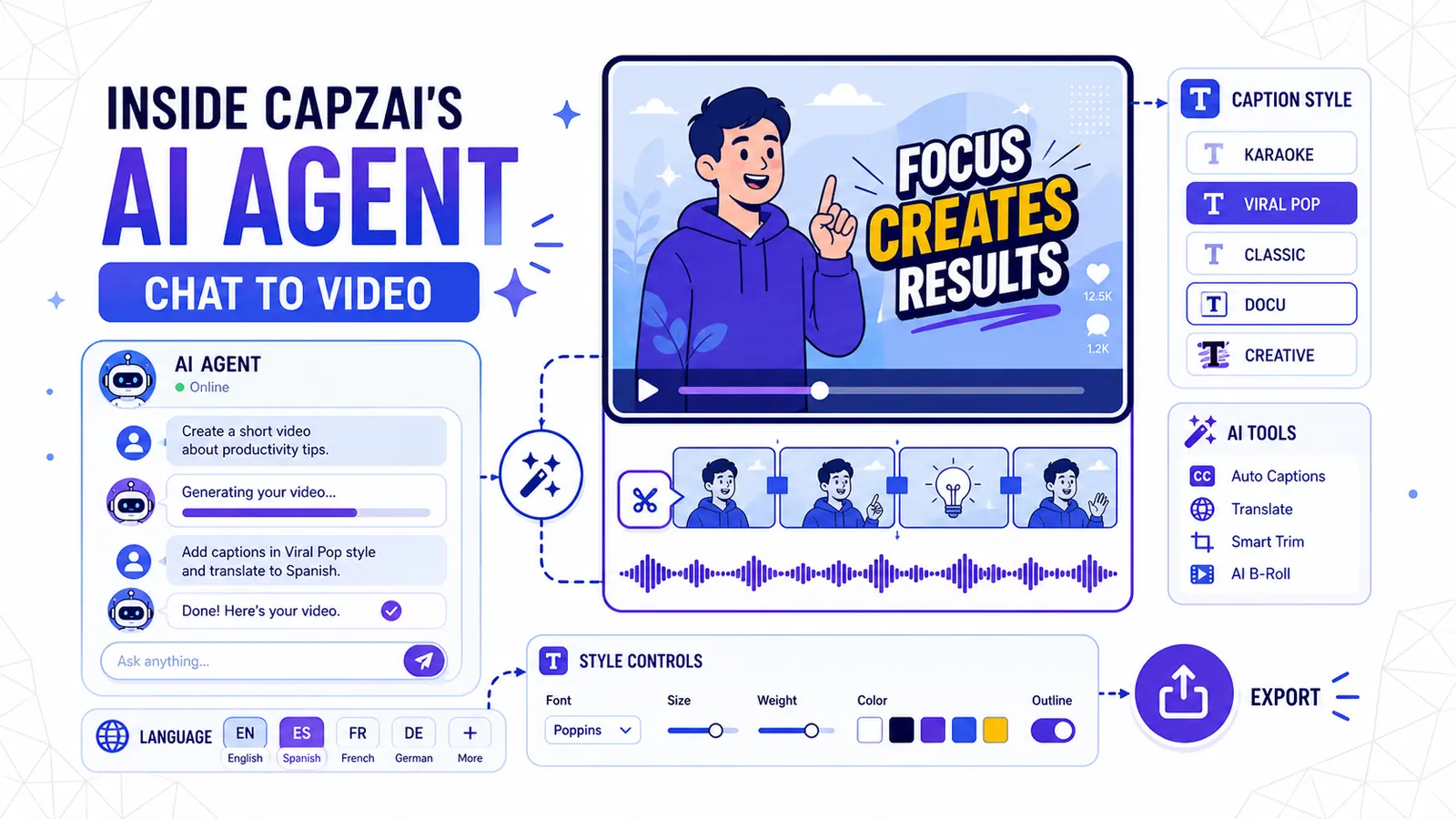
The CapzAi Agent completely removes that wall. You type instructions in plain English. The agent executes the edits immediately.
The Vocabulary Barrier in Traditional Video Editing
The Absurdity of Editing Jargon
Traditional interfaces rely on obscure terminology. This creates an immediate barrier to entry. If you want text to pop on screen, you must calculate easing curves and manage precise anchor points.
That is absurd. You just want the words to look energetic. You want the currently spoken word to appear larger than the surrounding text. You should not have to memorize specific Adobe or Blackmagic naming conventions to achieve that final result.
Translating Intent to Execution
The CapzAi Agent operates entirely on natural language. You type "make it bigger." The agent immediately calculates the correct scale properties.
You type "use that TikTok style with the yellow words." The agent applies the appropriate preset and configures the exact colors. The technical execution happens completely out of sight.
We watch thousands of creators abandon their projects daily. They simply get stuck in a complex menu trying to find a basic drop shadow setting. We built chat-to-edit to stop that attrition permanently.
Why Buttons Alienate Creators
The cost of learning complex software is measured in lost ideas. A creator records a highly engaging video on their phone. They sit down at their computer to add word-level captions.
They open a professional editing suite. They stare at a blank timeline packed with forty empty tracks. A confusing array of razor tools stares back. They close the laptop and the video never gets published.
The learning curve acts as a harsh filter. It eliminates people with great ideas who lack the patience to memorize interface geography. A semantic interface changes this dynamic by responding directly to human intent.
It adapts entirely to your phrasing. If you type "make the background black," the agent creates a color matte layer beneath your video. It then sets the exact hex code to #000000. It handles the manual labor so you focus strictly on the raw footage.
The Cost of Context Switching
When you encounter a problem in a traditional video editor, you immediately stop working. You open a web browser and search for a YouTube tutorial. You sit through a ten-minute video just to find a five-second answer.
You eventually learn the specific setting is buried under three layers of preference menus. You return to the editor, navigate those menus, and click the tiny box. Then you finally resume working.
This aggressive context switching destroys creative momentum. The CapzAi Agent completely removes this friction. You state your problem directly into the chat prompt instead of searching for external tutorials.
If you want a heavy black drop shadow on your text, you simply type "add a heavy black drop shadow to the text." The agent performs the exact action instantly.
The interface actually becomes the tutorial. The software executes the task while simultaneously demonstrating the final result. You learn the system's capabilities by directly asking for what you need.
What the CapzAi Agent Actually Does
The agent acts as a dedicated operator sitting directly inside your project file. It maintains full access to the underlying application state.
It reads your transcript and modifies the timeline. It also adjusts precise CSS styles for your captions and triggers external API calls for language translation.
The agent executes highly complex, multi-step workflows based entirely on simple text prompts.
Applying and Customizing Caption Styles
We built five core viral caption presets to cover every major social media format. These include karaoke, viral pop, classic, docu, and creative. You can instruct the agent to swap between them instantly.
The karaoke preset highlights the active word in a bright color. It keeps the rest of the sentence visible but heavily muted. This forces the viewer's eye to track the text exactly as it is spoken.
You can tell the agent, "use the karaoke preset and make the active word neon green." The agent adjusts the highlight color without hesitation.
The viral pop preset displays one or two words at a time. The text pops onto the screen using a slight scale animation. This creates a frantic, high-energy feeling suitable for fast-paced platforms like TikTok.
You type, "apply the viral pop preset with a heavy drop shadow." The agent immediately configures the animation curves and the exact shadow spread.
The classic preset operates as a standard lower-third subtitle. It remains highly legible and stays completely out of the way. It works perfectly for long-form educational content.
You type, "switch to classic and use a serif font." The agent strips away the flashy animations and sets up a traditional layout.
The docu preset mimics the cinematic subtitles found in premium streaming documentaries. The text fades in gently and sits lower on the screen using a clean sans-serif typeface.
You type, "give this the docu treatment," and the agent applies the specific fade transitions.
The creative preset allows for wild color combinations and dynamic scaling. It even supports varied text rotations. It is built strictly for chaotic, highly entertaining clips.
You type, "make it creative and use bright yellow." The agent handles the complex styling payload instantly. You can learn more about configuring these parameters in our viral presets breakdown.
Word-Level Timing Adjustments
You can use natural language to fix precise timing errors. If a caption appears slightly too early, you simply tell the agent, "delay the text appearance by a quarter second."
You achieve word-level precision without manually dragging tiny boxes across a grid. The agent searches the transcribed timing data to find the referenced moments.
It adjusts the start and end points of that specific word block. This ensures the visual text matches your spoken audio perfectly.
Auto-Clipping of Long Videos
Auto-clipping long videos remains a primary use case for the agent. Creators often record two-hour podcast episodes and need to extract ten vertical shorts for social media distribution.
Manually scrubbing through two hours of footage takes immense focus. You have to listen closely for key phrases and mark precise in-points. Then you must reformat every individual sequence for a vertical aspect ratio.
The CapzAi Agent condenses this entire exhausting workflow. You simply upload the massive video file. You type, "find the five most engaging moments and extract them as separate vertical clips."
The agent analyzes the transcript for high-density information blocks. It actively identifies distinct shifts in vocal tone to isolate the best segments.
It generates five new project files. The agent applies a vertical crop that tracks your subject's face and adds default caption styling. You receive five finished clips ready for immediate review.
Translating and Dubbing on Command
Translating video is traditionally a miserable process. You must export an SRT file and send it to a translator. Once you receive the completed file, you import it back into your editor.
You then manually adjust the text boxes because translated words consume different amounts of physical screen space. Adding localized audio requires hiring a voice actor.
You end up waiting days for the audio files. Finally, you have to manually sync the new audio to the existing video track.
The Multilingual Pipeline
With the CapzAi Agent, you bypass all of this tedious manual routing. You just type, "translate this video to Arabic and dub the voice."
The agent immediately takes over. It extracts the English text and translates the actual meaning rather than just the literal words. It grasps the underlying context before generating the Arabic script.
It routes this new script directly to our formatting engine. We currently support English, French, Arabic, and Darija.
Darija proves exceptionally difficult for standard tools because it is a spoken dialect. It completely lacks a formalized written standard. Standard translation APIs fail spectacularly on native Darija phrasing, but our custom translation models handle it flawlessly.
Solving the Right-To-Left Text Problem
Arabic text completely breaks if you just paste it into standard video software. The characters disconnect and the reading order flips entirely.
Our agent handles this complex RTL layout shaping natively. It ensures every single character connects correctly. It automatically swaps the font family to one that renders Arabic characters without visual errors.
You never have to manually hunt for a compatible typeface again. The software automatically manages the strict typography rules for you.
Managing Audio Synchronization
AI voice dubbing creates a severe timing problem. An English speaker might say a sentence in four seconds. The translated French sentence might take six seconds to speak naturally.
If you drop the French audio onto the English video, the lips fall completely out of sync. The original video ends before the new audio finishes.
Traditional editors force you to manually slice the video track. You have to insert awkward freeze frames or stretch the footage to match the new audio length.
The CapzAi Agent handles this timing mismatch automatically. When you request a French dub, the agent actively analyzes the length of the generated audio track.
If the French audio runs long, the agent intelligently adjusts the speed of the underlying video. It uses advanced optical flow retiming to slow down the video frames smoothly.
This completely prevents the stuttering effect associated with basic speed adjustments. It aligns major phonetic sounds directly with the speaker's mouth movements. You get a perfectly synchronized French video without ever touching the rate stretch tool.
Real Chat Commands You Can Use Right Now
Abstract explanations only go so far. Let's look exactly at what creators type into the Agent Dashboard every single day.
How to Execute a Quick Hook Adjustment
You import a talking-head video, but the first three seconds are incredibly boring. You need to grab attention immediately. Follow these exact steps in the chat panel:
- Open your project and wait for the initial transcription to finish.
- Type "Start the clip at the sentence 'Here is why you are losing subscribers'."
- Type "Make those first words huge and red."
- Type "Use the karaoke preset for the rest of the video."
The agent automatically sets the new in-point and isolates the first sentence. It applies your custom styling strictly to that specific text block.
It loops through the remaining text blocks to apply the karaoke parameters. You just completed three minutes of manual clipping and styling in fifteen seconds.
Scenario: Full Multilingual Localization
You have a high-performing English tutorial. You want to test it in the Moroccan market, so you need the video to feel native to that specific audience. You type:
"Translate the entire video to Darija." "Generate a voice dub for the Darija track." "Make sure the captions are formatted RTL."
The agent executes the complete localization immediately. It translates the text and formats the complex RTL characters. It also generates the new audio track.
It applies precise word-level timing metadata directly to the new text track. If you want more details on the intricacies of this process, read our guide on localization strategies.
The final result is a fully localized video ready for immediate export.
Scenario: Aggressive Trimming and Formatting
You run our auto-clipping tool on a massive podcast episode. It pulls out a two-minute segment. Two minutes is far too long for YouTube Shorts, so you need to cut it under sixty seconds. You type:
"Keep the first thirty seconds and the final conclusion." "Cut the middle section where they discuss the weather." "Change the aspect ratio to vertical."
The agent uses targeted semantic search to locate the useless weather discussion. It snips that specific section and automatically ripples the timeline to close the resulting gap.
It shifts the canvas to 9:16 and perfectly centers the speaker in the frame. You receive a tight, perfectly formatted short video. You achieved this final cut without touching a single razor tool or crop panel.
Where the Agent Excels and Where It Needs You
We need to be strictly realistic about current AI capabilities. The agent is not a sentient filmmaker. It operates as a highly capable software assistant.
It perfectly executes styling and layout configurations. It also handles formatting and complex translation tasks without error. However, it remains structurally weak at true narrative judgment.
The Agent As Your Technical Operator
We view the agent as a specialized technical assistant. It knows the editing software perfectly. It instantly recalls every keyboard shortcut and the exact hex code for any specific color.
It mathematically knows the exact pixel dimensions for a TikTok safe zone. It performs tedious, repetitive actions instantly.
Changing text color block by block takes a human ten solid minutes. It takes the agent exactly ten milliseconds.
Swapping font families across a hundred clips takes a human fifteen minutes. It takes the agent one single second. It completely removes the massive friction of technical execution.
The Human As the Creative Director
The agent cannot answer deeply subjective questions reliably. If you ask the agent, "which of these three clips is the most engaging?", it will just guess.
It guesses based strictly on text density and raw audio volume. It will often guess completely wrong. Virality depends heavily on cultural context and subtle pacing cues.
True virality requires intense emotional resonance and relies on rapidly shifting platform trends. The agent does not feel emotion, so you must make the final call on what content actually works.
You are the absolute creative director. You select the moments that matter while the agent serves your vision entirely. You remain the sole decision maker.
Do not ask the software to tell you what is funny. Instead, ask the software to cut the dead space around your best punchline. Give highly concrete instructions based on your specific creative taste. The agent handles the mechanics while you dictate the narrative.
The 80/20 Workflow: Combining Chat and Timeline
We did not remove the traditional manual timeline. We built the agent to sit directly on top of it.
Relying entirely on chat becomes frustrating when you need frame-accurate control over a tiny visual element. The most productive creators consistently use a hybrid approach. We call this the 80/20 workflow.
Phase 1: Heavy Lifting with Chat
You always start inside the chat interface. You upload your raw video and issue broad, sweeping commands.
You type, "Extract a one-minute clip starting at 12:00." Then you add, "Apply the classic preset" and "Translate to French."
The agent immediately handles the bulk processing. It configures the project structure and generates the necessary visual assets before rendering the initial preview.
This initial phase covers 80 percent of the total required work. It takes roughly two minutes of actual human effort. You receive a beautifully styled rough cut that is fully captioned and correctly translated.
Phase 2: Micro-Adjustments on the Timeline
You closely review the final output. The French dub sounds fantastic and the classic preset looks incredibly clean.
However, you notice one specific word flashes on screen a fraction of a second too late. You could try fixing this via chat by typing, "make the word 'bonjour' appear slightly earlier." The agent will certainly try, and sometimes it nails it perfectly.
Often, manually describing a micro-timing issue takes far longer than simply fixing it yourself. You just switch to the timeline view, grab the word block, and drag it three frames to the left. You are completely done.
You use the agent for massive velocity, but you use the timeline for granular precision. Refusing to use the timeline for that final 20 percent remains a massive mistake. These two tools complement each other perfectly to form a highly efficient editing environment.
The Economics of Chat-to-Edit
Software interfaces directly dictate modern business models. When editing takes dozens of hours, companies are forced to charge fixed monthly rates for software access.
We operate on a completely different financial model. CapzAi uses straightforward pay-on-export pricing at exactly 20 credits per minute of exported video. One credit equals exactly one cent.
Rethinking the Production Bottleneck
Creators severely limit their output because manual editing acts as a massive bottleneck. It demands too much time and it costs far too much money to hire a dedicated editor.
The agent shatters that exact bottleneck. You can generate five distinct localized variations of a single video in under ten minutes. The financial cost remains strictly tied to your final output volume.
This shifts your fundamental focus entirely. You stop thinking, "how do I make this?" and you start thinking, "what should I make next?" The technical execution is no longer the core limiting factor in your production schedule.
Pay-on-Export Means Free Experimentation
Because the agent makes the editing process incredibly fast, we can afford to let you experiment for free. You do not pay anything to chat with the agent or swap stylistic presets.
You can freely test entirely different language translations and trim highly complex clips without spending a single cent. You only pay when you feel completely satisfied with the visual result and finally click the export button.
This completely removes the financial risk of trying experimental new styles. You can ask the agent to generate an Arabic version to review it.
If you decide you hate the hook, you just delete it entirely. You try a French version instead. You still haven't spent a single credit. You strictly pay for the final, polished product.
Common Questions About the Chat Interface
Does the agent understand complex timing?
Yes. You can clearly ask for quarter-second delays. You can instruct the system to pause the text generation for exactly three seconds. You can even tell it to synchronize a specific spoken word directly with a specific visual action on screen.
Can I revert a bad command?
Yes. You just tell the agent to undo the very last change. You can also explicitly type "revert back to the original styling" and the system will instantly strip away all recent modifications.
Will it ever replace the timeline entirely?
No. Granular visual tweaks will always require a manual timeline view. We provide both options simultaneously. You will continuously need a direct manipulation interface for precise, frame-level visual adjustments.
Building Output Velocity
The timeline served as the default metaphor for video editing for over thirty years. It forces you to think spatially about time. That structural approach made total sense when we were cutting physical tape.
It makes significantly less sense when we are directly manipulating digital text and generating synthetic audio files. The CapzAi Agent introduces a strictly semantic approach.
You manipulate the underlying meaning and the visual style of the video entirely through natural conversation. It provides a much faster and significantly more direct way to work.
Try the agent on your very next video project. Upload a raw file and tell the system to apply the creative preset. Then ask it to translate the audio track into Darija.
Watch exactly how quickly you reach a finished project. What will you actually build when the software finally stops slowing you down?
Related articles
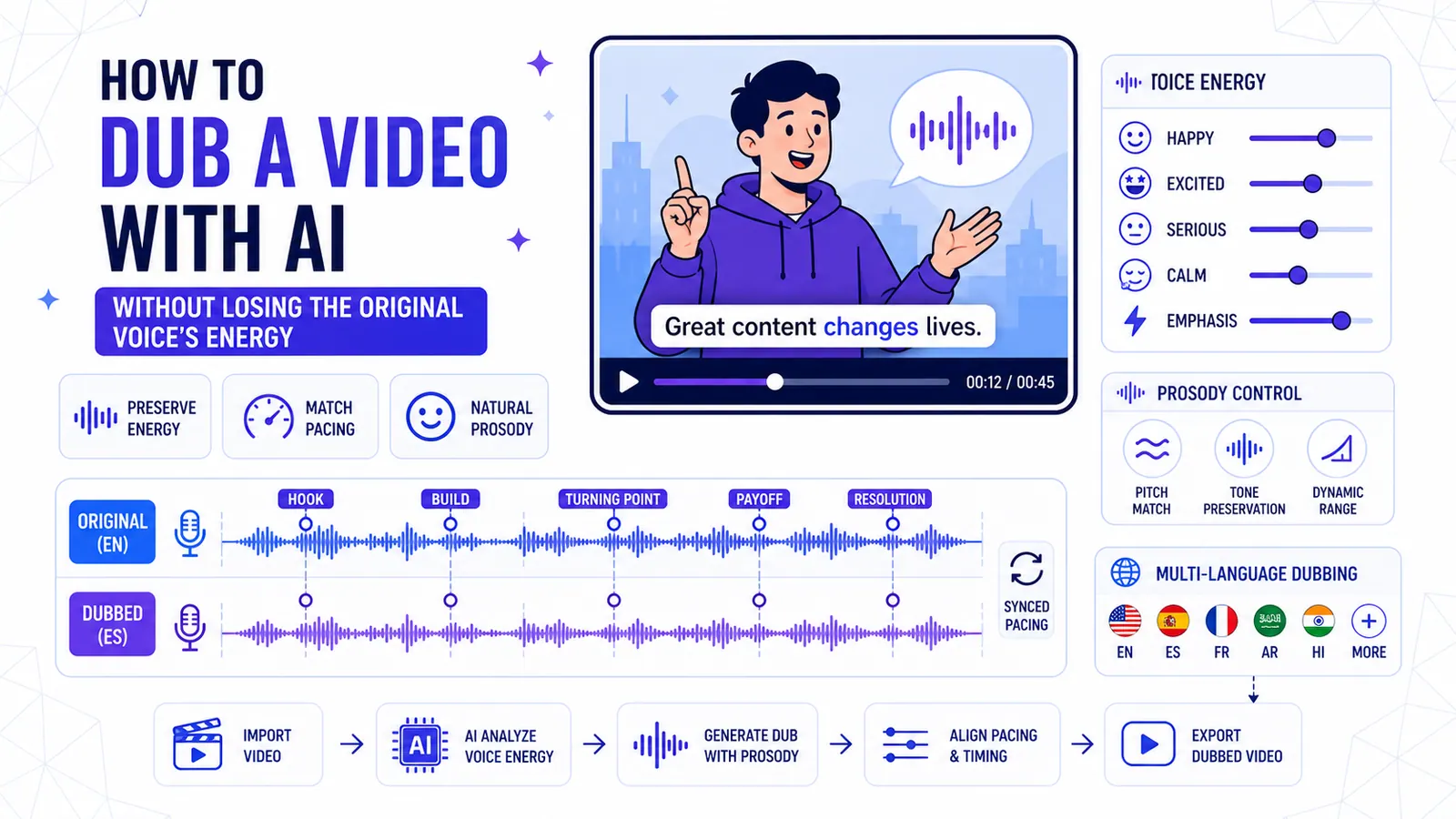
How to Dub a Video with AI Without Losing the Original Voice's Energy
A technical breakdown of preserving vocal prosody, matching pacing across languages, and knowing when to abandon dubbing entirely.
Read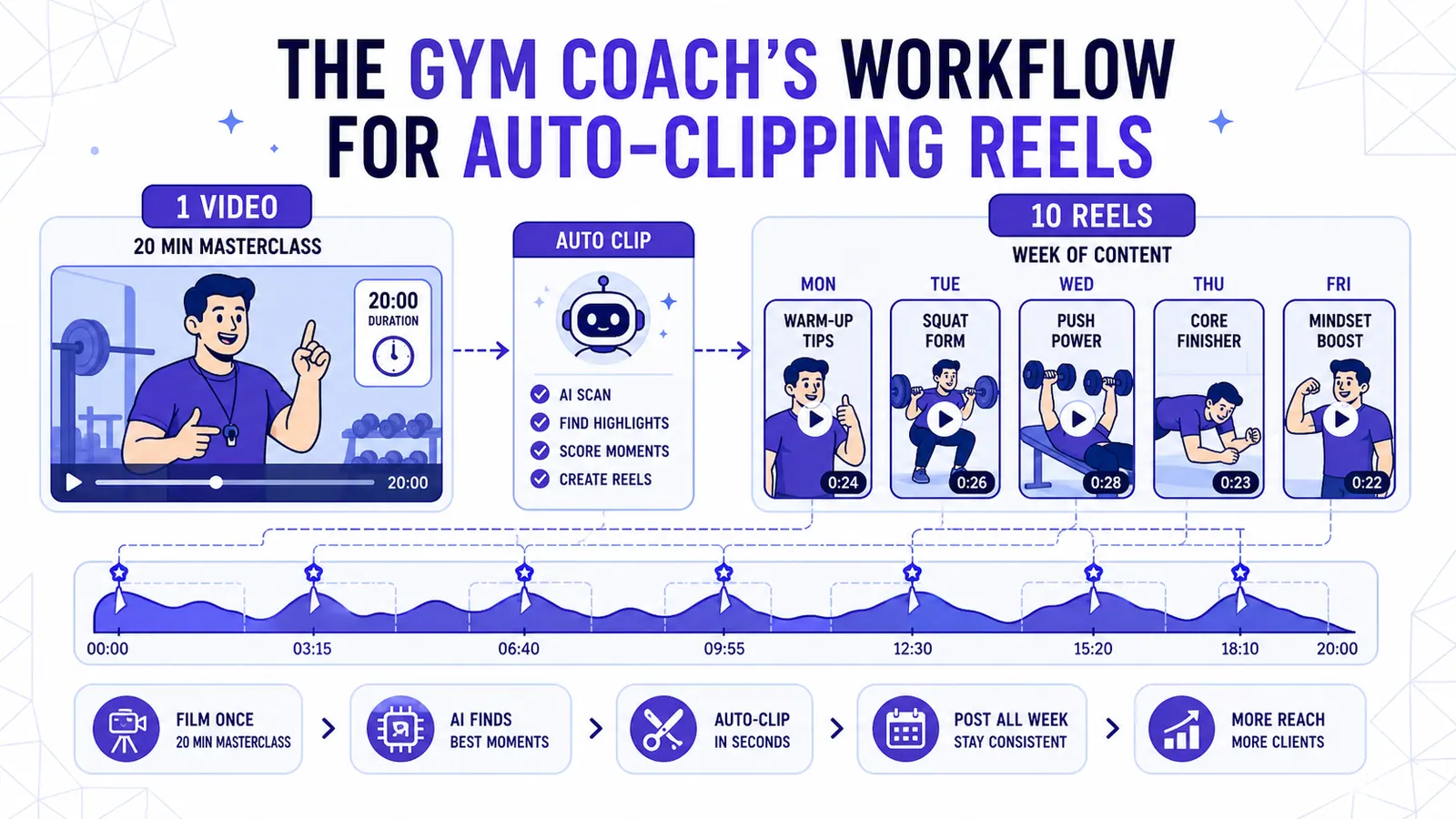
The Gym Coach's Workflow for Auto-Clipping Reels
Film one 20-minute masterclass on Saturday and use CapzAi to generate a full work week of hyper-edited vertical video content.
Read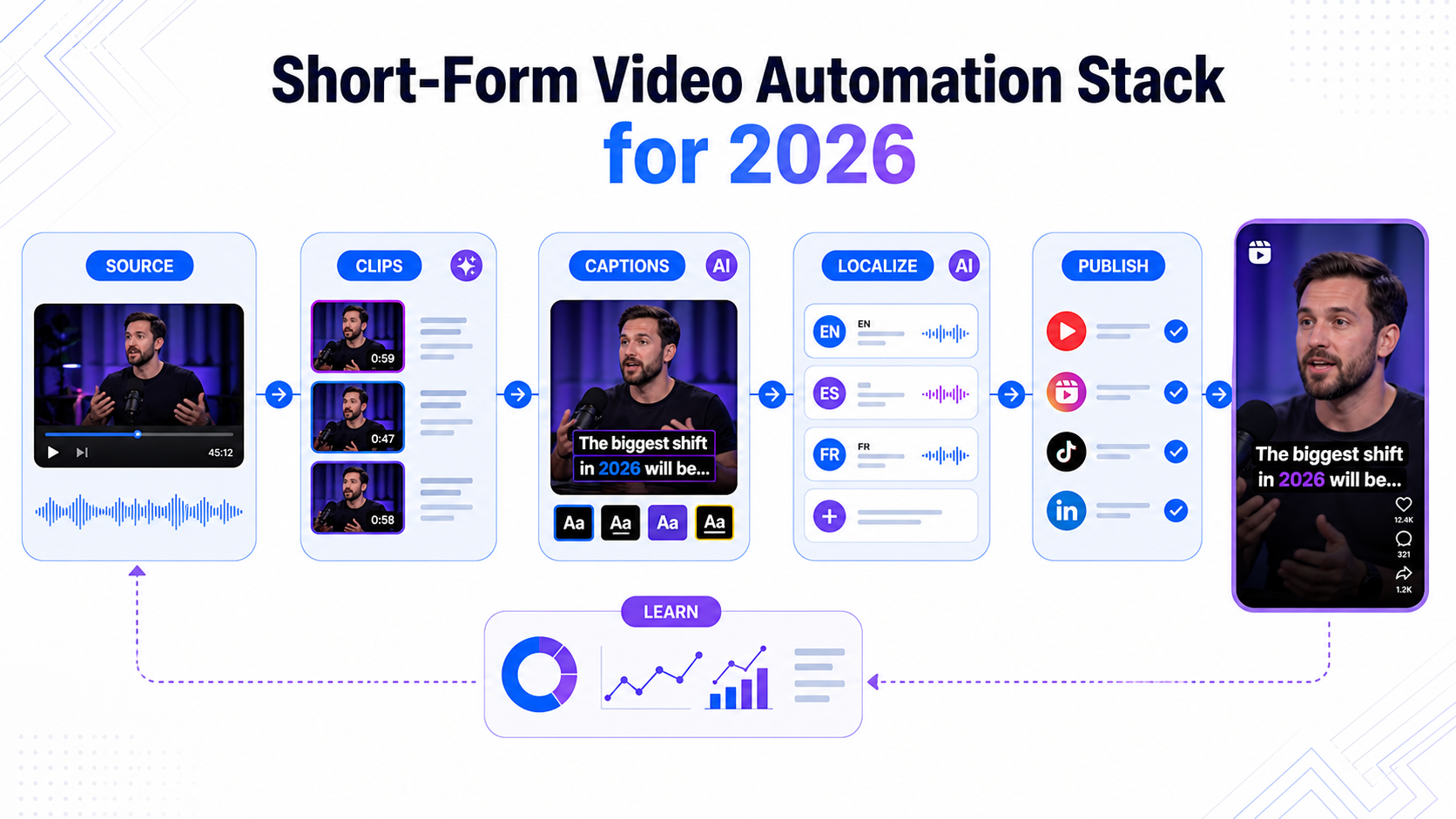
Short-Form Video Automation Stack for 2026
A practical short-form video automation stack for creators and teams turning long videos into captioned, translated, publish-ready clips.
Read