
The Solo UGC Creator's Pipeline Shoot Once Localize for 4 Markets
Learn how to shoot a single talking-head ad and localize it for the US, France, Casablanca, and Cairo without reshooting.
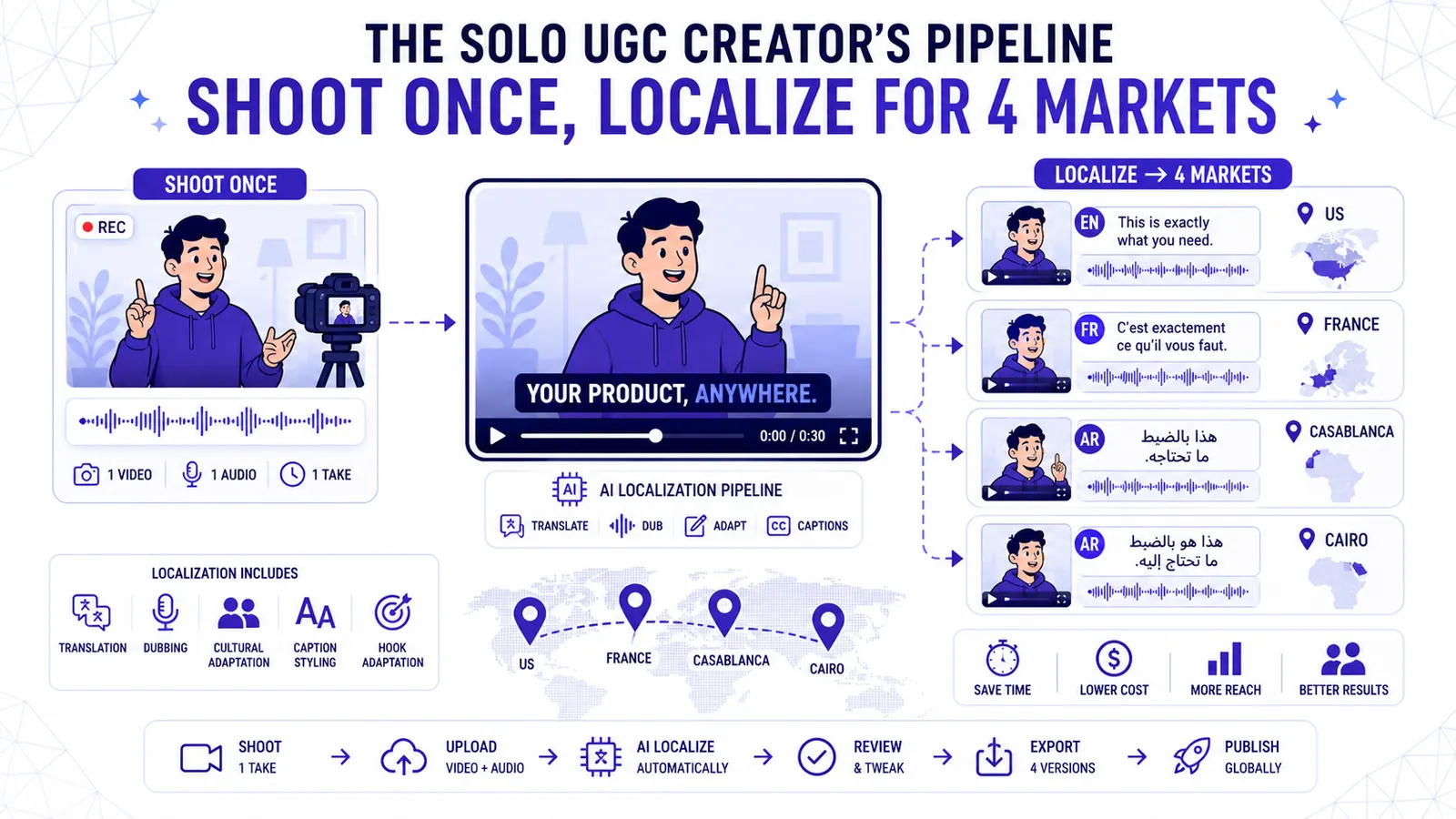
The solo creator faces a brutal math problem. Producing a high-converting video ad takes four hours of concentrated work. Replicating that success across multiple international markets multiplies that time investment by the number of target regions.
You script, shoot, edit, and publish alone. We built CapzAi to fix this specific scaling problem. You can shoot one talking-head video in English and export native-feeling versions for the US, France, Casablanca, and Cairo.
This pipeline isolates your visual performance from the linguistic delivery. You act in front of the camera once. The software handles the translation, voice dubbing, localized caption styling, and text layout.
Solo founders use this method to test ad creatives in foreign markets they previously ignored. I will break down the entire workflow step by step.
We will cover writing a script designed for translation, shooting a locked frame video, and using CapzAi to generate four market-ready exports. The total cost for a 60-second ad exported to four markets is exactly 80 credits.
Phase 1: Pre-production and Scripting
Writing a script for four different languages requires strict discipline. A standard English script will fail when translated directly into Arabic or French. The structural lengths differ significantly, and cultural references rarely survive.
Idioms and Regional Slang
You must avoid idioms completely. If your script says "knock it out of the park," a literal translation will confuse an Arabic audience.
Replace regional slang with direct action verbs. Write "get a great result" instead of "hit a home run." Write "eat quickly" instead of "grab a bite." Literal text translates cleanly across all languages.
Managing Length Swelling
Plan for length swelling immediately. English is a dense language. Translating English into Spanish or French increases the syllable count by roughly 25 percent.
If your English delivery is rushed, the French AI voice dub will sound frantic. You must speak at a measured pace. Leave clear half-second pauses between your sentences.
These small silent gaps give the AI voice engine the room it needs to expand the translated audio. This prevents overlapping your visual cuts.
Adapting Gestures for RTL Text
Consider right-to-left layout constraints during the scripting phase. Arabic and Darija read from right to left. Avoid pointing to specific sides of the screen.
If you point right while saying "look at this feature," the localized Arabic text will likely render on the left side of your face. Keep your hand gestures central. Keep your body movements neutral.
Modular Sentence Structure
Structure your script using short independent blocks. Long paragraphs linked by conjunctions break translation models.
Write sentence one to introduce the problem. Write sentence two to offer the solution. This modular structure keeps the caption timing accurate across all four final outputs.
Scripting Example: A 60-Second E-commerce Ad
Here is a complete example of a script designed specifically for translation. Read it aloud and notice the pacing.
"Struggling to read small text on your phone?" [Pause for 0.5s]
"This magnifying screen protector fixes the problem." [Pause for 0.5s]
"It snaps onto your case in two seconds." [Pause for 0.5s]
"The tempered glass doubles the text size instantly." [Pause for 0.5s]
"Click the link to get yours for half price." [Pause for 0.5s]
Notice the structure. Every sentence is completely independent. There are no "and," "but," or "because" conjunctions stringing the ideas together.
When you translate "It snaps onto your case in two seconds," the French translation becomes "Il s'enclenche sur votre coque en deux secondes." The sentence remains contained within its visual block.
The 0.5-second pauses give the French AI voice the space to speak those extra syllables without rushing. If you rushed the English delivery, the French dub would sound unnatural and robotic.
Let us look at another quick example.
"This tool saves me hours of work." [Pause for 0.5s]
"I used to edit videos manually." [Pause for 0.5s]
"Now I press one button and walk away." [Pause for 0.5s]
"The software does everything." [Pause for 0.5s]
This modular approach ensures perfect timing across four distinct languages. You write for the translation engine, not just the human ear.
Phase 2: The Psychology of Cross-Border Copywriting
Translating words is simple. Translating intent requires strategy. When you target Casablanca and Cairo simultaneously, you are speaking to two distinct cultural psychologies.
Standard Arabic works for news broadcasts, but it fails miserably for UGC ads. You must use regional dialects.
Targeting the MENA Region
For the Casablanca export, you will translate the text into Darija. Darija is the Moroccan dialect. It blends Arabic with French and Spanish. It also incorporates Amazigh vocabulary.
Using Darija signals to the viewer that the ad is specifically for them. It builds immediate trust.
For the Cairo export, you will use Egyptian Arabic. Egyptian cinema spread this dialect across the entire Middle East. It serves as an excellent default for broad MENA targeting.
Navigating French Formality
The French market requires a different approach. French buyers value formality in professional contexts. Your English script might use a casual tone, but you should instruct the translation engine to formalize the vocabulary for the French export.
Use formal pronouns. Maintain a professional distance. The CapzAi platform allows you to specify these tonal shifts during the translation step.
Phase 3: Production, Camera, and Lighting
The source video serves as your master file. Any visual defect in this file will multiply across your four exports.
Set your camera for a 1080x1920 vertical format. This aspect ratio dominates TikTok, Reels, YouTube Shorts, and Pinterest.
The Locked Frame Requirement
You must use a locked frame. Mount your camera on a heavy tripod. Handheld movements ruin this workflow.
You will not reshoot B-roll for each localized market. When you dub the audio into French, the timing of the spoken words shifts forward or backward.
If you have aggressive camera zooms tied to specific English syllables, the visual rhythm will decouple from the French audio track. A static shot anchors the viewer and hides the timing differences.
Flat Lighting Setup
Prioritize flat lighting. Soft, even light across your face works best for text-heavy videos. Harsh shadows create visual noise. You want the viewer reading the text or focusing on your eyes.
Use a large softbox positioned directly behind the camera. Place your primary key light slightly above your eye level and angle it down at 45 degrees. This flattens the shadows on your face.
Place a weaker fill light to your right side to eliminate any dark patches on your cheek. Finally, use a small accent light behind you. Point it at the background to separate you from the wall and add depth to the flat frame.
Camera Resolution Settings
Set your camera to record in 4K resolution at 30 frames per second. Even though we export at 1080p, shooting in 4K gives you a sharper source file.
The CapzAi compression algorithm handles 4K files efficiently. Ensure your shutter speed is locked at 1/60th of a second to provide natural motion blur.
Phase 4: Audio Gear and Recording Details
Your audio chain dictates the quality of your translation. The AI dubbing engine needs raw, uncompressed vocal data to analyze your emotional tone.
Microphone Selection and Placement
Do not use your phone's built-in microphone. The built-in mic captures room echo and distant street noise.
Purchase a dedicated wireless lapel microphone system. Clip the transmitter to your shirt, exactly four inches below your chin. This proximity guarantees a high signal-to-noise ratio.
Format and Delivery Best Practices
Record your audio in a 24-bit WAV format if your camera allows it. Avoid compressed MP3 audio for your source file.
Turn off any in-camera noise reduction settings. Let the CapzAi audio engine handle the cleanup. Our software uses advanced vocal isolation to strip away background hum before processing the transcription.
Record multiple takes. Select the take with the most neutral energy. High-energy yelling often fails to translate into European corporate culture. A calm, authoritative delivery works across the US, France, North Africa, and the Middle East.
Phase 5: The CapzAi Localization Workflow Step by Step
Upload your master video file to the CapzAi dashboard. Begin by generating the base English captions. The software processes your audio track and maps the text directly to your speech patterns.
Read through the generated English transcript carefully. Fix any spelling errors immediately. Correcting brand names in the English baseline prevents errors from cascading into the translations.
Duplicating Projects for Markets
Once the English timeline is completely accurate, you begin the localization process. Open the projects explorer from the sidebar.
Duplicate your master project three times. You now have four identical English projects in your workspace. Rename them using market-specific suffixes. Label them Ad_US, Ad_FR, Ad_CASA, and Ad_CAIRO.
Translating to French and Arabic
Open the Ad_FR project and select the translation tab. Convert the English text to French. The system maintains your original timing blocks.
Review the generated French text. French syntax frequently reverses the noun-adjective order found in English. The word-level timing engine automatically adjusts the active highlighting to keep the correct French word synced with your spoken audio.
Open the Ad_CASA project and translate the text into Darija. CapzAi handles the RTL text layout natively. The punctuation marks will align correctly on the left side of the sentence blocks, and the text flow reverses automatically.
Open the Ad_CAIRO project. Translate the text into Egyptian Arabic and verify the RTL alignment. Ensure your line breaks fall on natural vocal pauses. A bad line break makes RTL text extremely difficult to read quickly. Read more about our text alignment rules in our caption styling methodology guide.
The Mechanics of Right-to-Left Rendering
Handling RTL languages like Arabic and Darija is notoriously difficult in standard video editors. Most western software assumes text flows from left to right.
When you paste Arabic text into a standard editor, the letters often disconnect. Arabic script requires letters to join together depending on their position in the word. A disconnected Arabic font looks like a jumbled series of random symbols.
Furthermore, punctuation marks create massive problems. In RTL text, a period placed at the end of a sentence should appear on the far left side. Standard editors often force the period to the right side, which completely breaks the reading flow.
CapzAi solves this natively. The platform includes a dedicated RTL rendering engine. When you select an Arabic translation, the text block automatically flips its alignment.
The letters connect perfectly, and the punctuation anchors to the correct side. The word-level highlighting reverses direction to follow the natural reading path. You do not need to install custom fonts or apply weird workaround hacks. You select the language, and the software handles the typography.
Phase 6: Audio Strategy Dubbing vs Subtitles
You must decide whether to replace your original English voice with an AI voiceover for each distinct market. Translation provides localized text, while dubbing provides localized audio.
The US market requires the original English audio. Leave the audio settings alone.
Subtitling for the French Market
For the French market, retain the English audio. Our internal data shows higher conversion rates in France when ads feature original English audio paired with French captions.
The French professional audience is highly bilingual. Hearing the original English track adds credibility to an international product. The French captions ensure total comprehension.
Dubbing for MENA Audiences
For Casablanca and Cairo, you must dub the audio track entirely. Older MENA audiences strongly prefer dubbed content.
Open the audio settings panel in your Arabic projects. Select the AI voice dubbing feature. Choose a native-sounding voice profile from the dropdown menu. The software removes your original vocal track. It then generates the localized audio and syncs the new voice to the video duration.
Listen to the dubbed tracks carefully. The AI voice matches your original pacing. If the Arabic translation is significantly longer than the English source text, the AI voice will speak faster to fit the space.
The half-second pauses you left during shooting allow the software to stretch the dubbed audio naturally without sounding frantic.
Phase 7: Assigning Caption Presets by Market
Different regions respond to entirely different visual styles. A caption design that drives clicks in New York will look like spam in Paris.
CapzAi provides five viral caption presets. You must assign them strategically based on the target demographic.
US Market: The Karaoke Preset
For the US market, apply the karaoke preset. US consumers react positively to high-movement text. The karaoke style highlights each word exactly as it is spoken.
This forces the viewer's eye to track across the screen. It retains attention effectively in a crowded feed. Use a bold font like 64pt Inter Bold. Set the active word color to a bright hex code like #FFD700.
French Market: The Classic Preset
For the French market, apply the classic preset. French B2B audiences view the karaoke style as unpolished. The classic preset displays two lines of text cleanly at the bottom of the frame.
It resembles a high-end documentary subtitle. Keep the text white and add a subtle black drop shadow. Use a clean serif font.
MENA Markets: The Viral Pop Preset
For the MENA markets, apply the viral pop preset paired with the RTL layout. The viral pop style scales words up momentarily as they appear on screen. This adds kinetic energy to a locked-frame video.
Because you are using dubbed audio, the visual pop effect helps mask slight sync issues between your physical lip movements and the Arabic audio track. Ensure the text size is massive.
Arabic script contains intricate diacritics. These details become illegible on small phone screens if the font size is too small. Use Noto Sans Arabic at 72pt minimum.
Educational and Youth Variations
For educational content, test the docu preset. The docu style places a solid colored box behind the text, and the text reveals line by line. It resembles the graphics used in television documentaries. The high-contrast background ensures readability regardless of the video footage underneath.
For younger audiences, try the creative preset. The creative preset allows for randomized angles and varied text placements. Words might appear tilted or scattered across the screen.
This style fits highly energetic content. Use it sparingly. It causes visual fatigue if overused in a 60-second ad.
Phase 8: Review QA and Refining with the AI Agent
You now have four distinct videos drafted. Do not hit the export button yet. You must review the translations for contextual accuracy.
Machine translation defaults to literal interpretations. It lacks native understanding of your specific product niche.
Contextual Checks with the AI Agent
You will use the CapzAi AI Agent to run a contextual check. Open the chat-to-edit panel on the right sidebar.
Type a command instructing the agent to review the Darija translation for e-commerce slang accuracy. The agent reads your transcript and suggests modifications if a phrase sounds unnatural to a local buyer.
The chat-to-edit agent acts as your localized copywriter. Let us say you translated your script into French. You wrote "Our software makes video editing very fast." The literal French translation might read "Notre logiciel rend le montage vidéo très rapide."
This is grammatically correct, but it lacks punch. Open the AI Agent panel and type a new command. Ask the agent to rewrite the caption to sound more persuasive for a Parisian marketing agency.
The agent might suggest "Notre logiciel divise votre temps de montage par deux." The translation changes to "Our software cuts your editing time in half." The agent updates the text block directly in the timeline.
The word-level timing recalibrates automatically to match the new syllable count. You achieve expert-level copywriting in a foreign language without hiring an agency.
Visual and Audio Quality Assurance
Watch each video with the sound muted. Check the line breaks. A bad line break orphans a single word on the second line of a caption block.
Adjust the segment blocks manually if a sentence looks visually unbalanced. The text must form neat readable blocks.
Watch each video with the sound active. Verify that the active word highlighting matches the spoken audio exactly.
For the dubbed Arabic versions, ensure the new audio track does not clip or distort during loud segments. Use the volume slider to normalize the audio if the dub sounds too loud compared to the original English file.
Phase 9: Exporting and Deliverables
Once you verify the formatting across all four projects, initiate the export process. The CapzAi system processes the rendering in the cloud. Your local machine does not handle the processing load.
You will receive four finished MP4 files. You should also download the four .ass subtitle files.
Storing the raw subtitle files gives you future flexibility. If you ever need to upload the video to a platform that requires closed captions rather than burned-in text, you already possess the perfectly timed files. Store these in a dedicated project folder.
Phase 10: The Economics of the Pipeline
Let us examine the exact math behind this workflow. Reshooting a 60-second ad four times costs a full day of labor. Hiring local voice actors for French and Arabic dialects costs hundreds of dollars in studio fees.
The Pay-On-Export Model
The CapzAi pay-on-export pricing model changes the unit economics of video localization. You pay 20 credits per minute of exported video. You are not charged for the time spent editing.
Your source video is exactly 60 seconds long. Exporting the US version costs 20 credits. Exporting the French version costs 20 credits. Exporting the Casablanca version costs 20 credits. Exporting the Cairo version costs 20 credits.
The total cost to produce all four final assets is exactly 80 credits.
Aggressive Ad Testing
You have turned one hour of work and 80 credits into four highly targeted international video assets. This profit margin allows you to test localized ads aggressively.
If the Cairo ad fails to generate clicks, your financial loss is minimal. If the Casablanca ad goes viral, you open a new revenue channel with almost zero marginal production cost.
Scaling the System
Once you master this four-market split, you can expand the methodology further. You can test different caption styles within the exact same market.
Duplicate the US project. Change the preset from karaoke to docu. Export both versions.
Run them against each other in your ad manager. You treat the visual text layer as a variable to be tested.
This approach stops you from guessing what works. You build a system of continuous iteration based on actual performance data.
You shoot the video once. The software handles the variations. Which market will you test tomorrow?
Related articles
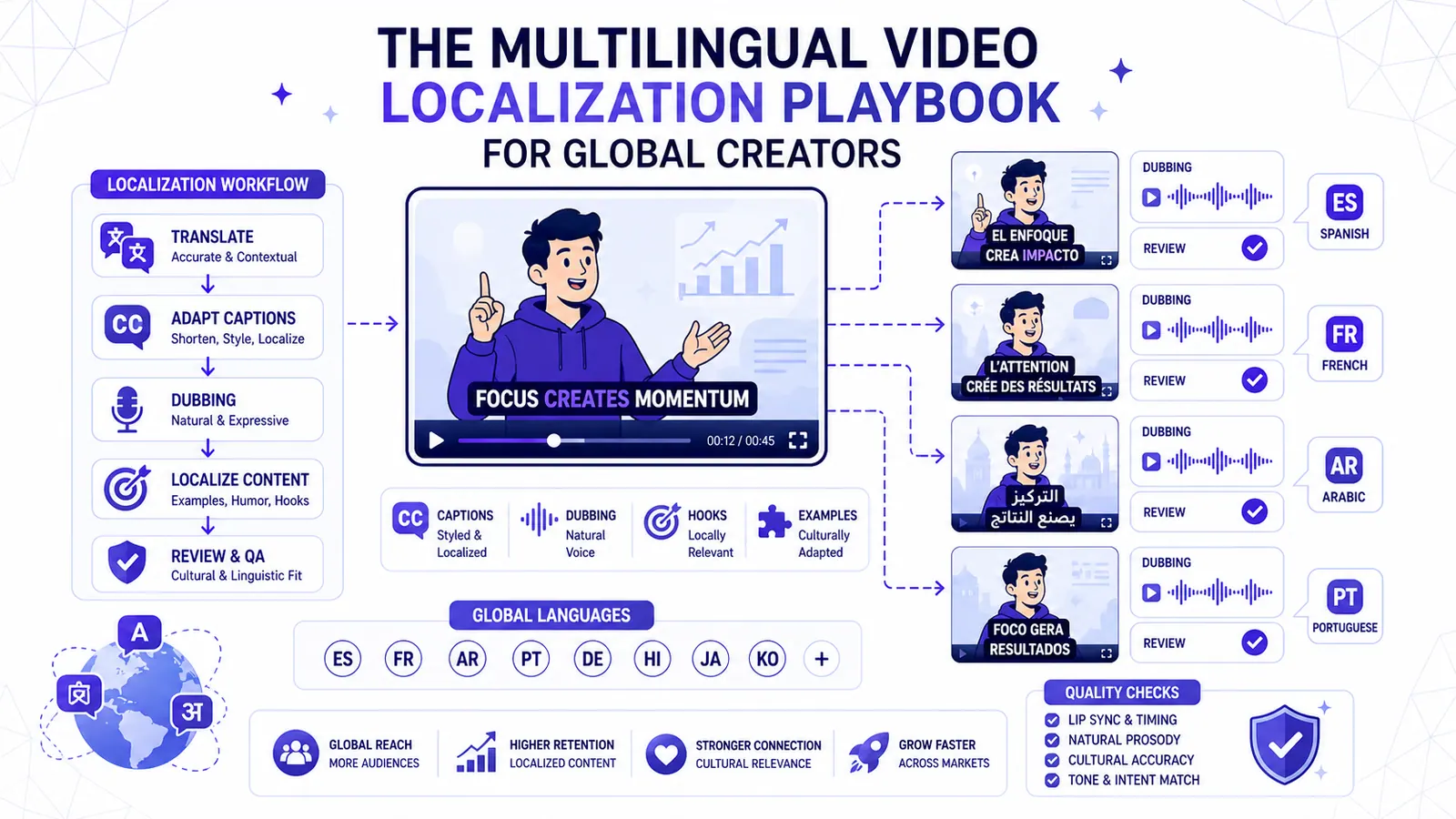
The Multilingual Video Localization Playbook for Global Creators
Translation alone is not localization. This playbook shows how to adapt captions, dubbing, hooks, examples, and review for international short-form content.
Read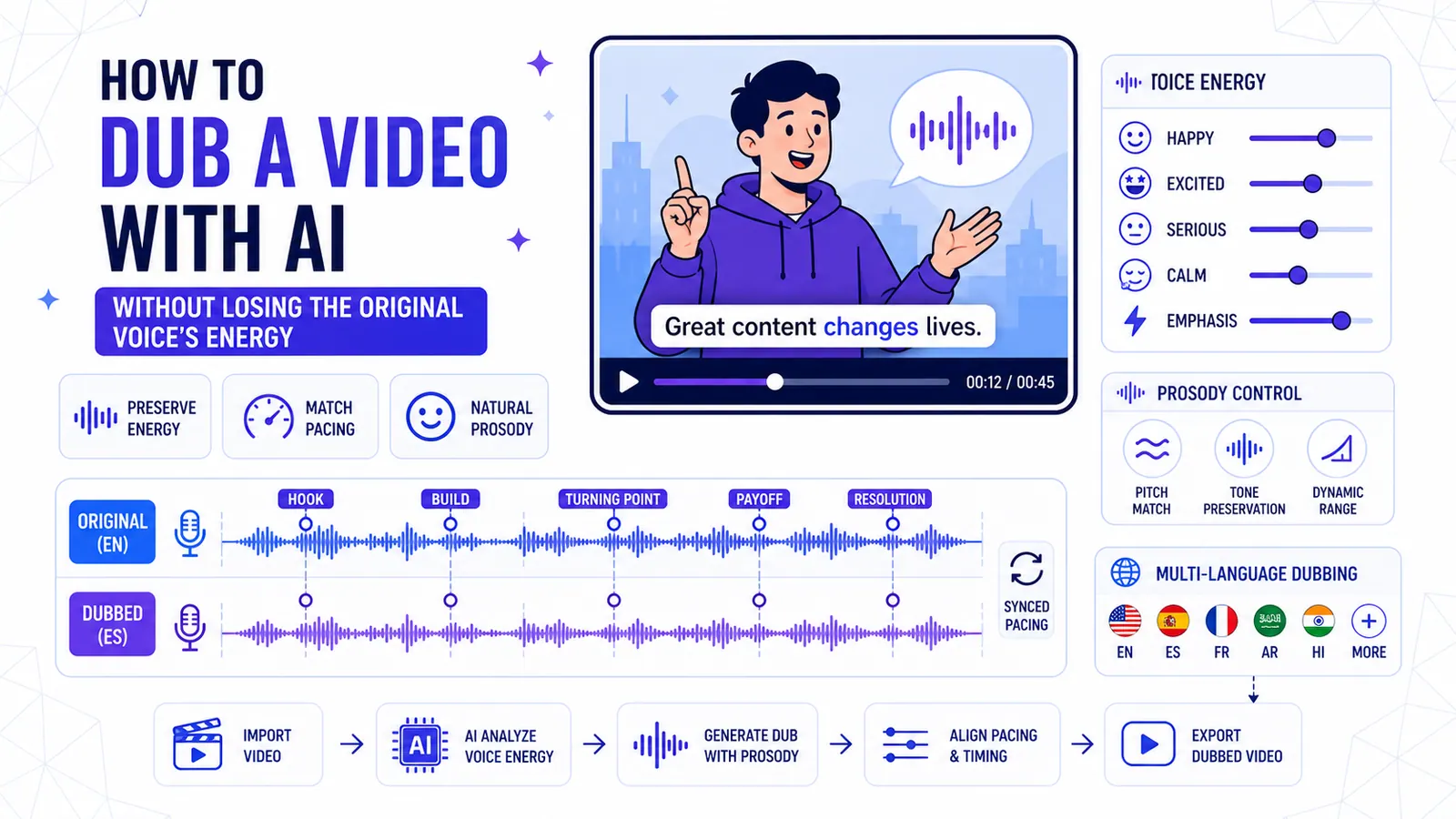
How to Dub a Video with AI Without Losing the Original Voice's Energy
A technical breakdown of preserving vocal prosody, matching pacing across languages, and knowing when to abandon dubbing entirely.
Read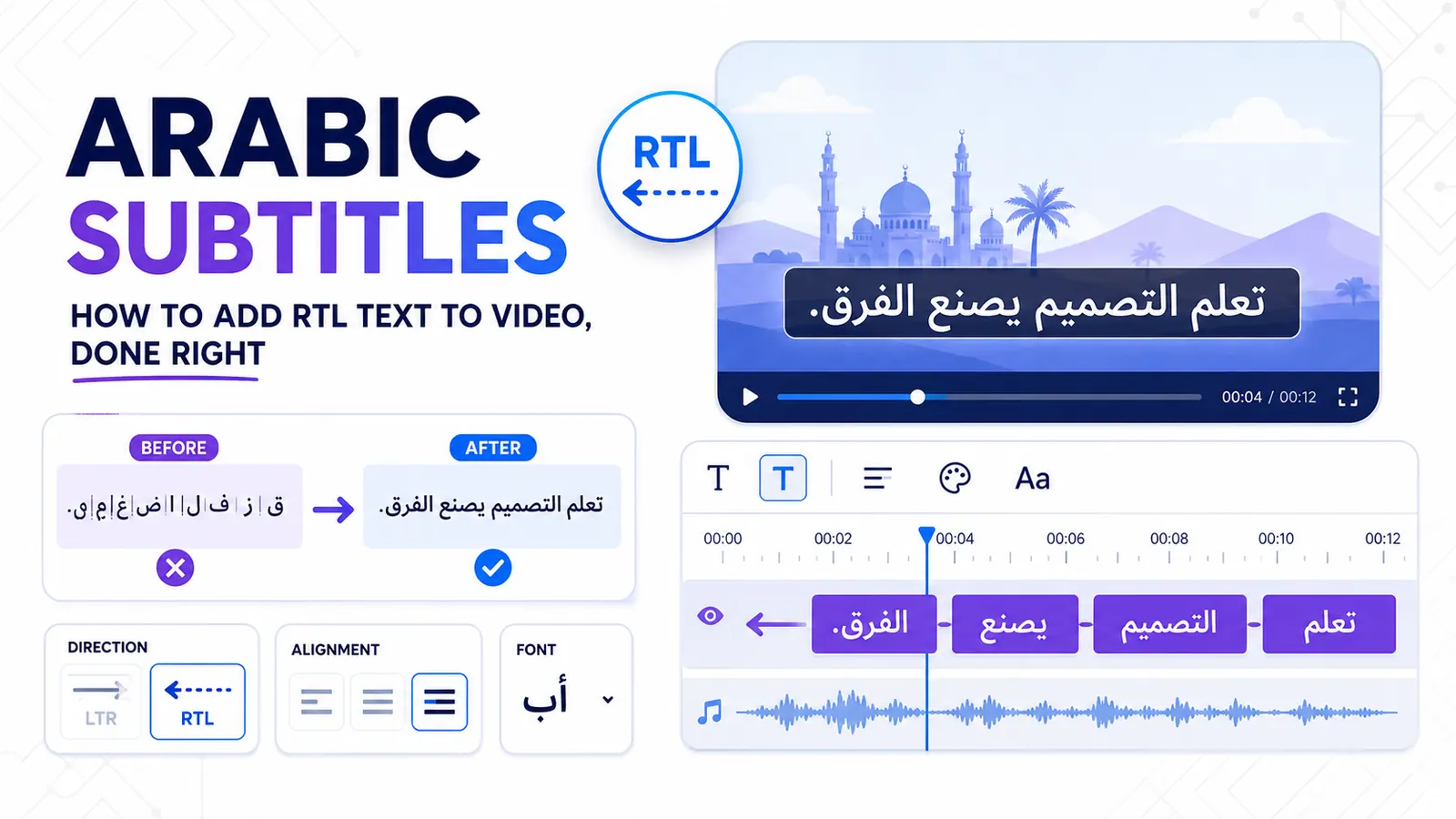
Arabic Subtitles: How to Add RTL Text to Video, Done Right
Stop fighting disconnected letters and misplaced punctuation with a workflow built for native Arabic text rendering.
Read