
Kapwing vs CapzAi: The Best AI Subtitle Generator in 2026
A deep dive into whether you should stick with the veteran Kapwing subtitle generator or switch to the specialized powerhouse CapzAi for your 2026 video content.
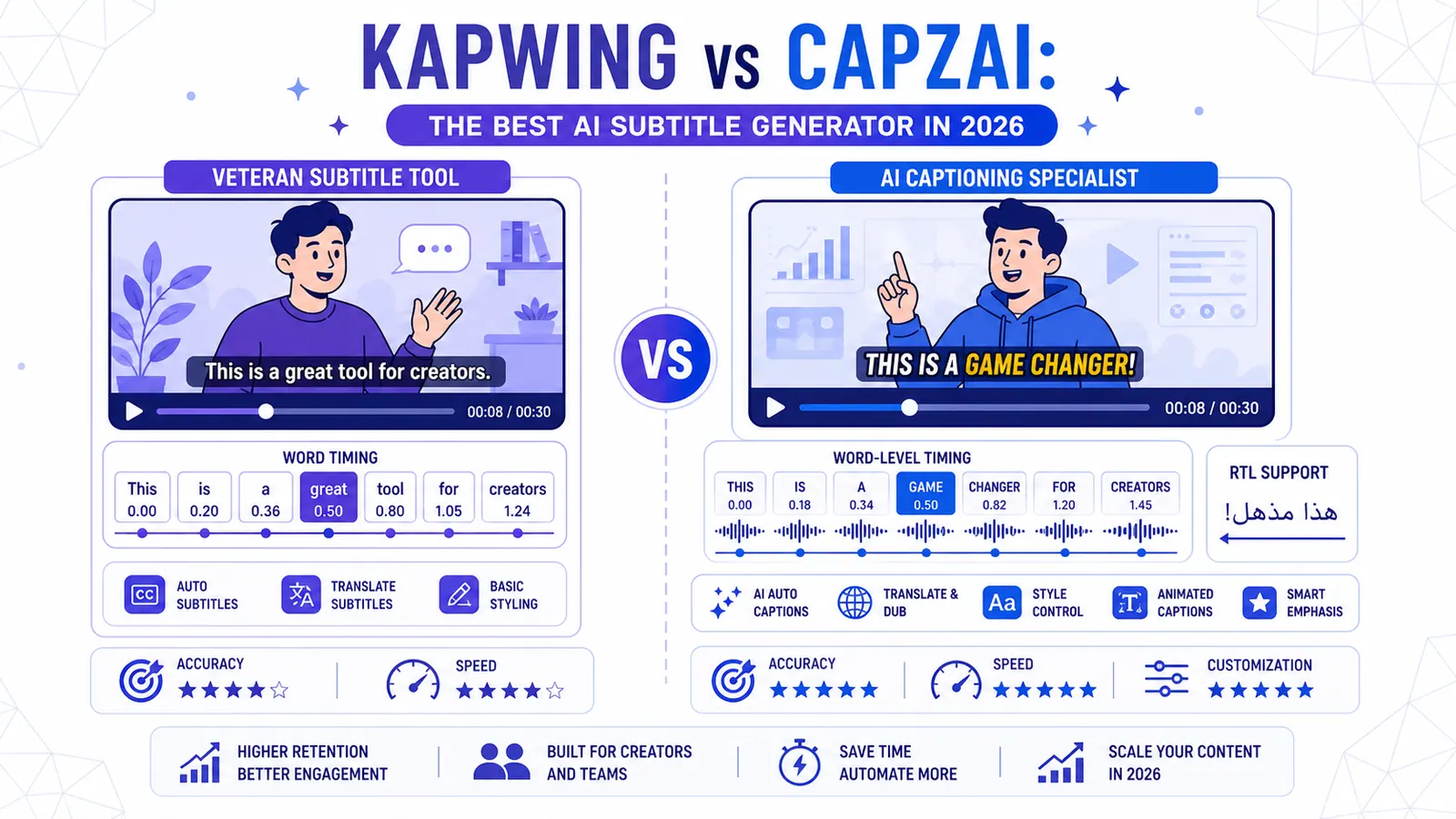
Choosing the right video tool in 2026 feels like a full-time job. For years, the Kapwing subtitle generator was the default choice for creators who needed quick captions without opening a complex editor. It served its purpose well. However, as the social media landscape has shifted toward hyper-fast, high-retention short-form content, the requirements for a subtitle tool have changed. You no longer just need text on a screen. You need word-level synchronization, viral styling, and the ability to reach global audiences in their native dialects.
In this comparison, we look at how the veteran Kapwing platform stacks up against CapzAi, a specialized tool built specifically for the 2026 creator economy. We will evaluate them on accuracy, editing speed, language nuances, and the fairness of their pricing models.
The Evolution of the Kapwing Subtitle Generator
Kapwing started as a generalist online video editor. Its subtitle generator was one of many tools in a suite that included meme makers, trimmers, and collagers. This generalist approach was a strength in 2020, but in 2026, it often feels like bloat. When you open Kapwing, you are entering a full-scale timeline editor. This is great if you want to build a video from scratch, but if your goal is simply to add world-class captions to an existing clip, the interface can feel overwhelming.
The Kapwing subtitle generator uses a standard AI transcription engine. It is reliable for clear English audio, but it often struggles with technical jargon or thick accents. More importantly, the styling options for captions in Kapwing are manual. You have to choose fonts, colors, and animations yourself. While they have added templates over the years, they lack the "one-click" viral feel that current trends demand.
Why Specialization Wins in 2026
CapzAi represents a different philosophy. Instead of trying to be everything to everyone, it focuses on doing one thing better than anyone else: creating high-retention, localized video content. If you are looking for a /blog/best-ai-video-editing-tools-2026 comparison, you will notice that tools are moving away from the "all-in-one" model and toward specialized workflows.
CapzAi is designed for the "export-ready" workflow. You upload a video, and the AI immediately generates word-level captions that are timed to the millisecond. This isn't just a block of text appearing on screen. It is a karaoke-style experience where every word highlights as it is spoken. For creators on TikTok or Instagram Reels, this is the difference between someone scrolling past or staying to watch the whole clip.
Accuracy and Word-Level Precision
Accuracy is the foundation of any subtitle tool. If you have to spend thirty minutes fixing typos, the AI hasn't saved you any time. The Kapwing subtitle generator provides a solid transcript, but its timing is often "block-based." This means it shows a full sentence or phrase at once.
CapzAi uses a more granular engine. It identifies the start and end time of every single word. This precision allows for the "Viral Pop" and "Creative" presets that you see from top-tier influencers. By focusing on the under-60-second format for captions, CapzAi can dedicate more processing power to ensuring that the visual text matches the audio perfectly.
Handling Fast Talkers and Accents
We have all seen AI fail when a speaker gets excited or uses slang. Kapwing often hallucinates or skips words in these scenarios. CapzAi has been trained on a wider variety of conversational styles. It handles the rapid-fire delivery common in modern social media content without losing its place. If you are struggling with engagement, check out our guide on /blog/creating-viral-short-form-content to see why timing matters so much.
The RTL and Arabic Language Gap
This is where the two tools diverge most sharply. Most Western-built tools, including Kapwing, treat Right-to-Left (RTL) languages like Arabic as an afterthought. Often, the text is reversed, the punctuation ends up on the wrong side, or the fonts look like they belong in a 1990s word processor.
CapzAi was built with a global mindset. It offers 1-click translation for English, French, Arabic, and Darija. The RTL support is native, meaning the text flows correctly and looks professional.
Darija and Latin Transliteration
For creators targeting North Africa, the Darija dialect is essential. Most AI tools treat all Arabic as Modern Standard Arabic (MSA), which can sound robotic or formal to local audiences. CapzAi understands the nuances of Darija. Furthermore, it offers Latin transliteration. This is a massive feature for the diaspora or for viewers who understand the spoken language but find it easier to read Latin characters. Kapwing simply does not offer this level of linguistic depth.
Editing UX: Manual Sliders vs AI Agents
The way we edit is changing. In Kapwing, if you want to change the position of a caption, you click and drag it on a canvas. If you want to change a word, you find it in a list and type the correction.
CapzAi introduces an AI Agent chat-to-edit feature. Instead of hunting through menus, you can simply tell the assistant what you want. "Make the captions bigger and move them to the top" or "Change the color of the word 'success' to green." This conversational interface is significantly faster for creators who are managing multiple platforms and don't have time to fiddle with manual sliders.
If you want to understand the technical side of how we handle these requests, our post on /blog/why-rtl-support-matters-for-video covers the complexity of rendering these styles in real-time.
Export Versatility: .ass Files and 1080p MP4
Kapwing is primarily a "burn-in" tool. You export a video with the subtitles flattened into the pixels. While this is fine for social media, professional editors often need more flexibility.
CapzAi supports .ass subtitle export. This is the gold standard for advanced subtitling. It preserves the styling, positioning, and timing data. You can take this file into Premiere Pro or DaVinci Resolve and have full control over the final look. At the same time, if you just want a quick 1080p MP4 with viral captions burned in, CapzAi handles that in seconds. The flexibility to choose between a quick social export and a professional subtitle file makes it a more versatile tool for serious editors.
Pricing: The End of Subscription Fatigue
Subscription fatigue is real. Most creators are tired of paying $20 or $30 a month for five different tools they might only use twice a week. Kapwing follows this traditional subscription model. You pay every month regardless of how much you use it.
CapzAi uses a pay-on-export pricing model. You can spend as much time as you want editing, experimenting with different styles, and using the AI Agent for free. You only pay when you are happy with the result and want to download the video. The cost is 20 credits per minute of exported video. This is a much fairer approach for the occasional creator or the agency that has fluctuating workloads. It ensures that you are only paying for actual value, not for a dormant account.
When to Choose Kapwing
Despite the advantages of CapzAi, Kapwing still has its place. You should choose the Kapwing subtitle generator if:
- You need to build a complex video from multiple clips, overlays, and audio tracks entirely in your browser.
- You are creating long-form content (10+ minutes) and don't mind a more basic subtitle style.
- You already pay for the full Kapwing suite for other tasks like meme generation or basic video trimming.
Kapwing remains a solid generalist tool, but it is no longer the fastest or most accurate way to get subtitles on your videos in 2026.
When CapzAi is the Clear Winner
CapzAi is the superior choice if:
- You are a social media creator focusing on high-engagement short-form content (Shorts, Reels, TikTok).
- You need word-level, karaoke-style captions that grab attention instantly.
- You work with Arabic, French, or Darija and require perfect RTL formatting.
- You want to use AI voice dubbing to reach new markets without hiring voice actors.
- You are tired of monthly subscriptions and prefer paying only for what you export.
- You want to turn one long video into ten short clips with a single click.
The reality of 2026 is that attention is the most valuable currency. A generic subtitle generator is no longer enough to compete. You need tools that understand the platform-specific aesthetics and the linguistic nuances of your audience. CapzAi provides that specialized edge.
Whether you are translating a French vlog into Arabic with perfect RTL alignment or using the AI Agent to quickly apply a "Viral Pop" preset, the goal is the same: spend less time editing and more time creating. The pay-on-export model at 20 credits per minute makes it accessible for everyone from the solo hobbyist to the professional marketing team.
Ready to see the difference for yourself? Stop fighting with manual sliders and subscription fees. Try CapzAi today and experience the future of AI-powered subtitle generation.
Related articles
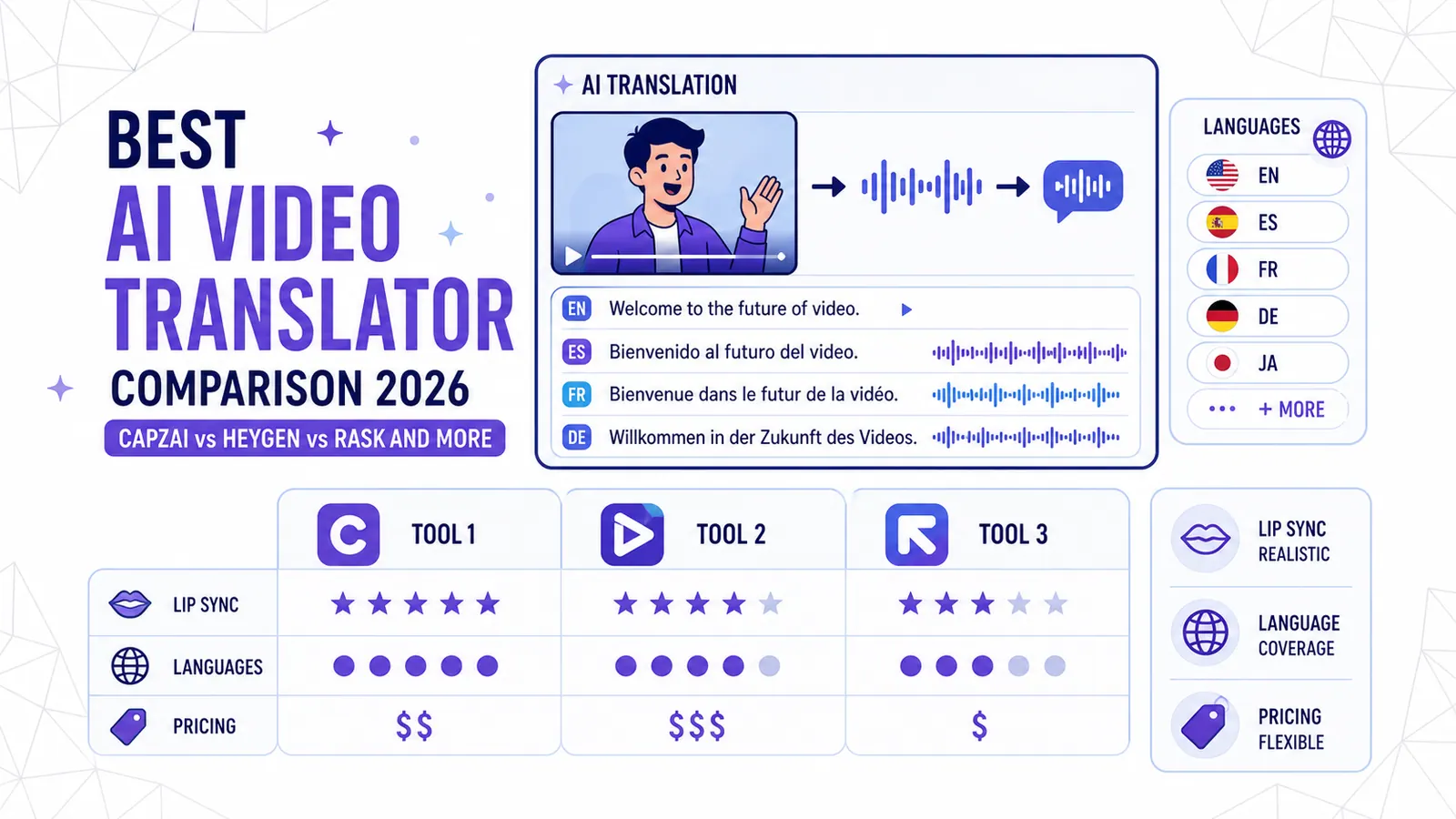
Best AI Video Translator Comparison 2026: CapzAi vs HeyGen vs Rask and More
A deep dive into the top AI video translation tools of 2026. We compare lip-sync quality, language support, and pricing models to help you choose the right platform.
Read
7 Best Opus Clip Alternatives in 2026: Ranked for Speed and Languages
Looking for the best Opus Clip alternatives? We rank 7 AI video tools for speed, language support (including Arabic and Darija), and pricing to help you scale your social media presence.
Read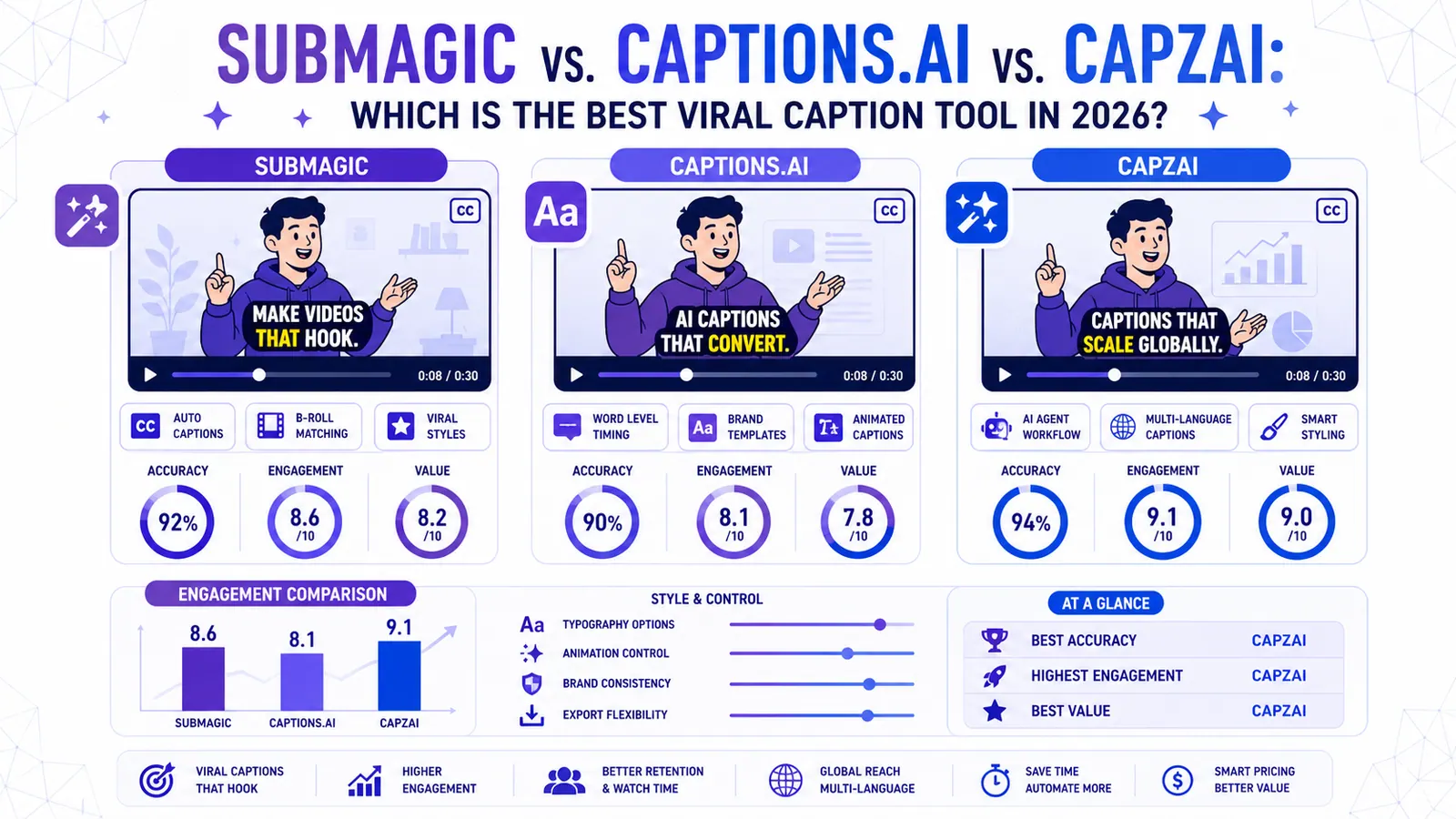
Submagic vs. Captions.ai vs. CapzAi: Which is the Best Viral Caption Tool in 2026?
We put the industry giants Submagic and Captions.ai head-to-head against CapzAi to see which AI captioning tool delivers the best engagement, accuracy, and value for creators.
Read