
How to Translate Video Subtitles into 5 Languages in One Click
Expand your video reach to international markets by accurately translating subtitles into French, Spanish, Arabic, and Darija using CapzAi.
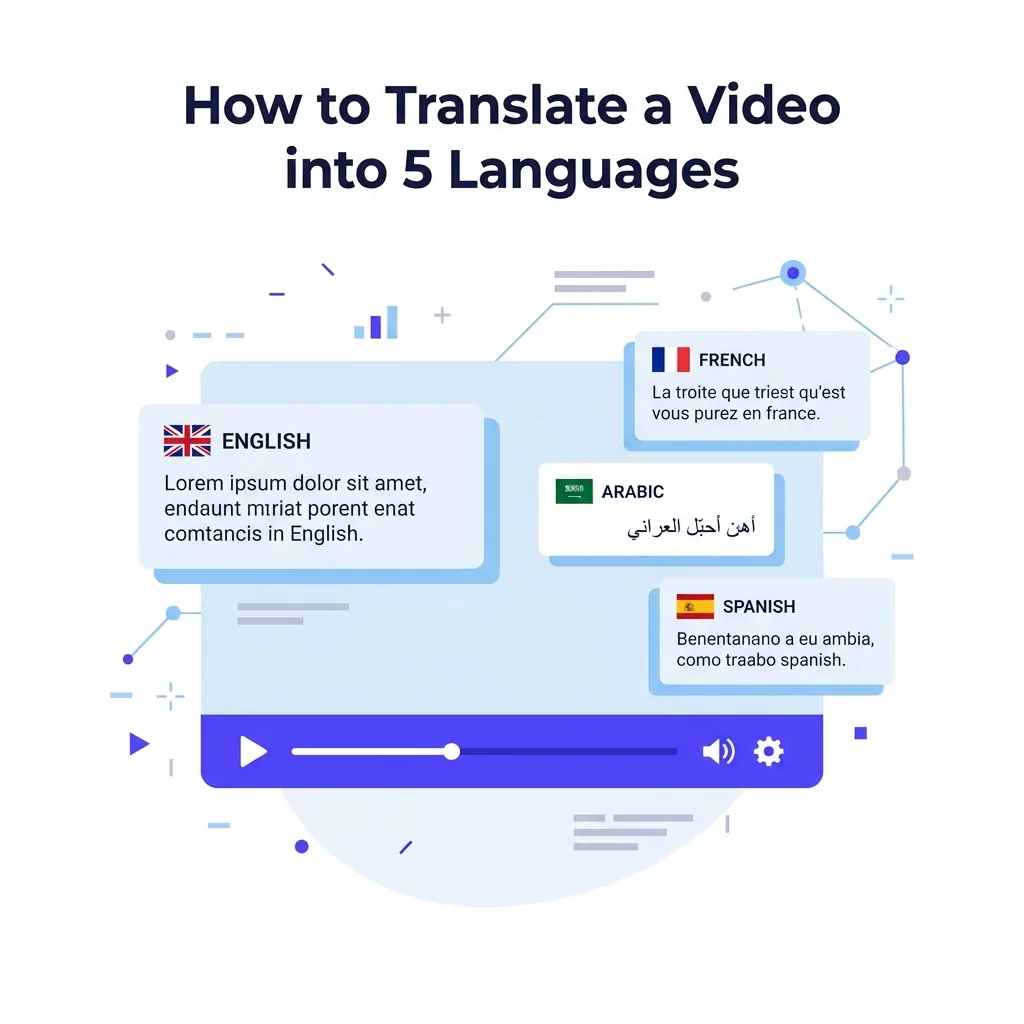
Marcus runs a kettlebell training business out of a basement gym in Brooklyn. He records his workouts. He posts short clips on TikTok and Reels.
Most of his paying clients live within a five-mile radius.
Six months ago, a video of him explaining the Turkish get-up hit the algorithm differently. The comments filled up with French and Arabic. People asked for his programming and wanted to buy his workout guides.
Marcus had a global audience but no way to serve them properly. His content existed only in English.
He tried pasting his scripts into Google Translate. He tried pasting those translations into his video editor. The workflow was a disaster.
The Spanish text was too long and spilled off the screen. The Arabic text pasted left-to-right. This rendered it completely unreadable to native speakers.
Syncing the translated text to his mouth movements took three hours per minute of video. He gave up.
We see this exact scenario every day. Creators hit a wall with localization. They know the audience exists. They check their analytics and see viewers from Paris and Casablanca.
The severe friction of translating subtitles forces them to ignore that revenue.
Translating video subtitles should take minutes. It requires a specific technical approach. You upload the English video and generate the word-level captions.
You click a button to duplicate those captions into French, Spanish, Arabic, and Darija. You adjust the visual style for each language independently. You export them all.
I will walk you through exactly how this works in CapzAi. You will see why translating before timing ruins videos. You will understand how to handle text expansion in Romance languages and learn how to manage right-to-left fonts without breaking your visual layout.
The Flaw of Translating Before Timing
Most creators approach translation backward. They transcribe the video. They translate the entire transcript into a giant block of text.
They paste that translated block into an editor and try to chop it up to match the audio track.
This breaks the video pacing.
Automated Translation Drift
When you speak English, your mouth makes specific movements. Your pacing dictates the energy of the edit. If you translate the script first, you lose the strict connection to the audio timestamps.
The Spanish text will appear on screen two seconds before you speak the corresponding idea. The viewer gets confused. They scroll past.
Some software platforms try to automate this backward process. They translate the audio file entirely and then attempt to guess where the translated words should appear based on the total video duration.
The results look incredibly cheap. The captions drift out of sync constantly.
Exact Timestamp Mapping
You must secure the timing first. You generate the English captions initially. You let the system establish the exact millisecond you say every single word.
CapzAi does this automatically. It maps the start and end time of "kettlebell" and "swing". This baseline timing map is the most valuable piece of data in the localization pipeline.
Once you have the timing map, translation becomes a strict mathematical mapping exercise. The system translates the word or phrase and assigns it the exact same timestamp as the original English text.
When you say "hips" in English, the Spanish word "caderas" appears on screen precisely at that moment. The timing remains perfectly tight. The visual punch of the word-level caption matches the audio impact flawlessly.
This approach saves hours of manual timeline adjustments. It guarantees perfect sync. It makes your translated videos feel native.
Uploading and Establishing the Baseline
Start with your raw English video. Drop it into CapzAi. The system runs the audio through the transcription engine. It generates the initial English baseline.
This is where you make your foundational text edits. You fix any minor spelling errors. If you mumbled a word and the AI guessed wrong, you correct it right here.
You want the English transcript to be perfect. It serves as the absolute source truth for every other language generation.
Applying English Visual Styles
Apply your visual style to the English baseline. Marcus uses the viral pop preset for his fitness content. He prefers 64pt Inter Bold.
He uses a yellow active word highlight to keep eyes locked on the specific text. He positions the text in the lower third of the frame, safely above the platform interface elements.
You now have a finished English video. Most creators stop here. They hit export and ignore the rest of the world. You are going to click the localization tab.
Duplicating into French and Spanish
Your English baseline is locked and verified. You click the duplicate button. You select French.
CapzAi creates a new dedicated tab in your project workspace. This tab contains the French translation. The text is already chopped into the correct timing blocks based on your English pacing.
It inherits your 64pt Inter Bold styling and the bright yellow active word highlight automatically.
Managing Language Workspaces
You click duplicate again. You select Spanish. Another tab appears immediately.
You now have three distinct versions of your video. You can toggle between them instantly without loading new project files.
The English tab shows your original text. The French tab shows the French text synced strictly to your English voice. The Spanish tab shows the Spanish text synced to your voice.
Handling Romance Language Text Expansion
You need to review the French and Spanish text for physical expansion. Romance languages are notoriously wordy. A concise English phrase often requires significantly more syllables in Spanish or French.
On average, Spanish text runs twenty-five percent longer than English text.
If your English captions stretch across ninety percent of the screen width, the Spanish version will break into two lines. Sometimes it breaks badly and covers important visual elements.
You open the Spanish tab. You see that the translation for "full body workout" has wrapped onto a second line, completely obscuring your chest in the video.
This is exactly why per-language styling matters so much. If you change the font size in the Spanish tab, it does not affect your English baseline.
You drop the Spanish font size to 56pt. The text fits neatly on one line again. The English tab remains untouched at 64pt.
Localizing French Fitness Slang
You check the French tab. The literal translation looks accurate, but you want to tweak a specific fitness term. The AI translated "gains" literally.
You want to use the local Parisian gym slang. You click the word in the editor. You type the correction manually.
If you are unsure of the right slang, you open the AI agent chat-to-edit interface. You ask the agent directly for the common gym slang for muscle gains in French.
The agent provides distinct options. You pick the most natural one and paste it in.
Tackling Arabic and Right-to-Left Formatting
Translating into Arabic introduces severe technical challenges for conventional video editors. Arabic reads right-to-left.
When you paste Arabic text into a standard editing timeline, the software often reverses the letters arbitrarily. It disconnects the beautiful cursive script into isolated, broken characters. This renders the text completely illegible to native readers.
Creators spend miserable hours trying to trick their software. They reverse the text strings manually using third-party websites before pasting. They export transparent PNG images of the text from Photoshop and overlay them as static graphics.
It is a terrible workflow that prevents rapid scaling.
Automated Right-To-Left Constraints
In CapzAi, you click duplicate and select Arabic. The system knows Arabic requires strict RTL layout constraints.
It automatically switches the text direction for that specific tab. It maintains the proper cursive connections flawlessly.
It maps the RTL text back to the left-to-right English audio timestamps without breaking the rendering engine.
Your viral pop preset might look terrible in Arabic. The Inter font family does not support Arabic characters beautifully. It defaults to a generic system font that lacks visual punch.
Optimizing Arabic Typography
You stay in the Arabic tab. You change the font to an Arabic-optimized typeface like Cairo or Tajawal from the built-in font library.
You adjust the line height because Arabic script often requires more vertical space for its tall ascenders and deep descenders. You might switch the active word highlight from yellow to a bright green, testing what works best for that specific demographic.
Standard Arabic uses a highly structured grammatical system. The verb often precedes the subject.
Reversing Grammar Timing Visually
When the system maps the RTL text back to the English audio, it handles this syntax shift visually. If the English speaker says "The dog runs," the Arabic text structure translates as "Runs the dog."
CapzAi handles this logic natively. It places the Arabic word for "runs" at the exact timestamp when the English speaker says "runs," even though the word order differs. This prevents the viewer from reading a word before they hear the corresponding concept.
Your English, French, and Spanish tabs remain absolutely untouched. The Arabic tab is visually distinct, formatted correctly, and timed perfectly.
Capturing the Moroccan Market with Darija
Standard Arabic works well for news broadcasts. It works well for formal written documents. It falls completely flat in casual social media content.
If you want to connect intimately with viewers in Casablanca or Marrakech, you need to speak their specific regional dialect.
Darija is the Moroccan Arabic dialect. It blends Arabic with French and Spanish loanwords naturally. It has its own unique grammatical structure.
Standard AI translation models struggle massively with Darija. They output rigid, formal Arabic that sounds robotic and foreign to a Moroccan viewer.
Applying the Darija Translation Model
Marcus has a massive following in Morocco. He needs accurate Darija subtitles. He clicks duplicate. He selects Darija.
CapzAi uses specialized localization models built specifically to generate accurate Darija text. It understands the colloquialisms.
It knows exactly when to use a French loanword that is common in Moroccan gyms instead of the formal Arabic equivalent.
This level of specificity builds deep trust with the audience. When a viewer in Casablanca sees subtitles in their exact daily dialect, rather than formal broadcast Arabic, they pay immediate attention.
They know you care enough to speak their language properly.
You review the Darija tab. You apply your chosen Arabic-optimized font. You adjust the sizing to ensure perfect readability on mobile screens.
The Review Process: Slang, Idioms, and Context
AI translation is incredibly fast. It is not infallible. You must review the text intelligently.
Literal translations of idioms will ruin your videos. If Marcus says "we are going to crush this workout," a literal translation in French might suggest the actual physical destruction of the gym equipment.
You need to verify the context constantly. You do not need to be fluent in all five languages to do this effectively.
AI Agent Context Verification
You use the tools available to you. You rely heavily on the AI agent.
While reviewing the Spanish tab, you highlight an awkward phrase. You open the agent interface. You type, "Is this the natural way a fitness coach would say 'crush this workout' in Mexico City?"
The agent analyzes the selected text. It suggests a more appropriate verb. It offers a colloquial phrase used specifically in Mexican fitness circles.
You update the caption directly from the agent's suggestion with one click.
You spend ten minutes total reviewing the five language tabs. You check for text expansion issues and fix visual formatting. You verify the tricky idioms.
You operate as a strategic localization director. You stop working as a data entry clerk.
Batch Exporting and the Economics of Global Reach
Your project now holds five distinct, fully optimized videos. First, the English original using Inter Bold at 64pt. Second, the French version using Inter Bold at 64pt with adjusted Parisian idioms.
Third, the Spanish version using Inter Bold at 56pt to handle text expansion properly. Fourth, the Arabic version using the Cairo font with RTL layout. Fifth, the Darija version using the Cairo font with Moroccan dialect specifics.
You click export. You select all five tabs simultaneously.
Concurrent Cloud Rendering
CapzAi renders the videos concurrently in the cloud. You do not tie up your local laptop resources. You avoid staring at a progress bar waiting for five sequential renders to finish.
The cost structure aligns perfectly with your actual output. CapzAi uses pay-on-export pricing at exactly 20 credits per minute of rendered video.
If Marcus exports a one-minute video in five languages, it costs him exactly 100 credits. He pays only for the final output files.
He pays nothing for the time spent translating or adjusting fonts in the editor. He avoids paying a massive monthly subscription for enterprise localization software that he might not use every week.
Distributing the Localized Files
He downloads the five MP4 files. He opens TikTok. He posts the English version to his main account.
He opens his secondary regional accounts targeted at France, Latin America, and the Middle East. He uploads the localized versions to their respective channels.
He uses the exact same thumbnail strategy and core message. He reaches five times the total audience with zero extra filming required.
Adapting Caption Presets for International Audiences
CapzAi includes five distinct caption presets. You have karaoke, viral pop, classic, docu, and creative styles available.
You should never assume that the preset that crushes in New York will perform equally well in Paris. Audience aesthetic preferences vary drastically by region.
The viral pop preset uses fast animations and bright active words. It performs exceptionally well in the US market for aggressive short-form content.
Adjusting Visual Presets per Region
When you translate your video into French, you might find through testing that the audience responds better to the classic preset. The classic preset uses standard lower-third positioning without the aggressive bouncing animations.
It feels more refined and less intrusive. You simply switch the French tab to the classic preset.
For the Spanish market, the karaoke preset often dominates engagement metrics. The karaoke style highlights the text exactly as the specific syllable is spoken.
It matches the high-energy editing style incredibly popular in Latin American fitness content right now. You set the Spanish tab to karaoke.
You manage all these visual variations within the exact same project workspace. The English tab uses viral pop. The French tab uses classic, while the Spanish tab uses karaoke.
You avoid creating separate messy project files just to test different visual styles across regions.
Managing Complex Content and Terminology
Fitness content is generally straightforward. The vocabulary is limited. The visual demonstrations carry a massive amount of the context automatically.
If you create dense educational content, the review process requires much more attention to detail.
Suppose you produce forty-minute documentaries on global financial markets. You use the docu preset for your captions.
The text remains subtle. It stays entirely out of the way of your expensive archival footage.
Precision Localization for Jargon
Translating financial jargon requires absolute precision. "Short selling" or "quantitative easing" have highly specific translations in French and Arabic.
You cannot rely on blind automated AI translation for technical terminology.
You generate the baseline. You duplicate into French. You use the agent to verify the terminology meticulously.
You highlight a section and ask the agent, "Read this paragraph of translated text. Does this accurately describe quantitative easing to a professional French investment banker?"
The agent acts as your senior localization editor. It catches the subtle nuances that basic automated translation models miss entirely. It ensures your technical authority remains intact across borders.
Handling Long-Form Processing
When you export long-form content, you use the projects dashboard to manage the massive files. You queue the high-resolution renders.
You let the CapzAi cloud infrastructure handle the heavy computational lifting while you plan your next video.
Combining Translation with Auto-Clipping
Localization is not limited to short clips you film specifically for TikTok. You can translate entire podcasts or massive documentary videos efficiently.
Suppose you upload a one-hour interview. Generating subtitles for an hour of audio in five languages produces an overwhelming amount of text. Managing that manually is impossible for a solo creator.
Isolating Retention Moments
You use the auto-clipping feature first. You upload the long video. The system analyzes the entire transcript contextually.
It identifies the most engaging retention moments automatically. It cuts the one-hour video into eight short clips.
You now have eight high-value clips in English. You open the first clip. You click duplicate. You select your target languages.
You translate the refined, high-value clip. You avoid translating the entire one-hour raw file.
You focus your localization budget strictly on the content proven to drive engagement. You create forty highly targeted, localized assets from a single long-form video in under an hour.
The Role of AI Voice Dubbing
Subtitles solve half the accessibility problem. They make the content readable. They capture the silent scrollers on mobile feeds.
To fully own an international market, you need to speak to them audibly. This is exactly where AI voice dubbing layers directly into the translation workflow.
Audio Dubbing Timing Mapping
CapzAi allows you to dub the underlying audio track to match the translated subtitles perfectly. You generate the Spanish captions first. You activate the dubbing feature within that tab.
The system clones your specific voice print. It reads the Spanish text aloud using your exact vocal tone and precise pacing.
The viewer actually hears you speaking Spanish. They read the synced Spanish word-level captions simultaneously.
The sync remains perfect because both the audio dubbing and the visual text rely on the exact same underlying timing map we established in step one.
Perfecting Native Immersion
This creates total viewer immersion. The viewer in Mexico City does not feel like they are watching poorly localized foreign content.
They feel like you made the video specifically for them in their native language.
You manage this dubbing directly within the distinct language tabs. The Spanish tab contains the Spanish text and the Spanish audio track.
The Arabic tab contains the Arabic text and the specific Arabic audio track. Everything stays perfectly organized.
Managing Client Work as an Agency
Agencies handle localization for dozens of clients simultaneously. Doing this manually destroys agency profit margins.
The agency pays the editor hourly. The editor spends hours syncing Spanish text. The agency eats the cost.
With CapzAi, agencies build highly profitable localization retainers. You pitch a client on expanding their reach to France and Mexico. The client agrees.
Agency Workspace Organization
You upload their weekly videos to CapzAi. You establish the English baseline. You generate the French and Spanish variations using the duplicate tabs.
You adjust the fonts. You use the agent to verify the specific industry terminology for that particular client.
You export the batch. The client receives three videos for every one they filmed. They see massive value.
You spent fifteen minutes on the actual execution. The pay-on-export pricing model means your hard costs scale perfectly with your output.
You only pay the 20 credits per minute when you actually deliver the final files to the client. The profit margin on the retainer remains extremely high.
Isolating Brand Assets
You manage all these clients inside the CapzAi project dashboard. You create distinct folders for each client. You store their specific brand fonts in the library.
When you open the Spanish tab for client A, you select their approved bold typeface. When you open the French tab for client B, you select their approved elegant serif typeface.
The workspace keeps the assets isolated and organized.
The Final Workflow
Marcus now translates every single video he posts without hesitation. His daily workflow looks exactly like this.
He shoots three videos on Monday morning. He uploads the raw files to CapzAi. He generates the English captions and applies his signature viral pop preset.
He clicks duplicate four times for each video. He drops the Spanish font size to prevent line wrapping.
He applies the Cairo font to the Arabic and Darija tabs for perfect readability. He asks the AI agent to double-check a few specific fitness idioms in French.
He selects all the language tabs and hits export.
Avoiding Software Friction
He spends twenty minutes total managing the text variations. He exports fifteen perfectly synced, correctly formatted videos.
He pays his minimal export credits. He schedules the posts across his various regional accounts.
He spends his afternoon coaching his clients. He avoids fighting with timeline keyframes in a frustrating video editor.
The software technology works. The only remaining barrier is your willingness to adopt the proper workflow.
If you have high-quality videos sitting idle on your hard drive, they hold massive untapped financial value. They can reach audiences you have never even considered.
Stop ignoring the massive international audience waiting for your content. Start localizing your videos today.
Related articles
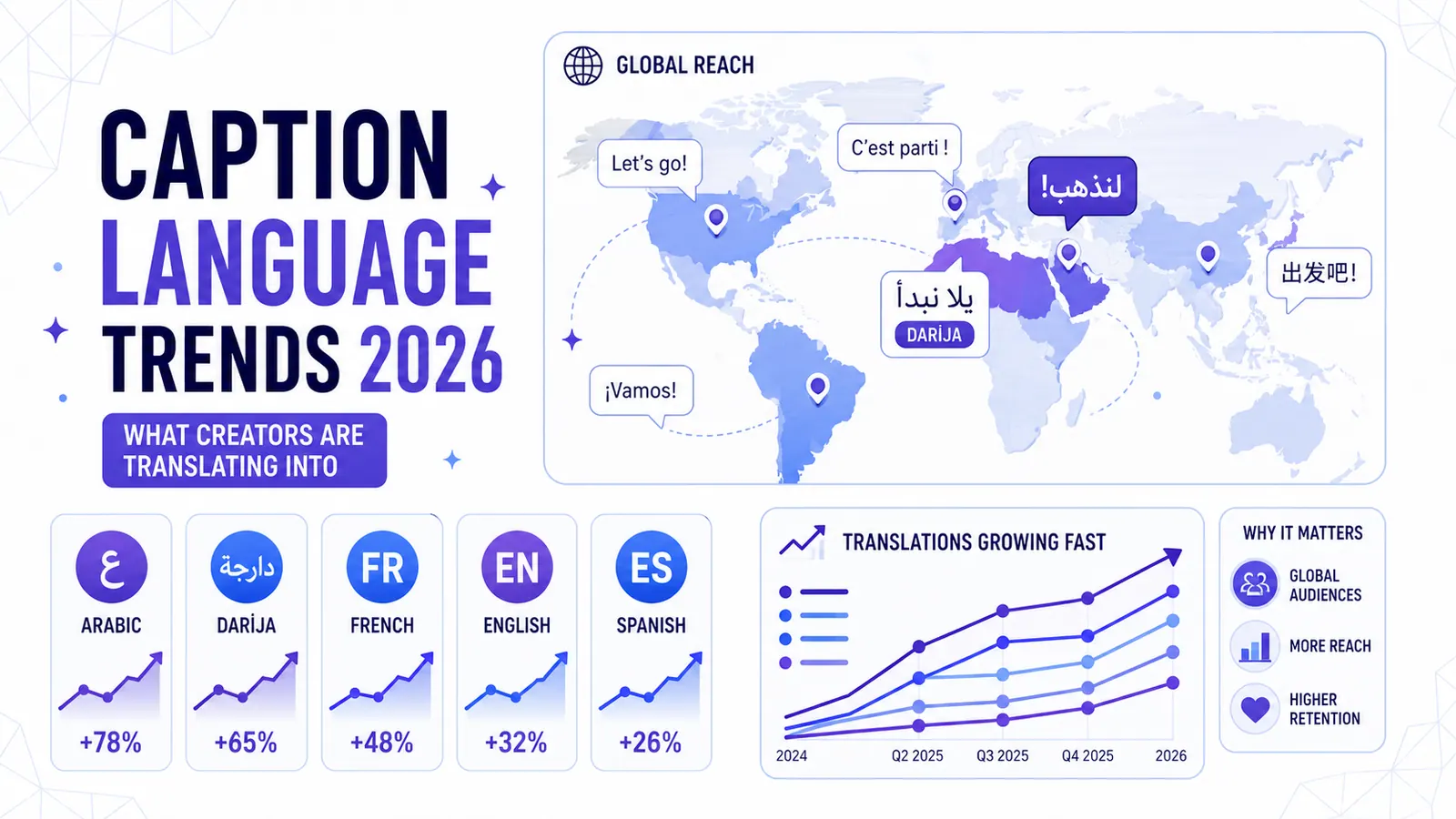
Caption Language Trends 2026: What Creators Are Translating Into
CapzAi data reveals a massive shift toward Arabic, Darija, and French translations as short-form creators chase unmonetized international audiences.
Read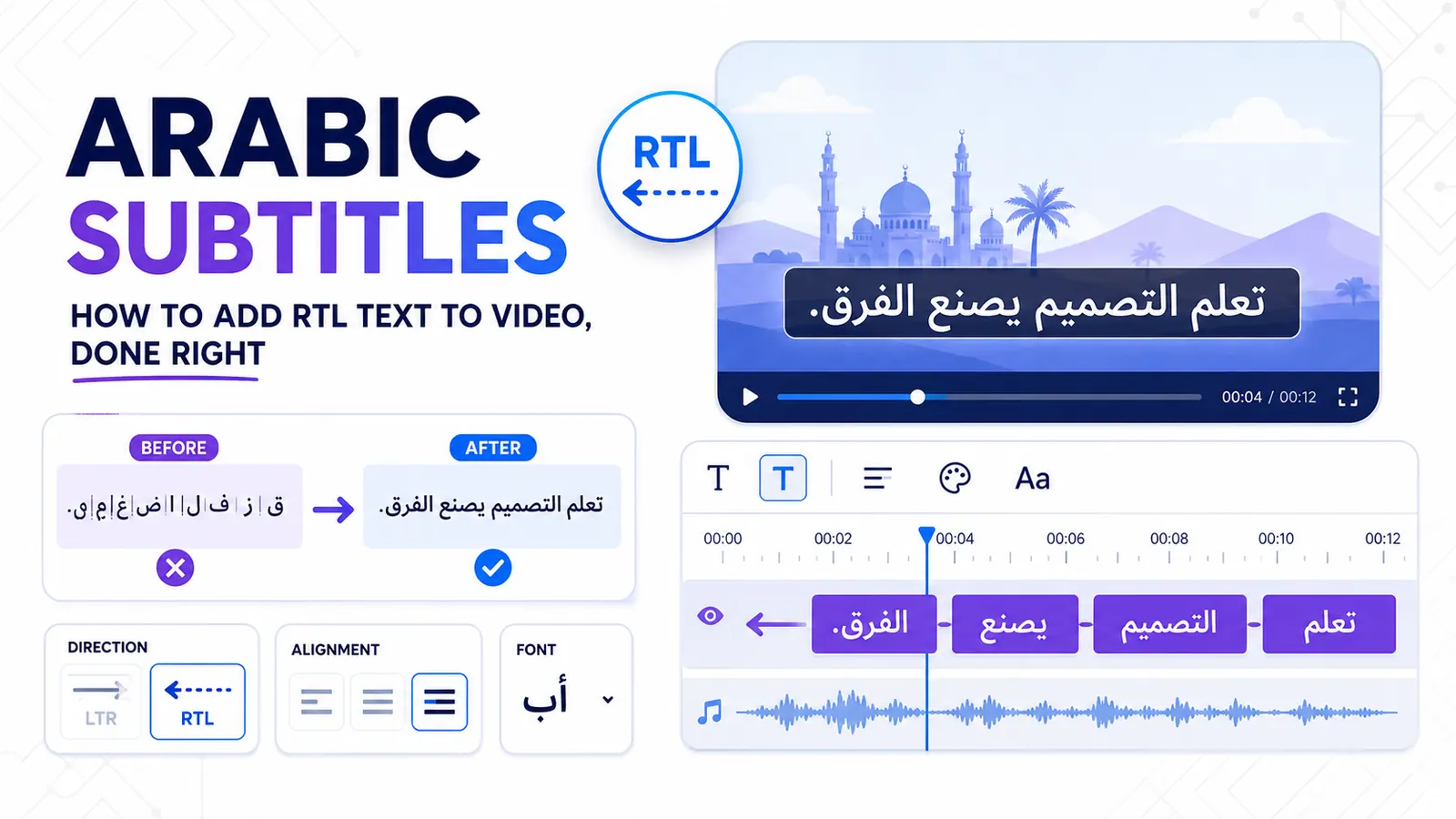
Arabic Subtitles: How to Add RTL Text to Video, Done Right
Stop fighting disconnected letters and misplaced punctuation with a workflow built for native Arabic text rendering.
Read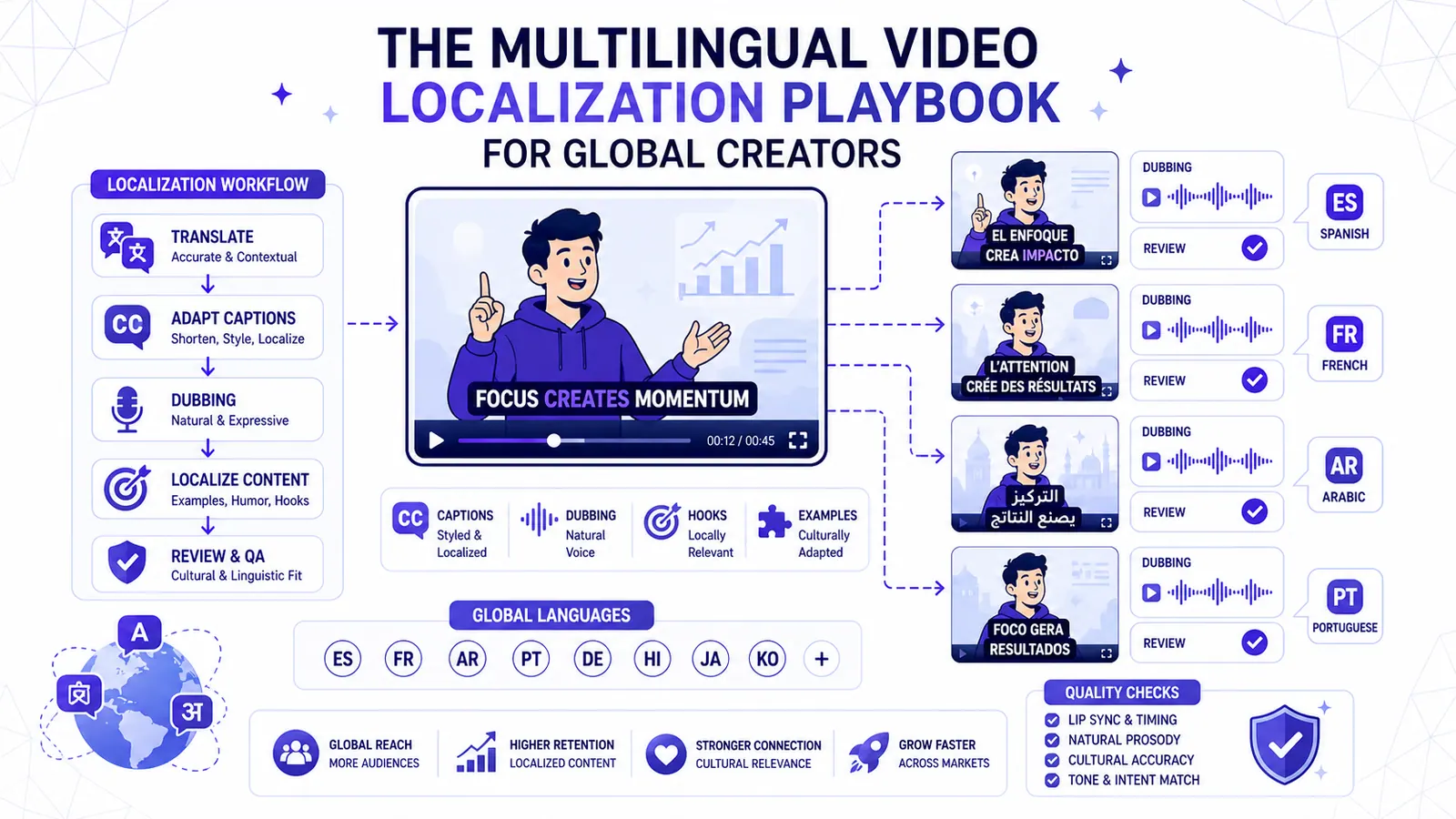
The Multilingual Video Localization Playbook for Global Creators
Translation alone is not localization. This playbook shows how to adapt captions, dubbing, hooks, examples, and review for international short-form content.
Read