
Best AI Caption Tools for Arabic & MENA Creators in 2026
Most video editing software ruins right-to-left text and misunderstands regional dialects. Here is an honest evaluation of the top AI caption tools for Arabic creators.
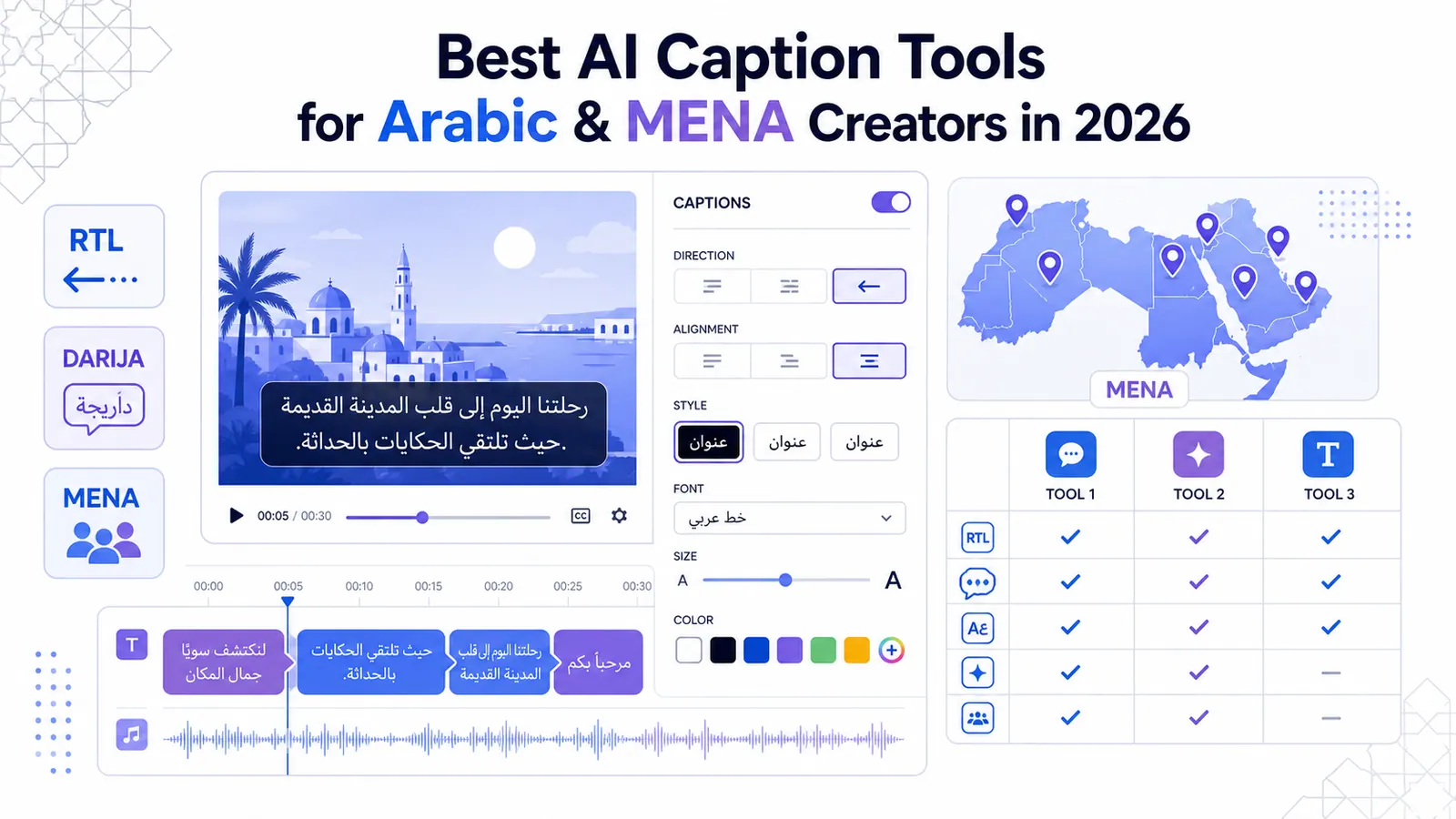
Most video editing software treats Arabic as an afterthought. You upload a casual conversation shot in Casablanca or Riyadh and wait for processing. The output is a complete disaster.
The letters render backward and break into disconnected glyphs. The software defaults to a microscopic Arial fallback font. Creators across the Middle East and North Africa waste countless hours manually fixing text alignment.
Building an audience requires volume. You cannot scale a YouTube channel spending two hours fixing punctuation on every short.
Western video software was built strictly for left-to-right languages. Pushing Arabic through these systems causes immediate friction.
The problem amplifies when you introduce active word highlighting. Applying a karaoke effect to Arabic text usually breaks the rendering engine. The text reads right-to-left, while the highlight color travels left-to-right. This disorients the viewer immediately.
Let me explain exactly why these failures happen and evaluate the tools attempting to solve them. I will analyze language models and typography constraints. I will also examine MENA SaaS pricing realities.
The Linguistic Reality: MSA Versus Regional Speech
The Problem with Formal Arabic Data
Arabic is not a single, uniform language. Modern Standard Arabic (MSA) is the formal register used in news broadcasts. Almost nobody speaks MSA in casual social media videos.
Real creators speak regional dialects. Egyptian Arabic dominates comedy. Levantine Arabic appears constantly in lifestyle content from Lebanon and Jordan. Khaleeji Arabic drives real estate content in the Gulf.
This creates a massive problem for standard artificial intelligence transcription. Most transcription models built in California are trained heavily on MSA datasets. They consume decades of formal news broadcasts.
When these models process a fast-paced podcast from Cairo, they panic. The AI attempts to force the spoken dialect into strict MSA grammar rules. The text spells correctly according to a dictionary, but it completely alienates the native audience. It sounds exactly like a robot attempting human conversation.
The Darija Challenge
The situation worsens dramatically with Darija. Maghrebi dialects blend Arabic grammar with heavy French vocabulary. They also feature deep Amazigh structural influences.
A creator in Casablanca might use three different language roots in a single sentence. Generic transcription tools hallucinate entirely when they encounter this. They output random MSA words that share similar phonetic sounds but carry zero contextual meaning.
You end up with a caption track that confuses your viewers and hurts retention. To learn more about viewer drop-off metrics, read our analysis on creating high-retention shorts.
You need a tool that understands the difference between a formal broadcast and a casual vlog. If the software cannot transcribe Darija or Egyptian dialects accurately, it is useless for modern social media.
The Cultural Importance of Accurate Localization
Beyond Direct Translation
Translation is fundamentally different from localization. Direct translation swaps one word for another. Localization adapts the concept for cultural resonance.
When an AI tool translates an English idiom directly into Arabic, the result is often nonsensical. A phrase like "killing two birds with one stone" translated literally confuses the viewer.
A localized AI model understands the intent. It replaces the phrase with the culturally appropriate Arabic equivalent, such as "hitting two birds with one stone" (ضرب عصفورين بحجر واحد).
Protecting Brand Equity
This nuance separates amateur content from professional media. Viewers detect poor translation instantly. It signals that the creator lacks respect for the audience.
Brands operating in the MENA region destroy their credibility when they run ads with broken Arabic grammar. The comment section fills with mockery regarding the text, ignoring the product entirely. Using a culturally aware transcription engine protects your brand equity.
The Technical Nightmare of RTL Rendering
Bidirectional Text Failures
Transcribing the audio is only the first hurdle. Rendering the text on screen introduces a completely different set of engineering failures.
Arabic is written right-to-left (RTL). This requires a complex bidirectional text algorithm. Video rendering engines like Adobe's Essential Graphics historically struggle with bidirectional text.
Arabic letters change their physical shape depending on their position in a word. A letter has a distinct form when isolated, a different form at the beginning, another in the middle, and a final form at the end.
When you force Arabic text into a left-to-right container, the text engine fails to apply these joining rules. The viewer sees isolated, disconnected letters.
It looks exactly like a ransom note. You will often see "م ر ح ب ا" instead of the connected "مرحبا".
Punctuation and Highlighting Bugs
Punctuation causes secondary failures. If you ask a question in Arabic, the question mark should appear at the left end of the RTL sentence.
Poorly coded software treats punctuation as neutral characters. It applies LTR rules to them, forcing the question mark to the right side of the screen. The viewer reads the sentence and hits confusing punctuation at the wrong time.
The most severe technical failure occurs with dynamic highlighting. Viral video styles rely on coloring the exact word the speaker is currently saying.
In English, the engine simply calculates the bounding box of the word and applies a color fill. In Arabic, the bounding box calculation often breaks.
Highlighting a word in the middle of a connected Arabic phrase can sever the cursive connections between the letters. The word suddenly detaches from the rest of the sentence.
Typography: Moving Beyond the Arial Fallback
The Cost of Bad Fonts
Good typography builds trust. It signals high production value.
Most video tools ship with hundreds of distinct English fonts. They offer exactly one Arabic option, which is usually Arial or a generic system sans-serif.
Using Arial for a high-energy TikTok video is a massive aesthetic failure. Arial was designed for early low-resolution computer monitors. It lacks the personality required for modern brand building.
Modern Typography Options
Arabic typography expanded drastically over the last decade. Google Fonts now hosts brilliant typefaces designed specifically for digital interfaces.
Cairo is an exceptional choice for modern, clean captions. It features wide proportions and short ascenders, making it highly readable on small mobile screens.
Tajawal offers a slightly more geometric feel, perfect for tech or real estate content. Changa brings a heavy, blocky aesthetic that works incredibly well for aggressive, fast-paced edits.
When evaluating a caption tool, you must check its font library. If you cannot select Cairo or Tajawal, you are severely limiting your visual branding.
Proper typography requires a tool that supports variable font weights in Arabic. A "viral pop" preset needs a heavy Black or ExtraBold weight to stand out against chaotic backgrounds.
Evaluating the Top 5 AI Caption Tools for MENA Creators
I have tested the major players in the automated video editing space. I evaluated them strictly on their ability to handle Arabic transcription and RTL formatting. I also tested their dialect recognition. Here are the brutal facts.
1. CapzAi
We built CapzAi because the existing options ignored the MENA market entirely. It is a purpose-built AI video studio that handles Arabic natively.
The transcription engine is trained on regional dialects. It accurately processes Egyptian, Khaleeji, Levantine, and Maghrebi speech. It does not force Darija into MSA. It simply writes what the speaker actually said.
We included highly accurate multilingual translation. You can upload a video in Arabic and generate accurate English and French subtitles simultaneously.
CapzAi includes native RTL formatting without any hidden configuration menus. You drop the video in, and the text connects properly.
We integrated 5 viral caption presets: karaoke, viral pop, classic, docu, and creative. Every single one of these presets was re-engineered to support Arabic word-level highlighting without breaking the cursive connections. The karaoke highlight moves correctly from right to left.
We optimized specific presets for distinct content styles. The "Docu" preset is designed for serious, analytical content. It uses minimal motion and fades text in gently.
For Arabic, this requires rendering the entire sentence block simultaneously. This ensures the cursive baseline remains perfectly stable. Any jitter in the text block destroys the serious tone, so we optimized the Docu preset to lock the baseline rigidly to the pixel grid.
Conversely, the "Karaoke" preset demands aggressive motion. Words bounce and colors flash. In CapzAi, the Karaoke preset utilizes a specialized text-shaping engine.
When the active word turns yellow and scales up by twenty percent, the engine mathematically recalculates the kerning on the fly. It ensures the scaled word does not overlap improperly with the adjacent words. This maintains the structural integrity of the Arabic script even during chaotic animations.
We also integrated an AI Agent directly into the editor. You do not have to hunt for typos in the timeline. You open the chat interface and type "change the spelling of Riyadh everywhere."
The agent executes the edit instantly. You can test this workflow directly in your project dashboard.
The font library features Cairo and Tajawal. It also includes Changa by default. It is the only tool that prioritizes Arabic creators.
2. Adobe Premiere Pro
Premiere Pro is the industry standard for professional editors. Its automatic transcription feature works well for formal MSA.
It fails miserably for social media creators. The AI transcription cannot handle rapid-fire regional dialects.
Setting up RTL text requires complex menu digging. You have to open the preferences panel, locate the graphics settings, and manually switch the text engine to South Asian and Middle Eastern.
If you want word-level highlighting, you are in for a nightmare. Premiere Pro does not offer automated karaoke effects natively.
You must duplicate text layers and manually keyframe masks or color fills for every single word. A one-minute short will take you forty-five minutes to caption manually. It is a massive waste of time for high-volume creators.
3. Submagic
Submagic is highly popular in Western markets. It offers aggressive, trendy presets and excessive emojis.
Their Arabic support is deeply flawed. The transcription accuracy drops significantly on anything other than clear, slow speech.
The RTL rendering is glitchy. You will frequently encounter the disconnected letter bug. You export a video and realize halfway through that the text has broken into isolated characters.
The pacing algorithm struggles with Arabic compound words. Arabic frequently attaches prepositions and pronouns directly to the base word. Submagic's highlighting engine treats these long compounds as single massive blocks, ruining the fast-paced visual rhythm.
4. Captions.ai
Captions.ai boasts an enormous list of supported languages. The reality of their Arabic support is wildly inconsistent.
If you speak slowly and clearly in a studio environment, the transcription is acceptable. If you have background noise or speak a heavy dialect, the accuracy plummets.
Their styling engine has severe issues with bidirectional text rules. Punctuation frequently jumps to the wrong side of the screen.
They offer many templates, but the font choices for Arabic are highly restricted. You are forced into generic fonts that do not match the aggressive styling of the English templates. The app is also entirely mobile-first, which creates friction for agencies trying to process batch content on desktop computers.
5. Veed.io
Veed provides a stable web-based editing environment. Their translation engine is highly effective for converting Arabic audio into English subtitles for Western audiences.
However, their native Arabic styling is clunky. The text alignment frequently breaks when you resize the bounding box.
If you try to center a block of Arabic text, the alignment algorithms miscalculate the true width of the cursive script. This results in off-center captions that look completely unprofessional.
The dynamic word highlighting options are limited. They often suffer from the same left-to-right timing issues seen in other generic platforms.
The Next Step: AI Voice Dubbing
Cohesive Audio Localization
Text on screen is only half the battle. Voice dubbing represents the next frontier of content localization. We built CapzAi to handle complete audio replacement alongside visual captions.
If you are an English-speaking creator trying to penetrate the Saudi market, subtitles are helpful. A localized Arabic voiceover is vastly superior.
Standard text-to-speech engines produce robotic, emotionless audio. They fail to place emphasis on the correct syllables.
Matching Voice to Text
CapzAi uses advanced neural voice models that understand the cadence of Arabic speech. The AI dubbing syncs precisely with the generated Arabic captions.
The viewer hears a natural, fluent Arabic speaker while reading perfectly matched RTL text. This dual-layer localization drastically increases watch time.
Viewers do not have to split their attention between reading English lips and Arabic text. The audio and visual experience is entirely cohesive.
Pricing Realities for MENA Creators
The Problem with Subscriptions
Software pricing models rarely account for global economic disparities. Creators in Egypt, Morocco, Algeria, and Lebanon face severe currency devaluation.
A standard thirty-dollar monthly subscription feels manageable in New York. Converted to Egyptian Pounds or Moroccan Dirhams, it becomes a massive operational expense.
Furthermore, subscription fatigue is a real problem. You might edit fifteen videos in March and zero videos in April. A monthly recurring charge drains your budget regardless of your output.
A Fairer Credit System
We designed CapzAi to respect these economic realities. We rejected the monthly subscription model entirely. We use a pay-on-export system.
You pay 20 credits per minute of exported video. If you do not export anything this month, you pay zero. This aligns our success directly with your output. You can review the full breakdown of our cost structure in our post on understanding our credit system.
This model supports independent creators. You can test the platform and edit your video. You also have full access to tweak the RTL settings.
Experimenting with AI voice dubbing is completely free. You only spend credits when holding a finalized, polished video file ready for upload.
Workflow Breakdown: Translating a Dubai Real Estate Tour
The Manual Bottleneck
Let us look at a concrete example. A real estate creator in Dubai records a twenty-minute property tour.
They speak English during the tour. They need to extract high-performing clips and localize them for Arabic-speaking investors across the Gulf.
Doing this manually requires a video editor. It also demands a human translator and a dedicated captioner.
The Automated Alternative
Here is how that workflow operates inside CapzAi.
- Upload and Auto-Clip: The creator uploads the raw twenty-minute file. They run the auto-clipping tool. CapzAi analyzes the footage and identifies moments with high retention potential. It then extracts five distinct one-minute shorts.
- Generate Base Captions: The tool transcribes the original English audio with high precision.
- Multilingual Translation: The creator selects the translation feature. CapzAi translates the English text into high-quality Arabic. It applies correct RTL formatting instantly.
- Apply Viral Styling: The creator selects the "viral pop" preset and changes the font to Tajawal ExtraBold. The text turns bright yellow. The active word highlighting functions perfectly, tracking the Arabic text from right to left.
- AI Voice Dubbing: To maximize engagement, the creator applies an Arabic AI voice dub. CapzAi generates a natural-sounding Arabic voiceover that matches the translated captions perfectly.
- Export and Pay: The creator exports the five videos. They spend exactly 100 credits for five minutes of final content.
Reclaiming Lost Time
The entire process takes ten minutes. The creator bypassed the need for third-party translation services.
They avoided the RTL rendering bugs found in Premiere Pro. They produced a highly polished, localized asset ready for TikTok and Instagram Reels. You can trigger this exact workflow right now using the CapzAi Agent.
Ignoring the Arabic market is a massive oversight for video software companies. Hundreds of millions of people consume short-form video in Arabic every day.
Forcing creators to use broken tools built exclusively for Western languages stifles creativity. The demand for high-quality, dialect-aware transcription is undeniable. Creators are tired of manual workarounds.
They are tired of disconnected letters and backward punctuation. The tools you use should remove friction from your workflow, not add to it.
Evaluate your current software stack. Look at the typography and the translation accuracy. If your editor fails at basic RTL layout, it is time to switch to a platform built for the reality of global content creation.
Related articles
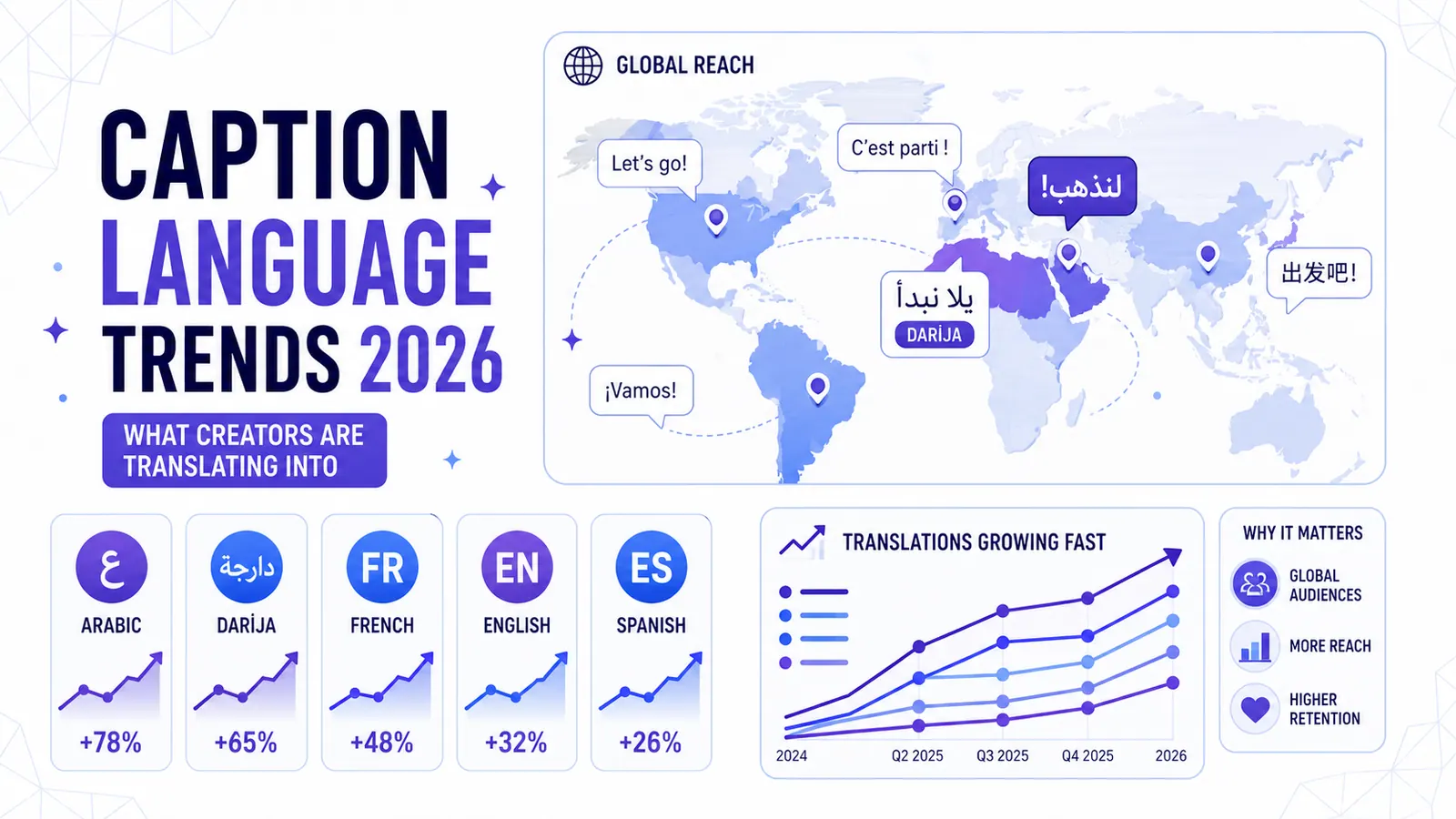
Caption Language Trends 2026: What Creators Are Translating Into
CapzAi data reveals a massive shift toward Arabic, Darija, and French translations as short-form creators chase unmonetized international audiences.
Read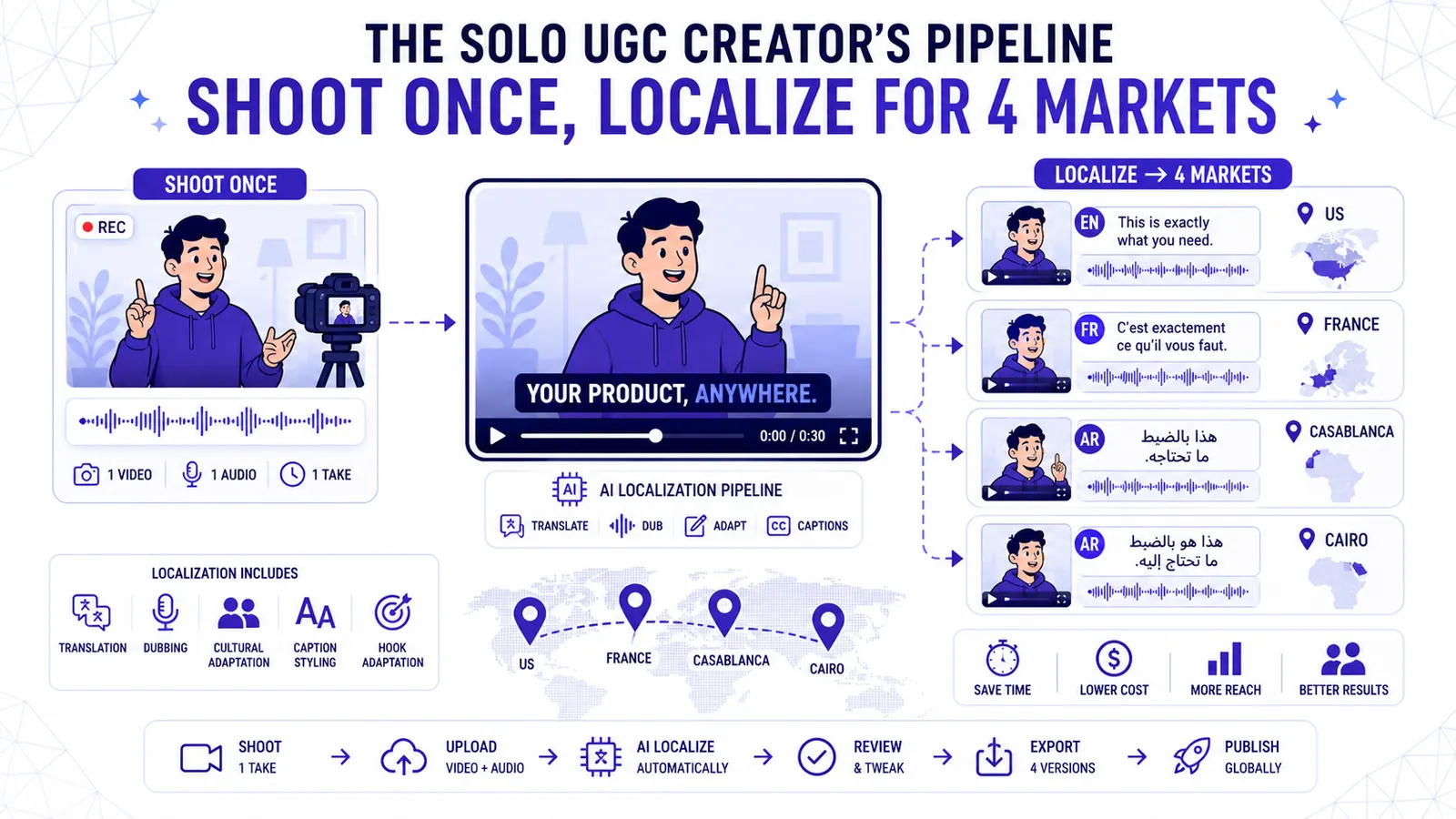
The Solo UGC Creator's Pipeline Shoot Once Localize for 4 Markets
Learn how to shoot a single talking-head ad and localize it for the US, France, Casablanca, and Cairo without reshooting.
Read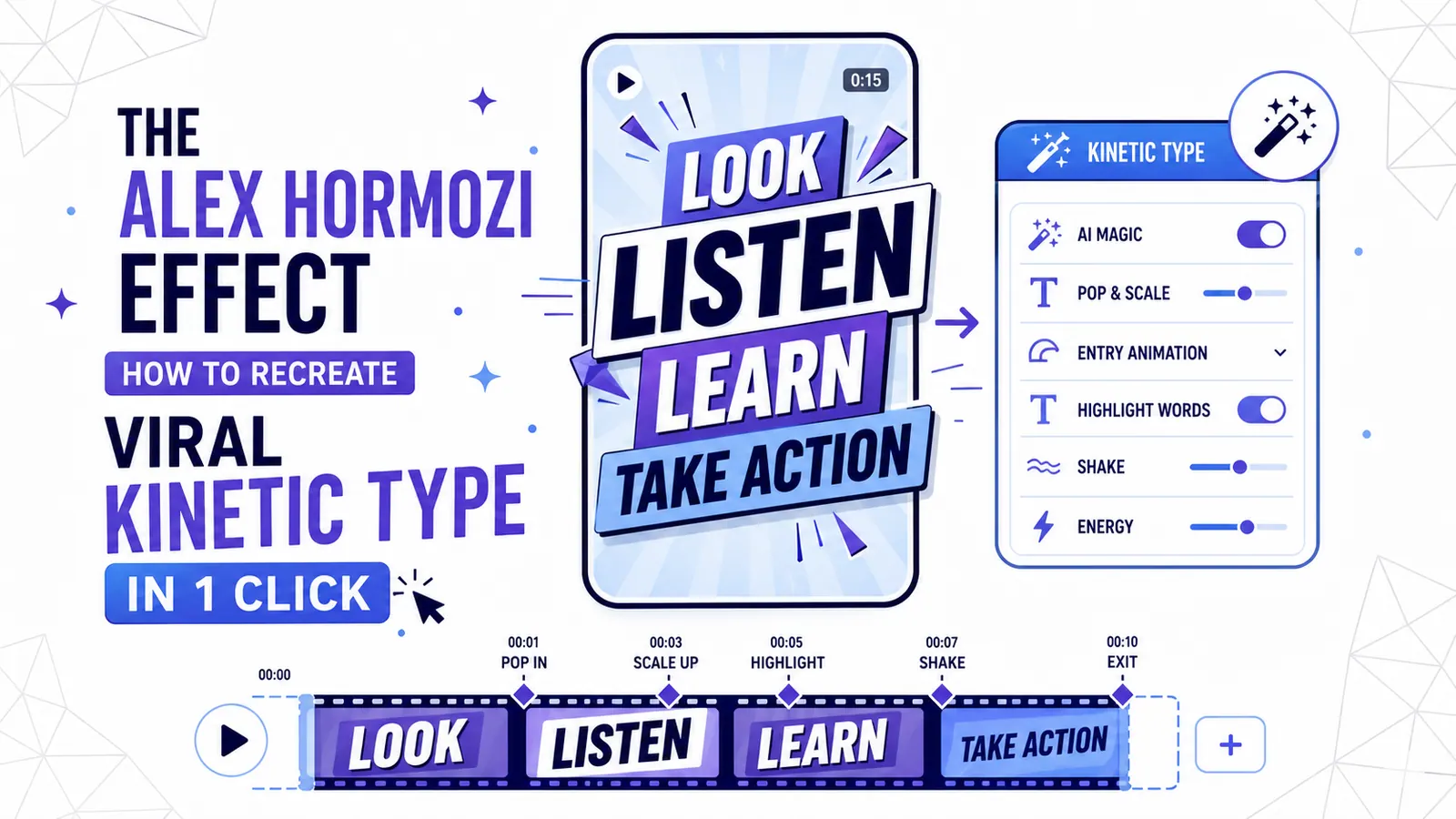
The Alex Hormozi Effect: How to Recreate Viral Kinetic Typography in 1 Click
The 'Hormozi Style' has become the gold standard for high-retention video. Discover the psychology behind kinetic typography and how to automate the look with AI.
Read