
YouTube Auto Dubbing vs CapzAi: Which Multilingual Video Workflow Wins in 2026?
YouTube expanded auto dubbing on February 4, 2026 and published a deeper creator guide on May 15, 2026, but most teams still need stronger caption control, clip finishing, and export flexibility.
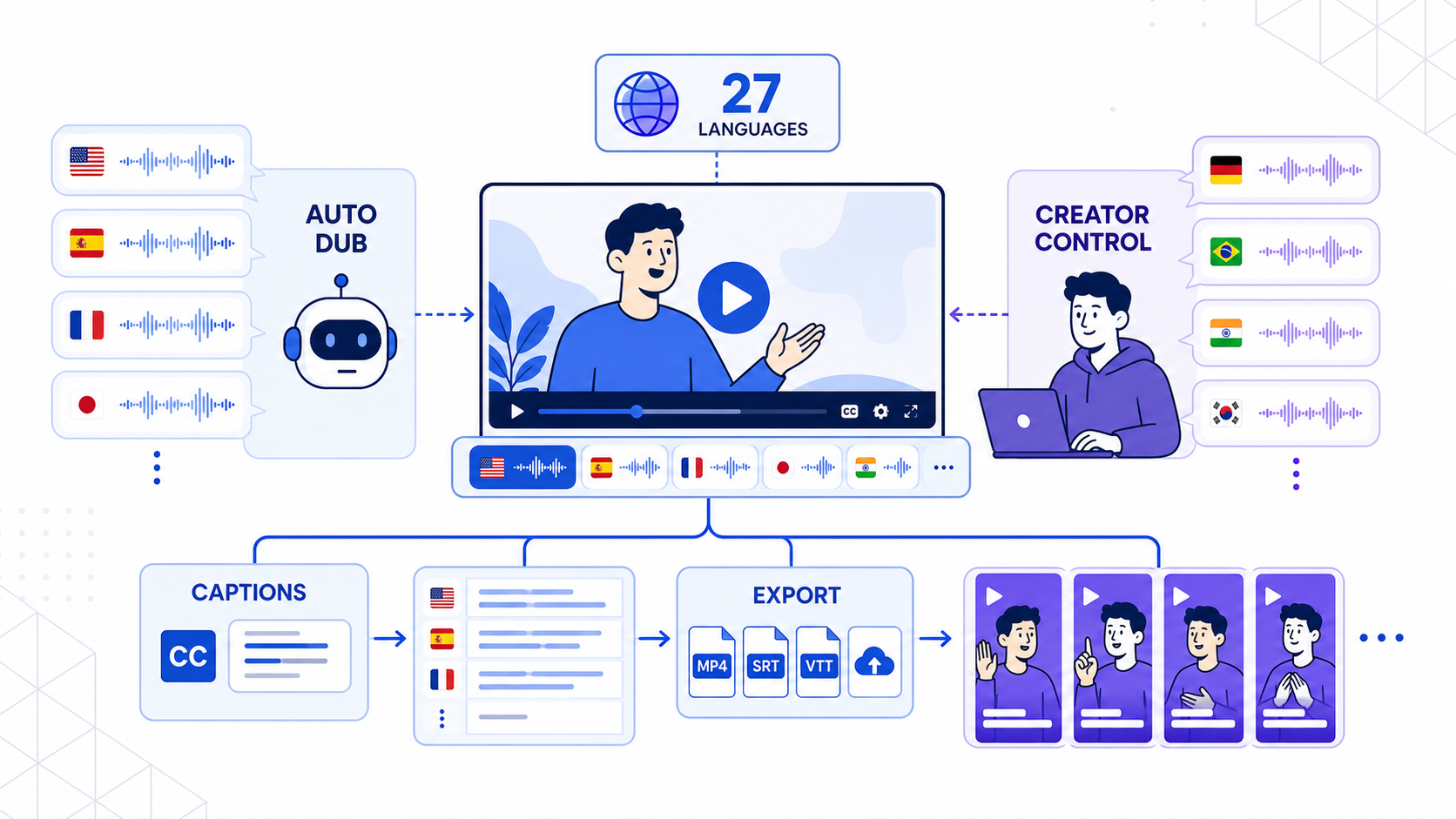
YouTube made multilingual publishing much harder to ignore in 2026.
On February 4, 2026, YouTube said its auto dubbing tool was now available to everyone and had expanded to 27 languages, while also highlighting more than 6 million daily viewers in December who watched at least 10 minutes of auto-dubbed content according to its official post, Unlocking a global audience with auto dubbing. On May 15, 2026, YouTube followed that with a practical creator explainer, YouTube auto dubbing, explained, which made the product direction even clearer: multilingual reach is becoming native infrastructure inside YouTube Studio.
That is a meaningful platform shift. It is also not the same thing as a complete multilingual content workflow.
If you are a creator, agency, educator, podcaster, or brand, the real question is not whether YouTube auto dubbing works. The real question is where YouTube's native workflow stops being enough, and when a tool like CapzAi becomes the more practical finishing layer.
The short answer
YouTube auto dubbing is strong when your main goal is to publish long-form videos to YouTube and let the platform handle language expansion natively.
CapzAi is stronger when you need to:
- review or refine subtitles before export
- create burned-in captioned MP4s for Shorts, Reels, and TikTok
- localize clips, not only the original long-form upload
- handle Arabic, Darija, or other workflows where text direction and subtitle readability matter
- work in a pay-on-export flow instead of relying on one platform's output logic
YouTube helps distribution inside YouTube. CapzAi helps you finish multilingual video for the wider short-form web.
Why YouTube auto dubbing matters right now
The February 4 update mattered because it moved auto dubbing closer to a default expectation instead of an experimental edge feature.
YouTube said the system supports 27 languages and that eight languages include Expressive Speech, which aims to make the dubbed result sound more natural. The May 15 explainer added another operational detail that matters for creators: once auto dubbing is active, YouTube Studio lets you review performance by audio track so you can see whether dubbed versions are actually reaching viewers in each language.
That changes creator behavior in two ways.
First, more teams will test multilingual reach because the friction is lower.
Second, native auto dubbing will reset buyer expectations. Clients and internal teams will increasingly assume that video should be available in more than one language unless there is a good reason not to.
Where YouTube auto dubbing wins
YouTube's main advantage is native distribution.
If your source asset is already a YouTube upload, the platform can generate additional language tracks close to the place where discovery happens. That reduces operational overhead. There is no extra export pipeline, no separate upload to another dubbing service just to test international demand, and no additional handoff just to turn on more languages.
That is especially attractive for:
- knowledge and education channels
- tutorials and explainers
- interview-based long-form videos
- evergreen library content
- creators who mainly care about YouTube watch time
For those use cases, native dubbing can be enough to validate whether a channel deserves a broader localization strategy.
Where YouTube auto dubbing usually stops being enough
The limitations show up as soon as the workflow expands beyond one long-form upload on one platform.
Most modern creator teams do not only need translated audio. They also need:
- caption styling that still looks good on phones
- clips pulled from long videos for Shorts, Reels, and TikTok
- safe-zone-aware text placement
- localized on-screen subtitles that can be reviewed before publishing
- a finished MP4 they control directly
Those jobs sit outside YouTube's core product goal.
YouTube auto dubbing is built to help viewers consume videos in more languages inside YouTube. CapzAi is built to help creators produce captioned, localized, export-ready video assets they can ship anywhere.
YouTube Auto Dubbing vs CapzAi
| Workflow area | YouTube Auto Dubbing | CapzAi |
|---|---|---|
| Primary job | Add dubbed audio tracks inside YouTube | Finish captioned, localized social-ready videos |
| Best source format | Long-form YouTube uploads | Long-form videos, clips, UGC, interviews, demos |
| Platform scope | YouTube-centered | Shorts, Reels, TikTok, and exportable MP4 workflows |
| Caption control | Limited as a finishing layer | Stronger review and styling control |
| Clip repurposing | Not the main use case | Core use case |
| RTL and dialect workflows | General multilingual support | Better fit when subtitle layout and dialect nuance matter |
| Pricing logic | Bundled in YouTube's platform workflow | Pay on export for finished assets |
The key difference is not which company uses AI. Both do. The difference is where they sit in the production stack.
The caption layer still decides whether a short clip feels finished
This is the part many teams underestimate.
You can have a usable dubbed track and still end up with a weak social asset if the caption layer feels generic, crowded, mistimed, or poorly placed. For Shorts and Reels, subtitles are not only accessibility support. They are part of the pacing, emphasis, and retention strategy.
That matters even more when the video is translated. Different languages change line length, reading speed, and visual density. Arabic and dialect-heavy social language make that even more obvious. A translation can be technically correct but still feel wrong on screen.
CapzAi is the better tool when the subtitle layer needs to be treated as part of the edit rather than an afterthought.
Long-form discovery and short-form repurposing are different jobs
YouTube's native auto dubbing fits the long-form discovery side of the market.
But many businesses grow from the short-form side first. A founder interview becomes five Shorts. A webinar becomes ten clips. A product demo becomes three localized ad variants. In those cases, the team usually needs to choose the right moment, refine the hook, style the captions, and publish across more than one destination.
That is where CapzAi fits better.
Instead of starting from "How do I add more languages to this YouTube upload?", the CapzAi workflow starts from "Which clips are worth shipping, how should the subtitles look, and which finished exports should go live in which market?"
That is a more useful framing for short-form teams.
Review before publish matters more than creators want to admit
YouTube's own explainer says creators should check performance by audio track and improve the input video with clearer speech, less overlap, and translated titles and descriptions when needed.
That advice is solid. It also indirectly confirms the product boundary. Native auto dubbing still depends on source clarity and still benefits from creator review.
CapzAi takes that review habit closer to the final asset:
- inspect the caption output
- adjust the visual treatment
- translate or dub the winning clip
- export only what is actually ready
That process is slower than a one-button platform default, but it usually produces a better asset for content that has real business value.
The strongest workflow is usually hybrid
For a lot of teams, this is not an either-or decision.
The practical workflow in 2026 often looks like this:
- Publish the full long-form video on YouTube.
- Let YouTube auto dubbing expand reach for viewers who want the full episode or explainer.
- Identify the clips that deserve short-form distribution.
- Use CapzAi to add stronger captions, adjust layout, localize the best moments, and export polished MP4s.
- Publish those assets to Shorts, Reels, and TikTok with platform-specific packaging.
That gives you the speed of native YouTube reach without forcing every multilingual asset to stay inside YouTube's default presentation.
Should you choose YouTube auto dubbing or CapzAi?
Choose YouTube auto dubbing if:
- YouTube is your main channel
- your focus is long-form reach
- you want the easiest way to test multilingual distribution in Studio
Choose CapzAi if:
- short-form repurposing is part of the growth engine
- captions are central to retention and brand quality
- you need export control outside YouTube
- you serve multilingual audiences where subtitle readability and review matter
YouTube's February 4 and May 15, 2026 updates made one thing obvious: auto dubbing is now a real part of the creator stack.
But a creator stack is not the same as a finished workflow.
If your job is to grow inside YouTube, native auto dubbing is increasingly hard to ignore. If your job is to turn source video into polished multilingual clips that work across the whole short-form internet, CapzAi remains the more practical tool.
Get Started with CapzAi
If your multilingual workflow depends on better captions, stronger clip finishing, and export-ready video for more than one platform, CapzAi gives you a cleaner path. Use it to turn long videos into social-ready clips, review subtitles before export, localize high-value moments, and pay only for the versions you are ready to ship.
Related articles
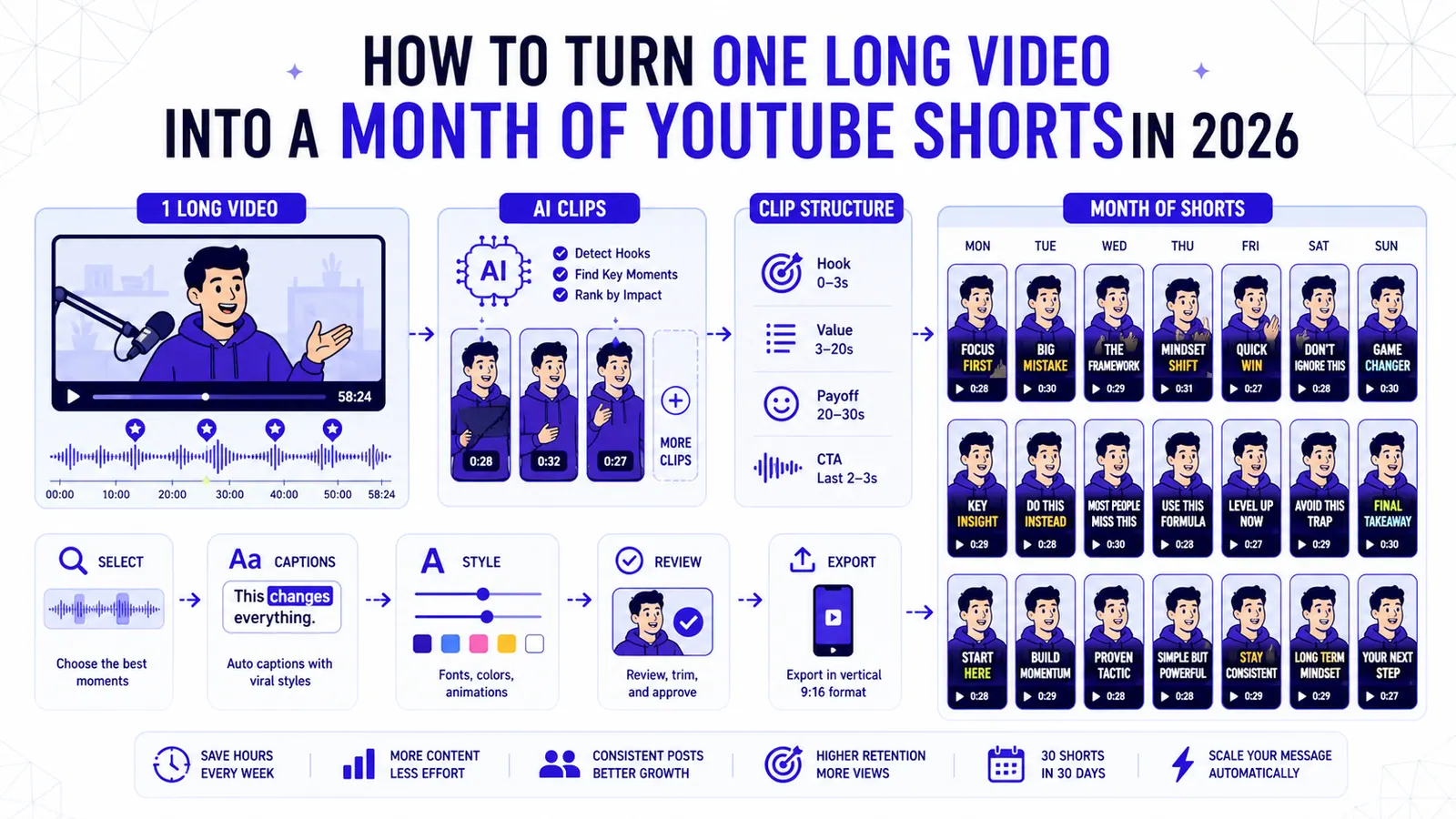
How to Turn One Long Video into a Month of YouTube Shorts in 2026
A repeatable clipping workflow for podcasts, webinars, livestreams, and tutorials, built around selection, structure, captions, and review.
Read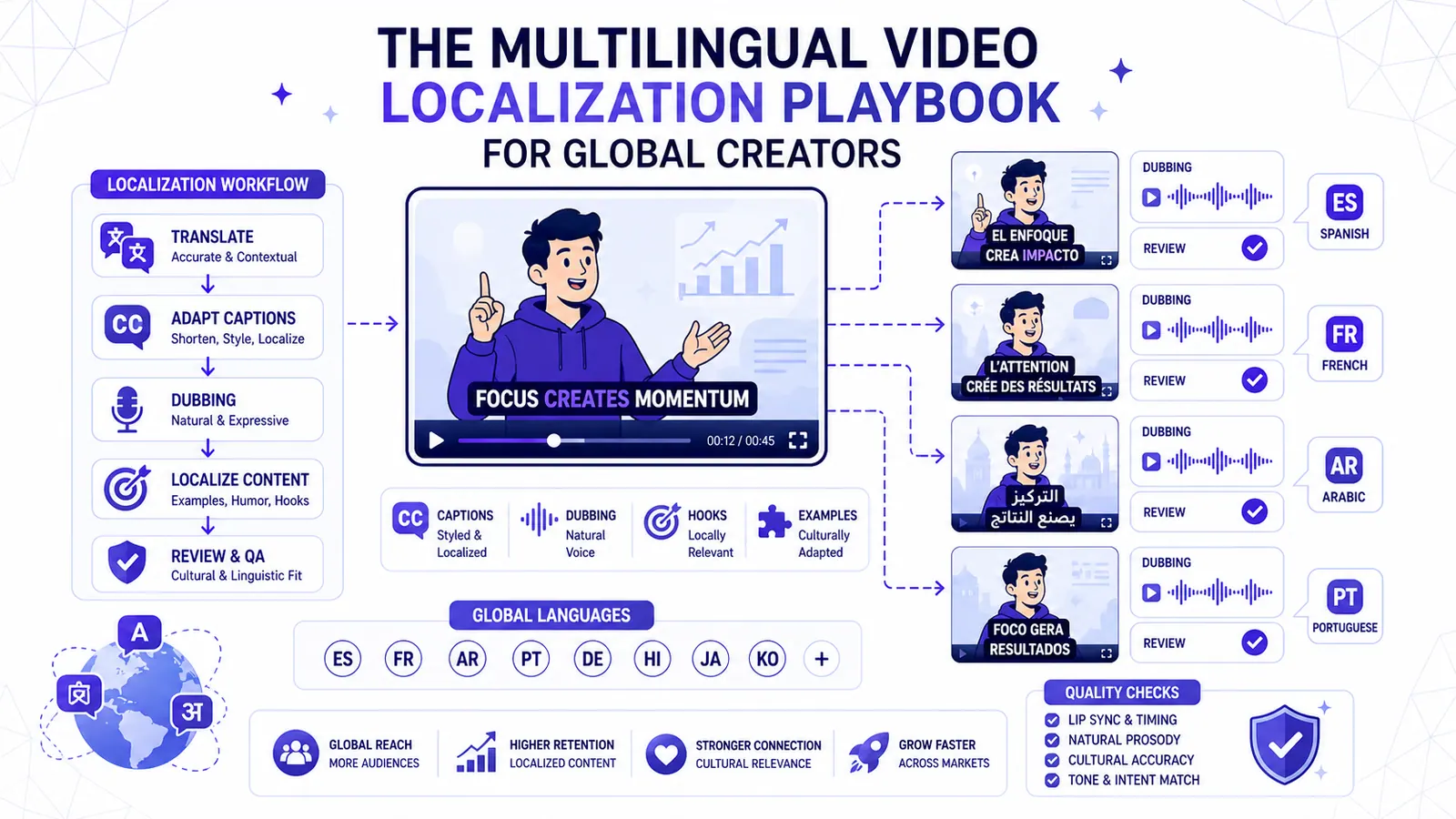
The Multilingual Video Localization Playbook for Global Creators
Translation alone is not localization. This playbook shows how to adapt captions, dubbing, hooks, examples, and review for international short-form content.
Read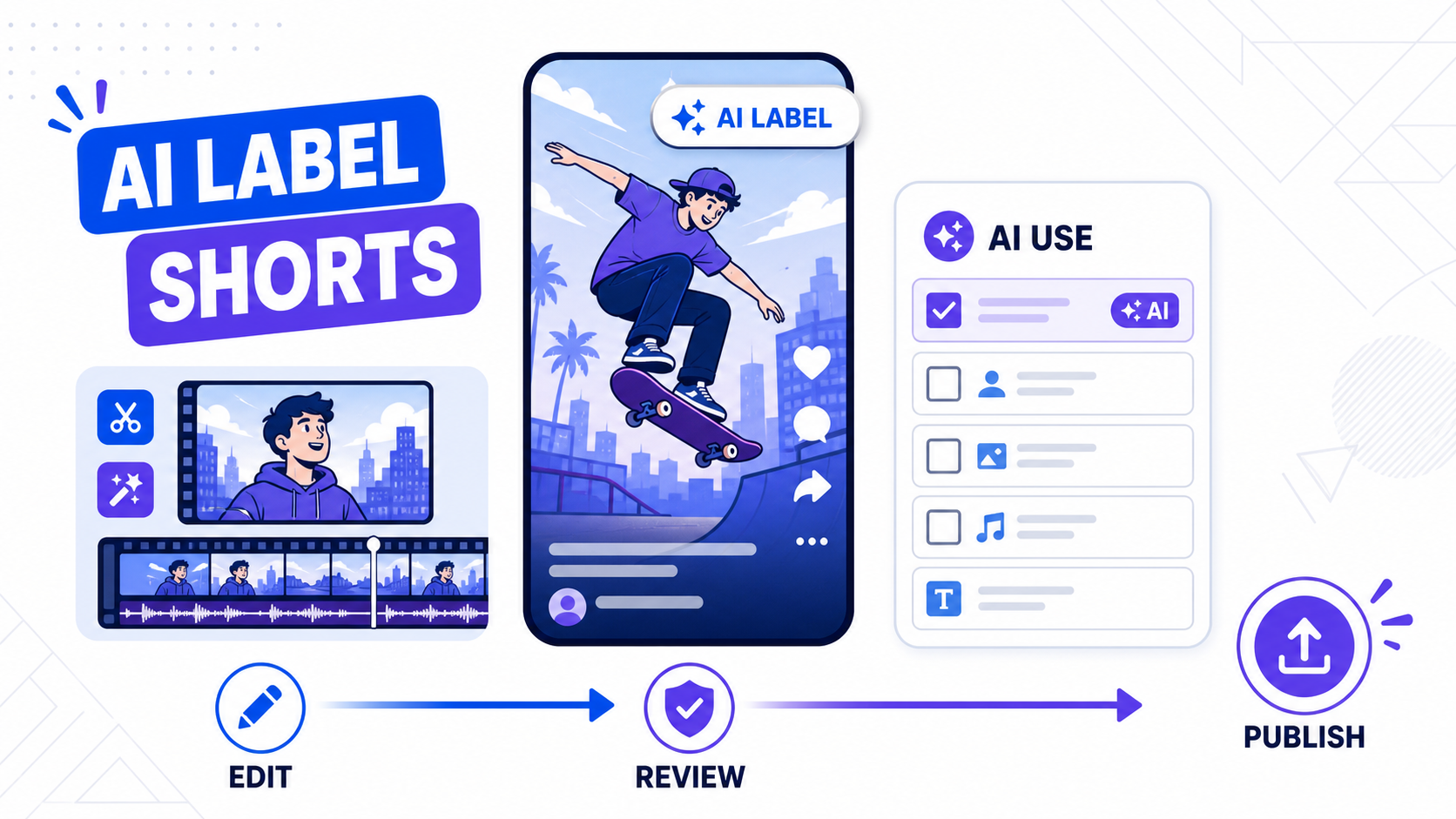
YouTube AI Labels for Shorts in 2026: What Creators Need to Do Now
YouTube moved AI labels directly onto Shorts on May 27, 2026. Here is what creators, editors, and repurposing teams should change in their workflow.
Read