
Captions AI vs CapzAi Pricing, Languages, and Caption Quality Compared
A direct comparison of Captions.ai and CapzAi across pricing models, localization accuracy, and styling control to help you choose the right video editor.
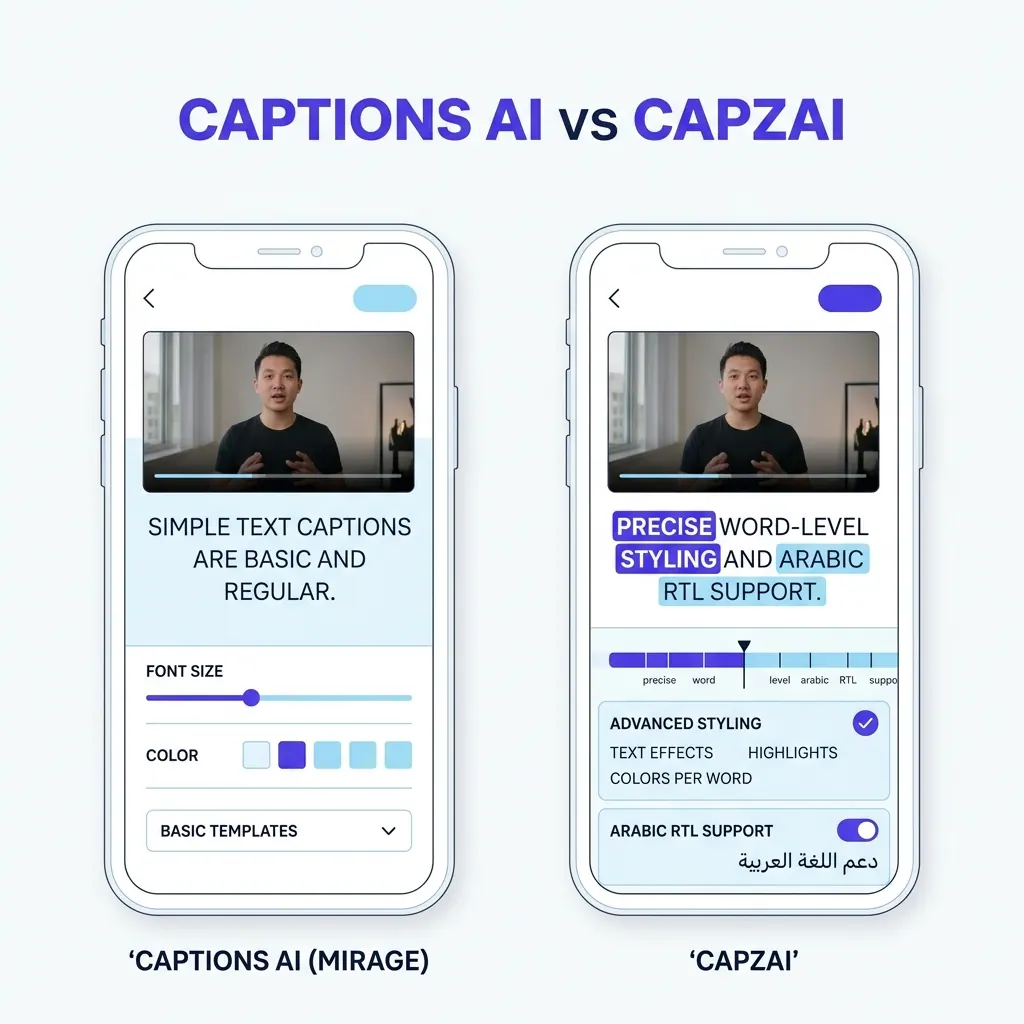
Choosing the right tool for captions ai generation dictates your production speed and overhead costs. You have dozens of options in 2026. Two platforms stand out for short-form and mid-form video: Captions.ai and CapzAi.
Both offer automated transcription and generated animated text to reduce manual editing time.
The similarities end there.
Captions.ai operates as a broad, consumer-friendly suite packed with features like AI avatars and eye-contact correction. It relies on a flat monthly subscription.
CapzAi targets a different workflow entirely. We built it around precise typography and deep regional language support. We operate strictly on a pay-per-export pricing model, charging 20 credits per minute of exported video with completely free editing.
We will break down exactly where each platform excels. We will look at hard numbers for pricing. We will compare their language models. Finally, we will examine the exact workflow for styling text.
Captions AI Pricing vs Usage-Based Billing
At a Glance: Captions.ai vs CapzAi
Before diving deep, here is how the core features stack up.
| Feature | Captions.ai | CapzAi |
|---|---|---|
| Pricing Model | Monthly Subscription | Pay-on-Export (20 credits/min) |
| Free Editing | No | Yes |
| AI Agent | Auto-Edit Buttons | Chat-to-Edit Assistant |
| RTL Support (Arabic) | Poor / Requires manual fixes | Native RTL Engine |
| Darija Support | Non-existent | Purpose-built Models |
| AI Voice Dubbing | Yes | Yes (Precise lip-sync) |
| Subtitle Export | Basic .srt | Advanced .ass integration |
The Subscription Trap for Variable Schedules
Most software companies force users into monthly subscriptions. Captions.ai follows this model by offering tiered monthly or annual plans. You pay a set fee regardless of whether you edit one video or fifty videos that month.
This model works perfectly for high-volume daily uploaders. If you run three TikTok channels and publish four times a day, a flat $30 or $50 monthly fee becomes a negligible business expense. You easily squeeze maximum value out of the subscription.
The math changes for everyone else.
Many creators operate on variable schedules. You might push hard for two weeks to launch a course, producing hours of video, then take a month off to write. A sporadic documentary filmmaker might spend three months researching and only need captioning software for a single 40-minute release.
In these scenarios, a monthly subscription drains money while the software sits unused. You end up paying for downtime.
Pay-Per-Export Cost Breakdown
CapzAi uses a pay-on-export system. We charge 20 credits per minute of rendered video. You buy credit packs and use them strictly when you hit the export button.
You pay nothing to upload clips. You pay nothing to experiment with the AI Agent or test out the viral pop preset. The cost applies only to the final output.
Let us look at a specific cost breakdown for a mid-tier creator producing 15 minutes of finalized video per month.
With Captions.ai, you pay your flat monthly fee. Assuming a $30 tier, you pay $30 for those 15 minutes.
With CapzAi, 15 minutes costs 300 credits. Depending on the credit package you purchased, that equates to a fraction of the subscription cost.
If you take the next month off, Captions.ai still charges you $30. CapzAi charges you exactly zero.
Usage-based pricing directly aligns software costs with creator revenue. When you produce more, you pay more. When you rest, your overhead drops entirely. We believe this is a fairer system for independent creators.
Captions AI Reviews and User Sentiment
When researching video editing tools, public perception offers harsh truths. User feedback for mainstream caption tools reveals a clear pattern.
Creators praise the speed and the viral templates. They love getting a video ready for TikTok in three minutes. The friction appears when users try to push beyond the default settings. Reviewers frequently complain about locked styling options and rigid billing cycles. If you take a month off from creating, the subscription fee still hits your credit card.
International creators are especially vocal. Translating content into Arabic often breaks the text layout, forcing users to manually rearrange letters. The consensus shows a platform built for standard English volume but struggling with global localization.
Language Support and Localization Accuracy
Generalized Translation vs Targeted Precision
English transcription is a solved problem. Every tool on the market hits 95% accuracy on clean English audio. The real test of an AI captioning tool is how it handles regional dialects, mixed-language speech, and non-Latin alphabets.
Captions.ai boasts a massive list of supported languages. You can select almost any major global language from their dropdown menu. This broad approach relies on generalized translation models that work decently well for standard Spanish or High German.
The quality degrades rapidly when you introduce dialects or complex scripts.
CapzAi took the opposite approach. We restricted our focus to four core languages: English, French, Arabic, and Darija (Moroccan Arabic).
By narrowing our scope, we achieved a much higher standard of localization for these specific regions.
Solving the Arabic Text Rendering Problem
Arabic text rendering breaks in most video editors. Western software relies on left-to-right (LTR) text engines.
When you force Arabic through an LTR engine, the letters often detach and the sentence structure reverses. Editors spend hours manually flipping text layers or using third-party converter websites just to make the words legible.
CapzAi includes a native right-to-left (RTL) layout engine. We designed the renderer from the ground up to respect Arabic typography.
The letters connect properly. The punctuation sits on the correct side of the sentence. You can apply our viral caption animations to Arabic text, and the active word highlighting moves correctly from right to left.
Specialized Darija Models
Our Darija support is a specific technical advantage. Darija heavily blends Arabic and French with Amazigh vocabulary.
Standard Arabic speech-to-text models fail completely on Darija audio. They attempt to force the spoken words into Modern Standard Arabic text, resulting in gibberish. We trained specific models to recognize and transcribe Moroccan Darija accurately.
This deep localization extends directly to our AI voice dubbing. You can upload a French video and dub it into Arabic with precise lip-sync timing. The translation engine respects regional idioms rather than executing literal word-for-word swaps.
If you need to caption videos in Swedish or Japanese, Captions.ai is your only option. If your audience speaks French, Arabic, or Darija, CapzAi provides a technically superior output.
You can read more about our specific localization workflows in our Arabic RTL text engine breakdown.
Caption Styling: Granular Control vs Templates
The Homogeneity of Broad Templates
Text on screen dictates the visual pacing of a short-form video. Typography choices signal the genre of your content, while color palettes dictate the mood.
Captions.ai provides a library of pre-packaged templates. You click a style, and it applies a static combination of font choices and animations to your entire video.
It is fast and user-friendly. It removes the friction of design. The downside is homogeneity. Your videos end up looking exactly like every other video using that same template.
Purpose-Built Typography Presets
CapzAi offers five distinct presets. We built these based on the most effective typography patterns across TikTok and Reels.
- Karaoke: A high-energy style where words fill with color exactly as they are spoken. It keeps the viewer's eye locked on the center of the screen.
- Viral Pop: Explosive word-by-word reveals. The active word scales up by 115% for two frames before settling back into the line.
- Classic: Clean, broadcast-safe lower thirds. A black semi-transparent bounding box with white Helvetica or Inter text perfectly suits LinkedIn posts.
- Docu: Elegant serif fonts with slow fade-ins. We modeled this on prestige streaming documentaries.
- Creative: A highly stylized option using custom uploaded fonts and heavy drop shadows.
Read more about applying these styles in our guide to viral typography.
Per-Pixel Typography Control
Presets are just starting points. CapzAi allows per-pixel control over your typography.
You can select a single word within a sentence and change its color to bright #FFD700 yellow to emphasize a specific point. You can adjust the exact line height. You can drag and drop the text block anywhere on the screen to avoid obscuring a crucial part of the video frame.
This level of control matters. A preset cannot know that a specific video clip features important action in the lower third of the screen.
CapzAi lets you move the text freely. You can also upload your own custom .ttf or .otf brand fonts. Captions.ai focuses on speed through templates, while CapzAi provides speed through presets but refuses to lock you out of granular design settings.
Word-Level Timing Accuracy
Correcting AI Transcription Errors
Captions look amateurish when the visual text lags behind the spoken audio. The human brain detects timing discrepancies as small as two frames.
Both platforms utilize advanced speech recognition models to map text to audio. Both achieve excellent baseline accuracy. The differences emerge in how they handle difficult audio and how you correct their mistakes.
Audio with heavy background noise confuses most transcribers. Wind interference or a poorly positioned microphone will cause the AI to miss words entirely.
Captions.ai relies on its automated systems to guess the missing words. Sometimes it guesses correctly. Often, it drops the word or substitutes a phonetically similar but incorrect term.
Editing these errors requires navigating their timeline interface, finding the specific clip, and typing the correction manually.
Millisecond Adjustments for Fast Talkers
CapzAi approaches this through a dedicated word-level timing interface. Every single word generated by the AI appears as a discrete block with a specific start and end timestamp.
If the AI mishears a word, you click the word block and type the correction.
More importantly, if the timing is slightly off, you can grab the edge of the word block and drag it left or right. You can adjust the appearance of a single word down to the millisecond.
This precision is crucial for fast-talking creators. When a speaker hits a rapid cadence, standard caption tools lump several words together into a single visual chunk.
CapzAi forces the system to break them apart. We ensure the active word highlight exactly matches the specific syllable being spoken.
AI Assistants: Automated Edits vs Chat-to-Edit
The Black Box Approach
Artificial intelligence features typically split into two distinct philosophies. One approach uses AI as a black box that executes predefined actions. The other uses AI as a collaborative partner.
Captions.ai leans heavily into the black box approach. Their AI Edit features analyze your video and automatically apply cuts and sound effects.
You press a button, and the software makes the decisions. This workflow is incredibly fast. It is perfect for creators who hate the editing process and want to outsource creative decisions to a machine.
The Chat-to-Edit Workflow
CapzAi introduces a conversational workflow. We built an AI Agent directly into the interface. You do not press an "Auto Edit" button. You chat directly with the software.
You open the CapzAi Agent panel and type a request.
"Find the five most engaging quotes in this 20-minute interview and turn them into separate 30-second clips."
The Agent analyzes the transcript. It identifies complete thoughts and executes the cuts. It returns five new project files in your dashboard, each containing a perfectly trimmed clip.
You can also ask the Agent to adjust styling. "Change all the captions in the first 10 seconds to red." The Agent executes the command instantly.
Iterative Collaboration
This chat-to-edit model keeps the creator in control. You act as the director. The Agent acts as your assistant editor.
You dictate the strategy, and the AI handles the mechanical execution. This is particularly useful for complex repurposing tasks. You can instruct the Agent to reformat a horizontal YouTube video into a vertical short, ensuring the main speaker remains centered in the frame. Read more about managing these workflows in our guide to scaling video production.
We prefer this collaborative model because automated editing scripts often make bizarre creative choices. A chat interface allows you to iterate.
If the Agent's first pass feels too aggressive, you simply tell it to undo the changes and try a softer approach.
Export Formats and Integration
Beyond Basic MP4 Exports
A software tool is only as good as its ability to communicate with the rest of your pipeline. Lock-in creates friction.
Captions.ai primarily expects you to export a finished MP4 file directly to your phone or computer. You render the video with hardcoded captions and upload it to your chosen platform. They offer basic text exports, but the focus remains heavily on the finalized video file.
CapzAi treats export flexibility as a core feature. We know that professional editors use our tool as just one step in a larger process.
Yes, you can export a fully rendered, high-bitrate 1080p MP4 with burned-in captions.
Advanced SubStation Alpha Integration
We also support advanced subtitle exports. You can download standard .srt files. More importantly, CapzAi exports complex .ass (Advanced SubStation Alpha) files.
An .ass file contains more than just the text and timestamps. It encodes exact positioning and font colors. It also saves heavy drop shadows and word-level animation timings.
You can drop a CapzAi-generated .ass file straight into DaVinci Resolve or Premiere Pro. The editing software reads the styling data and recreates our viral pop or karaoke effects natively on your timeline.
This .ass export creates a massive power-user advantage. You generate complex animated captions in CapzAi, export the data file, and drop it over your master uncompressed video file in Premiere.
You avoid the generational quality loss of rendering a video twice. If you work in a professional post-production environment, this feature alone justifies testing CapzAi.
Feature Gaps: Where Captions.ai Wins
Honesty builds trust. CapzAi is not the perfect tool for every single user. Captions.ai possesses several features that we explicitly chose not to build.
Captions.ai includes an AI Twin feature. You can record a few minutes of yourself speaking, and their system generates a digital avatar. You type a script, and your digital twin reads it on screen.
If your content strategy relies on generating videos without turning on a camera, Captions.ai is your tool. We have no plans to build AI avatars. We focus entirely on editing actual recorded footage.
Captions.ai also features eye-contact correction. If you recorded a video while staring at a script slightly off-camera, their AI can digitally manipulate your pupils to make it look like you are staring directly into the lens.
It is an impressive technical trick. We do not offer this feature.
Finally, Captions.ai includes a built-in teleprompter app for recording directly on your phone. CapzAi acts purely as a post-production tool. You record your footage elsewhere and bring it to us for editing.
The Verdict: Which Studio Fits Your Needs?
Your choice depends entirely on your specific bottlenecks.
Choose Captions.ai if:
- You upload multiple videos every single day.
- You want the software to make editing decisions for you automatically.
- You need AI avatars or eye-contact correction to fix poor recording habits.
- You prefer paying a flat monthly subscription regardless of your output.
Choose CapzAi if:
- Your upload schedule varies and you prefer to pay only when you export.
- You require perfect text rendering for Arabic or Darija.
- You demand granular, pixel-perfect control over your typography and colors.
- You want a chat-based AI Assistant to execute complex trimming and repurposing commands.
- You need .ass file exports to integrate animated text into Premiere or Resolve workflows.
Test both platforms yourself. Upload the exact same piece of difficult audio to both platforms and compare the initial transcription accuracy. Try to change the color of one specific word in the middle of a sentence. Stop paying for downtime and take control of your typography. Start your first project right now in the CapzAi dashboard and see the difference.
Related articles
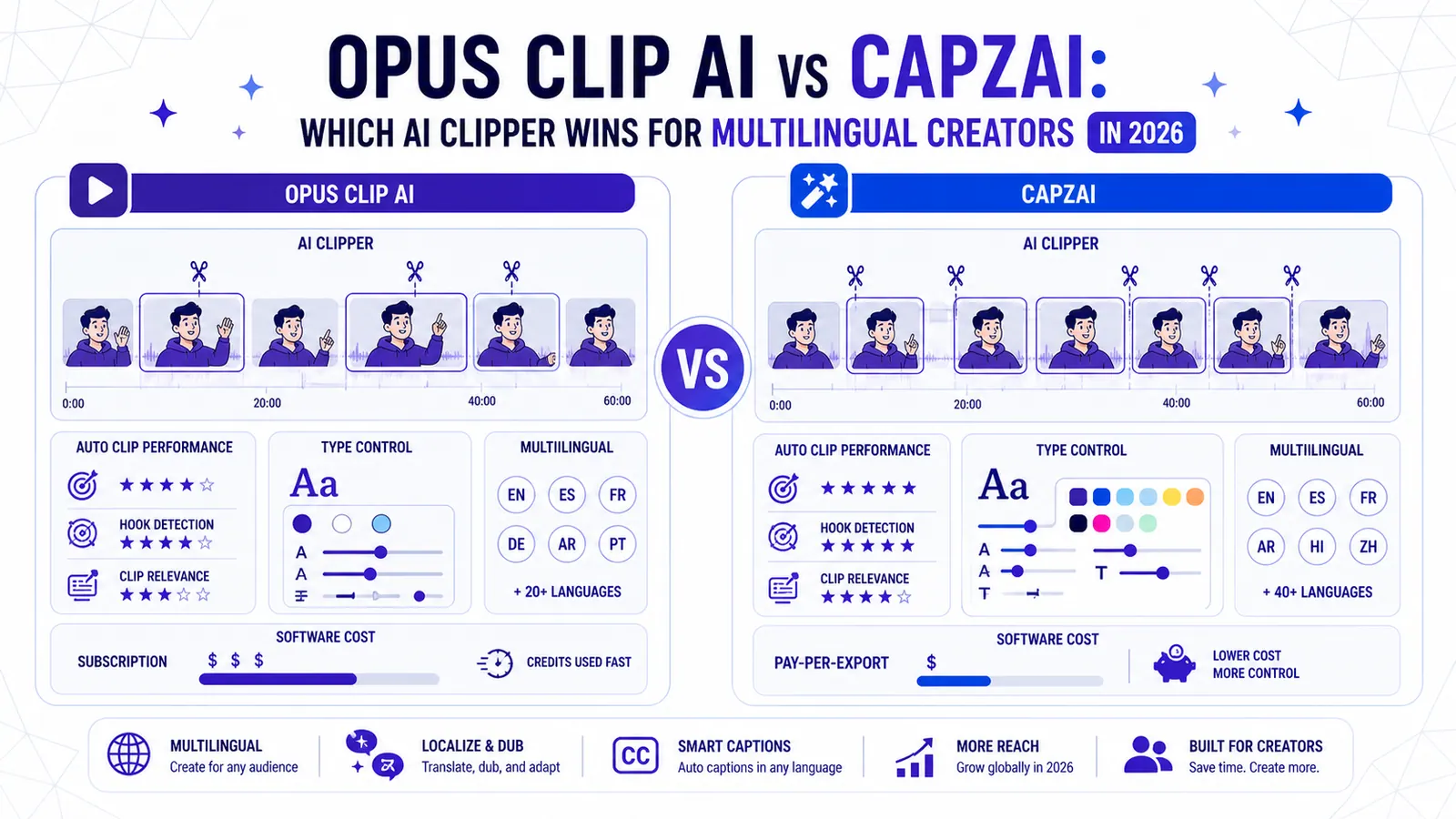
Opus Clip AI vs CapzAi: Which AI Clipper Wins for Multilingual Creators in 2026?
A direct comparison of auto-clipping performance, typographic control, multilingual support, and actual software costs for video creators.
Read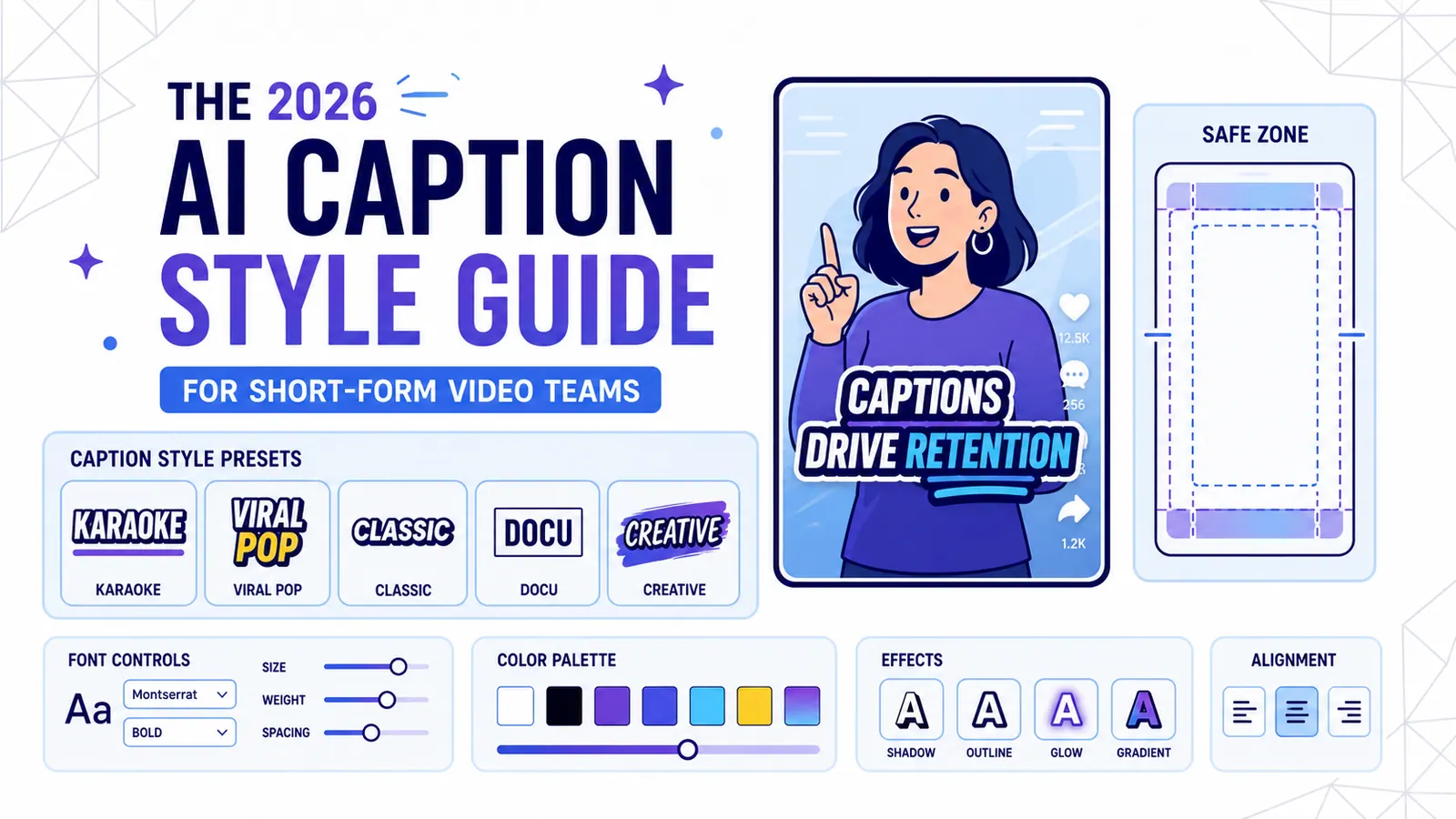
The 2026 AI Caption Style Guide for Short-Form Video Teams
A practical style system for creators and marketing teams who want captions that improve retention without turning every video into visual noise.
Read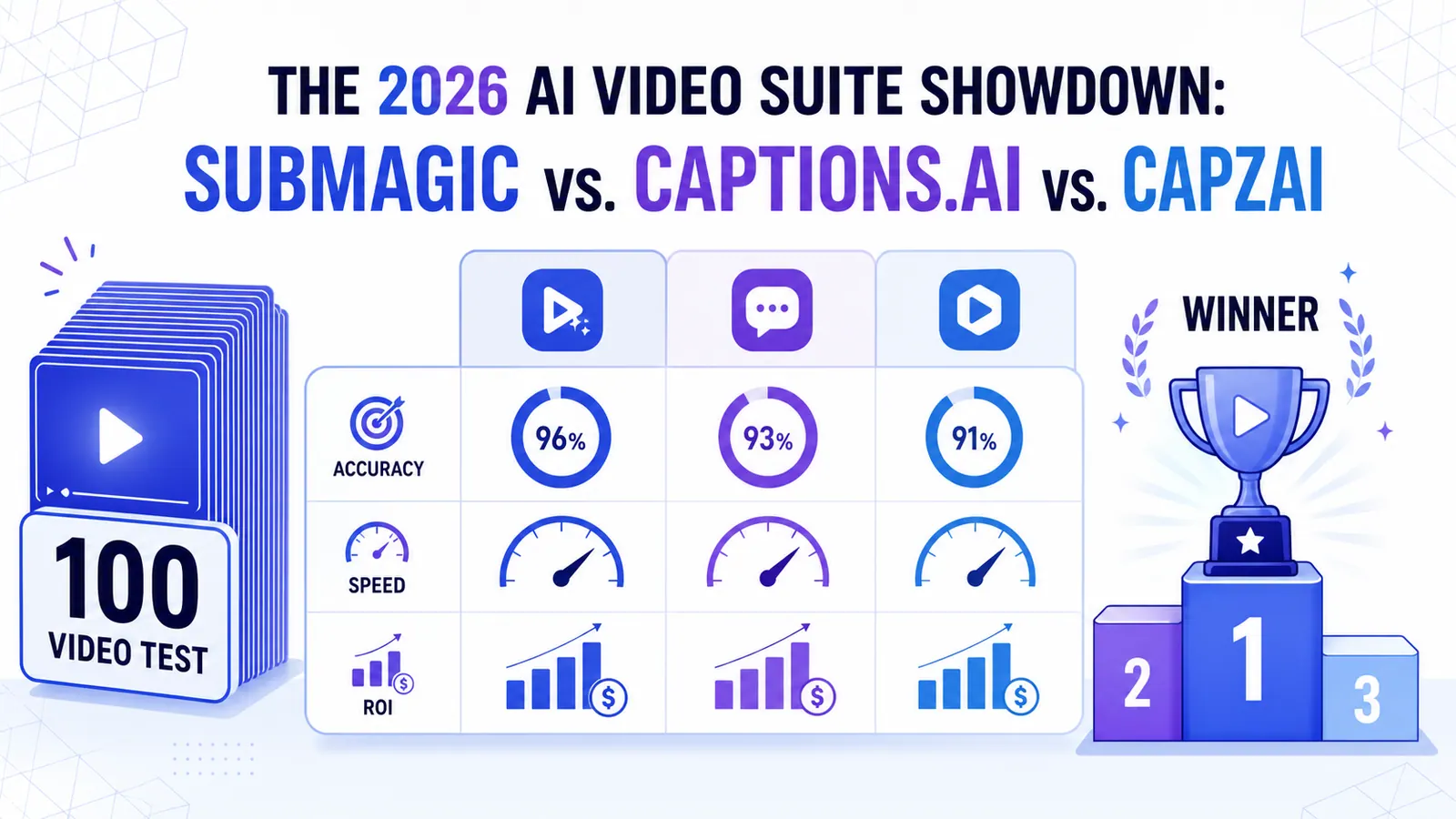
The 2026 AI Video Suite Showdown: Submagic vs. Captions.ai vs. CapzAi
We put the top AI video tools through a 100-video stress test. Here is how Submagic, Captions.ai, and CapzAi actually compare when it comes to accuracy, speed, and ROI.
Read